👨‍💻 Eugene Hickey @ Atlantic Technological University 👨‍💻
Graphics are important, overlooked, and inconsistent
Need to tell a story
Can be misleading, almost always by accident
Choice of colours / fonts
Keep it simple - reduce amount of ink
Increasing number of options for showcasing your data
ggplotggplot is easy to make publication-ready
easier to make sequence of visualisations
fits in nicely with the rest of the tidyverse
gg.gap, ggalignment, ggallin, ggalluvial, ggalt, ggamma, gganimate, ggarchery, ggasym, ggbeeswarm, ggblanket, ggborderline, ggbrain, ggbreak, ggBubbles, ggbuildr, ggbump, ggchangepoint, ggcharts, ggChernoff, ggcleveland, ggcorrplot, ggcorset, ggcoverage, ggdag, ggdark, ggDCA, ggdemetra, ggdendro, ggdensity, ggdist, ggdmc, ggDoE, ggDoubleHeat, gge, ggeasy, ggedit, ggeffects, ggenealogy, ggESDA, ggetho, ggExtra, ggfan, ggfittext, ggfocus, ggforce, ggformula, ggfortify, ggfun, ggfx, gggap, gggenes, ggghost, gggibbous, gggrid, ggh4x, gghalfnorm, gghalves, gghdr, ggheatmap, gghighlight, gghilbertstrings, ggHoriPlot, ggimage, ggimg, gginference, gginnards, ggip, ggiraph, ggiraphExtra, ggisotonic, ggjoy, gglasso, gglgbtq, gglm, gglorenz, ggm, ggmap, ggmapinset, ggmatplot, ggmcmc, ggmice, ggmix, ggmosaic, ggmotif, ggmr, ggmuller, ggmulti, ggnetwork, ggnewscale, ggnormalviolin, ggnuplot, ggOceanMaps, ggokabeito, ggpackets, ggpage, ggparallel, ggparliament, ggparty, ggpath, ggpattern, ggpcp, ggperiodic, ggpie, ggplate, ggplot.multistats, ggplot2, ggplot2movies, ggplotAssist, ggplotgui, ggplotify, ggplotlyExtra, ggpmisc, ggPMX, ggpointdensity, ggpointless, ggpol, ggpolar, ggpolypath, ggpp, ggprism, ggpubr, ggpval, ggQC, ggQQunif, ggquickeda, ggquiver, ggrain, ggRandomForests, ggraph, ggraptR, ggrasp, ggrastr, ggredist, ggrepel, ggResidpanel, ggridges, ggrisk, ggroups, ggsci, ggseas, ggsector, ggseg, ggseg3d, ggseqlogo, ggseqplot, ggshadow, ggside, ggsignif, ggsn, ggsoccer, ggsolvencyii, ggsom, ggspatial, ggspectra, ggstance, ggstar, ggstats, ggstatsplot, ggstream, ggstudent, ggsurvey, ggsurvfit, ggswissmaps, ggtea, ggtern, ggtext, ggThemeAssist, ggthemes, ggtikz, ggTimeSeries, ggtrace, ggtrendline, ggupset, ggvenn, ggVennDiagram, ggversa, ggvis, ggvoronoi, ggwordcloud, ggx
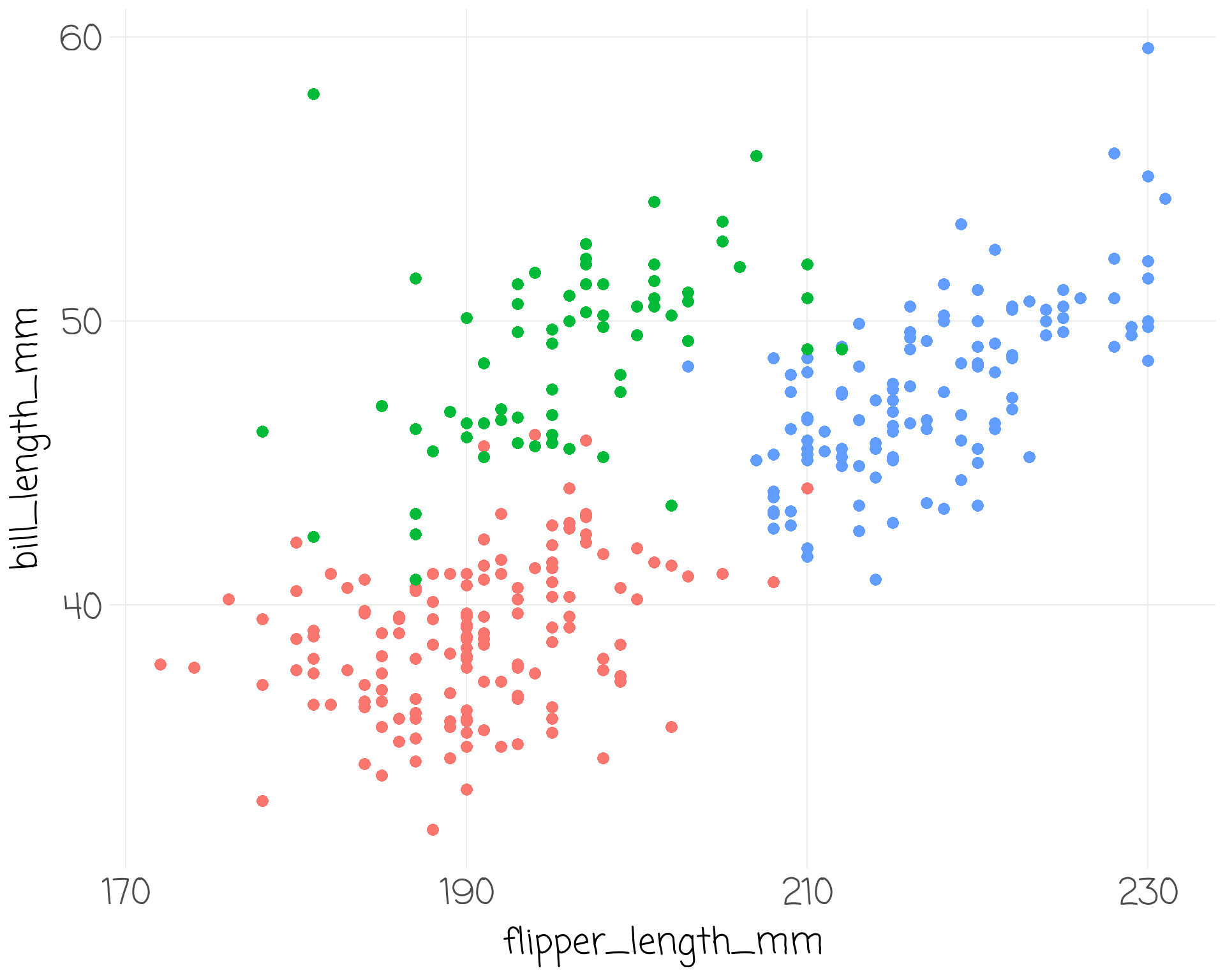
Three Features of a Plot
# A tibble: 333 Ă— 8
species island bill_length_mm bill_depth_mm flipper_length_mm body_mass_g
<fct> <fct> <dbl> <dbl> <int> <int>
1 Adelie Torgersen 39.1 18.7 181 3750
2 Adelie Torgersen 39.5 17.4 186 3800
3 Adelie Torgersen 40.3 18 195 3250
4 Adelie Torgersen 36.7 19.3 193 3450
5 Adelie Torgersen 39.3 20.6 190 3650
6 Adelie Torgersen 38.9 17.8 181 3625
7 Adelie Torgersen 39.2 19.6 195 4675
8 Adelie Torgersen 41.1 17.6 182 3200
9 Adelie Torgersen 38.6 21.2 191 3800
10 Adelie Torgersen 34.6 21.1 198 4400
# ℹ 323 more rows
# ℹ 2 more variables: sex <fct>, year <int>
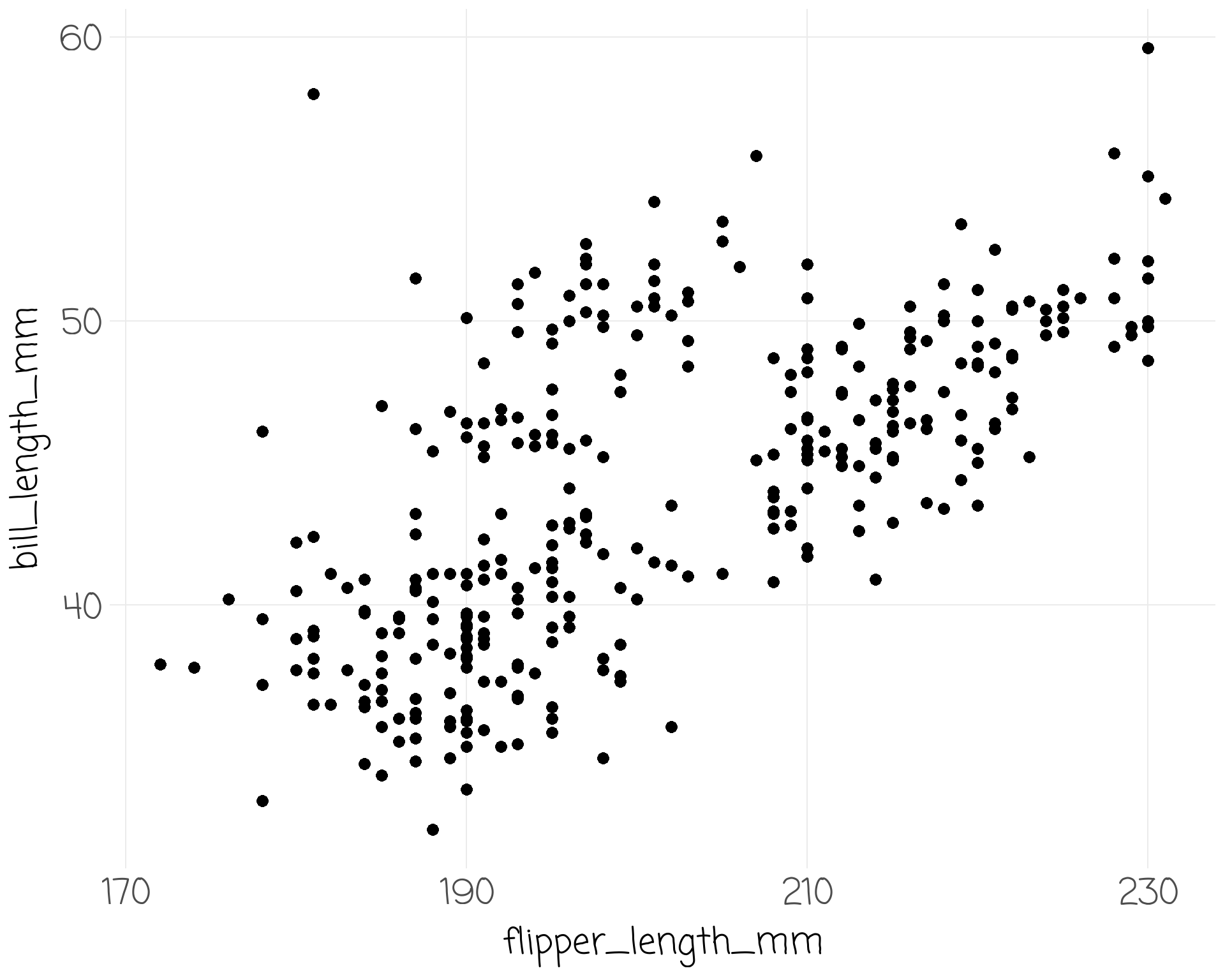
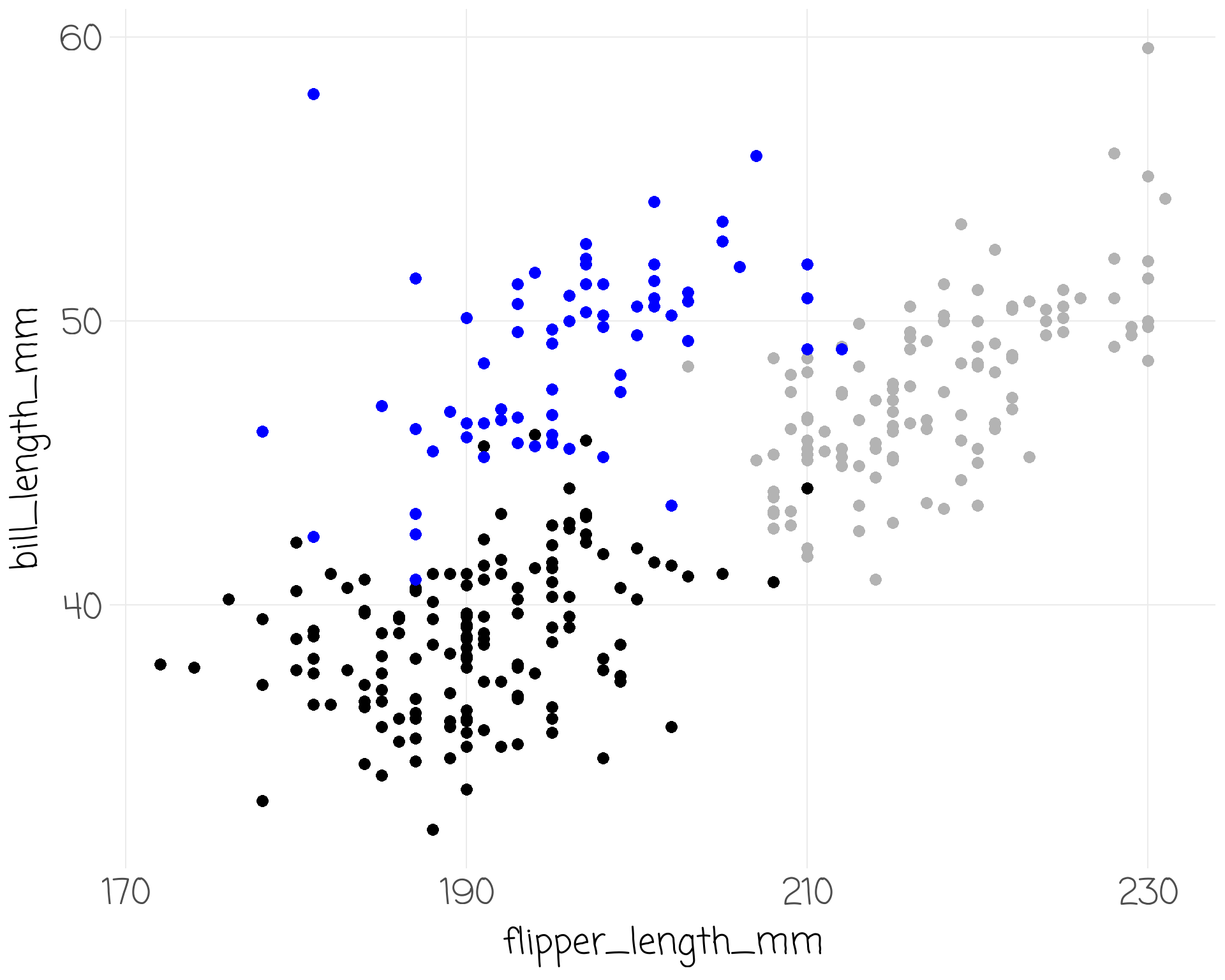
penguins %>% drop_na() %>%
ggplot() +
aes(x = flipper_length_mm) +
scale_x_continuous(breaks = seq(170, 230, by = 20)) +
aes(y = bill_length_mm) +
geom_point(size = 3, show.legend = F) +
aes(colour = species) +
scale_color_manual(values = c("black", "blue", "grey70")) +
ggalt::geom_encircle(size = 5, show.legend = FALSE)
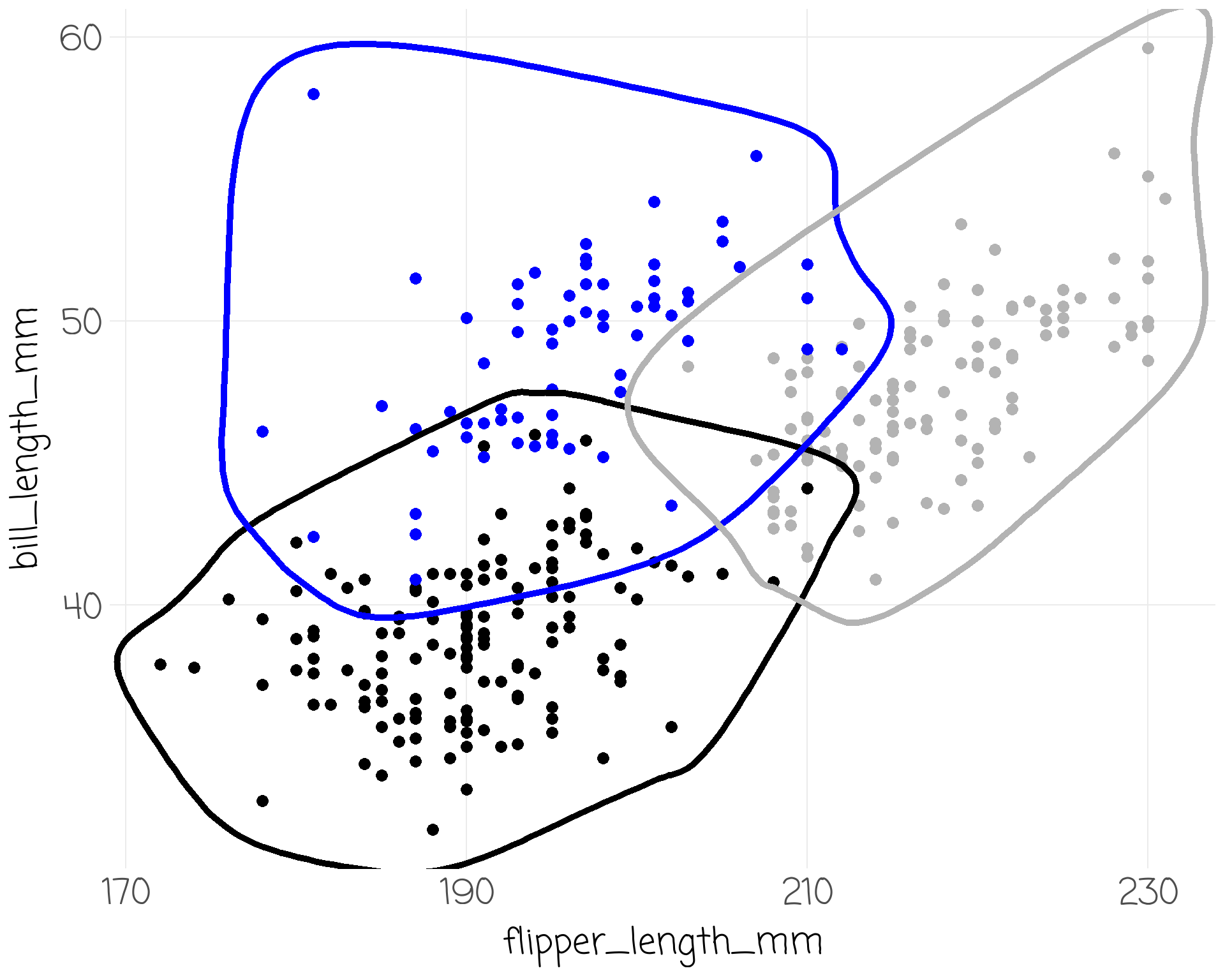
penguins %>% drop_na() %>%
ggplot() +
aes(x = flipper_length_mm) +
scale_x_continuous(breaks = seq(170, 230, by = 20)) +
aes(y = bill_length_mm) +
geom_point(size = 3, show.legend = F) +
aes(colour = species) +
scale_color_manual(values = c("black", "blue", "grey70")) +
ggalt::geom_encircle(size = 5, show.legend = FALSE) +
labs(title = "Chinstraps have Short Flippers",
subtitle = "{.black Adelie}, {.blue Chinstrap}, and {.#B0B0B0 Gentoo} penguins",
x = "Flipper Length (mm)",
y = "Bill Length (mm)",
caption = "@Data from Palmer Penguins")
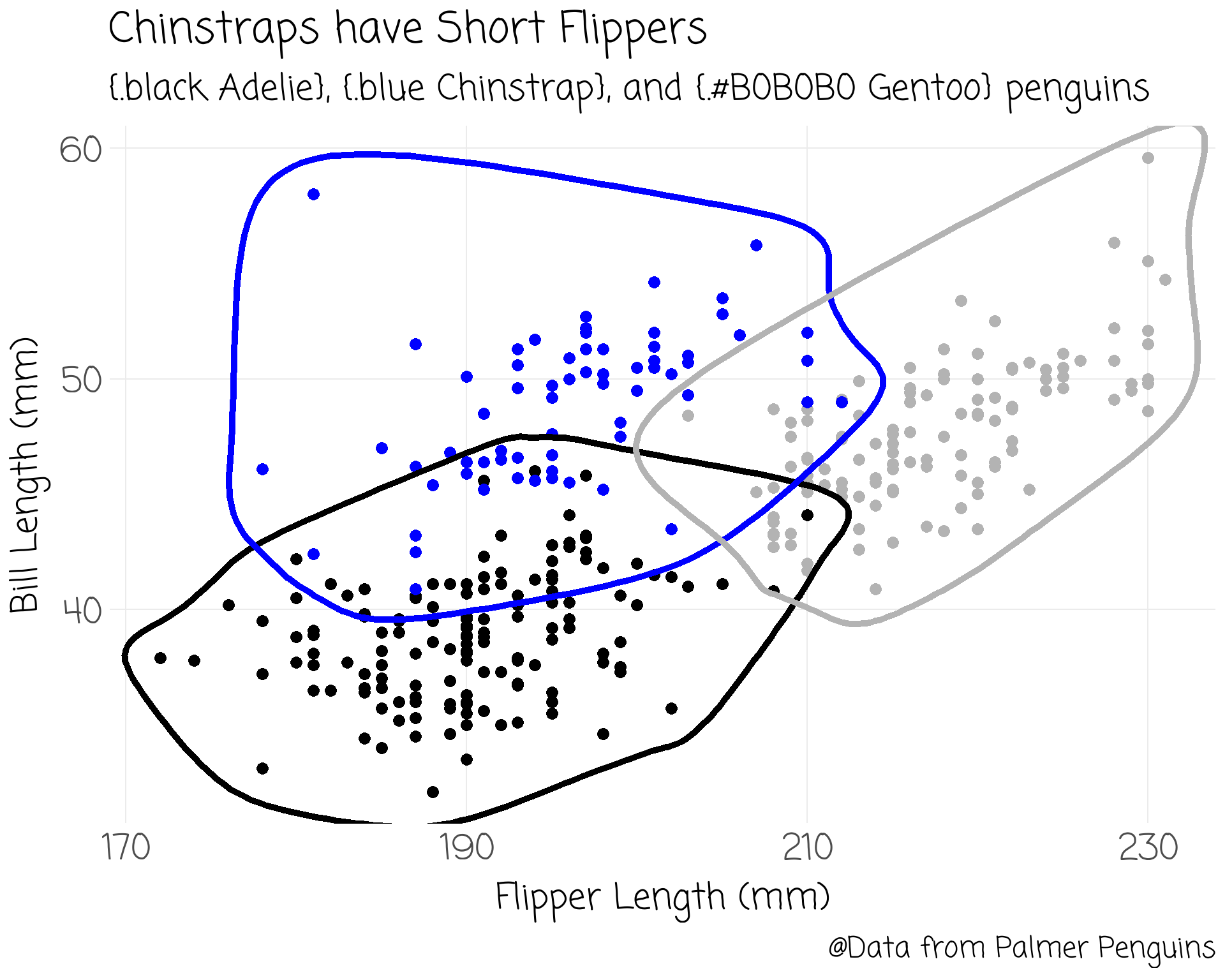
penguins %>% drop_na() %>%
ggplot() +
aes(x = flipper_length_mm) +
scale_x_continuous(breaks = seq(170, 230, by = 20)) +
aes(y = bill_length_mm) +
geom_point(size = 3, show.legend = F) +
aes(colour = species) +
scale_color_manual(values = c("black", "blue", "grey70")) +
ggalt::geom_encircle(size = 5, show.legend = FALSE) +
labs(title = "Chinstraps have Short Flippers",
subtitle = "{.black Adelie}, {.blue Chinstrap}, and {.#B0B0B0 Gentoo} penguins",
x = "Flipper Length (mm)",
y = "Bill Length (mm)",
caption = "@Data from Palmer Penguins") +
theme(text = element_text(family = "Ink Free", size = 32))
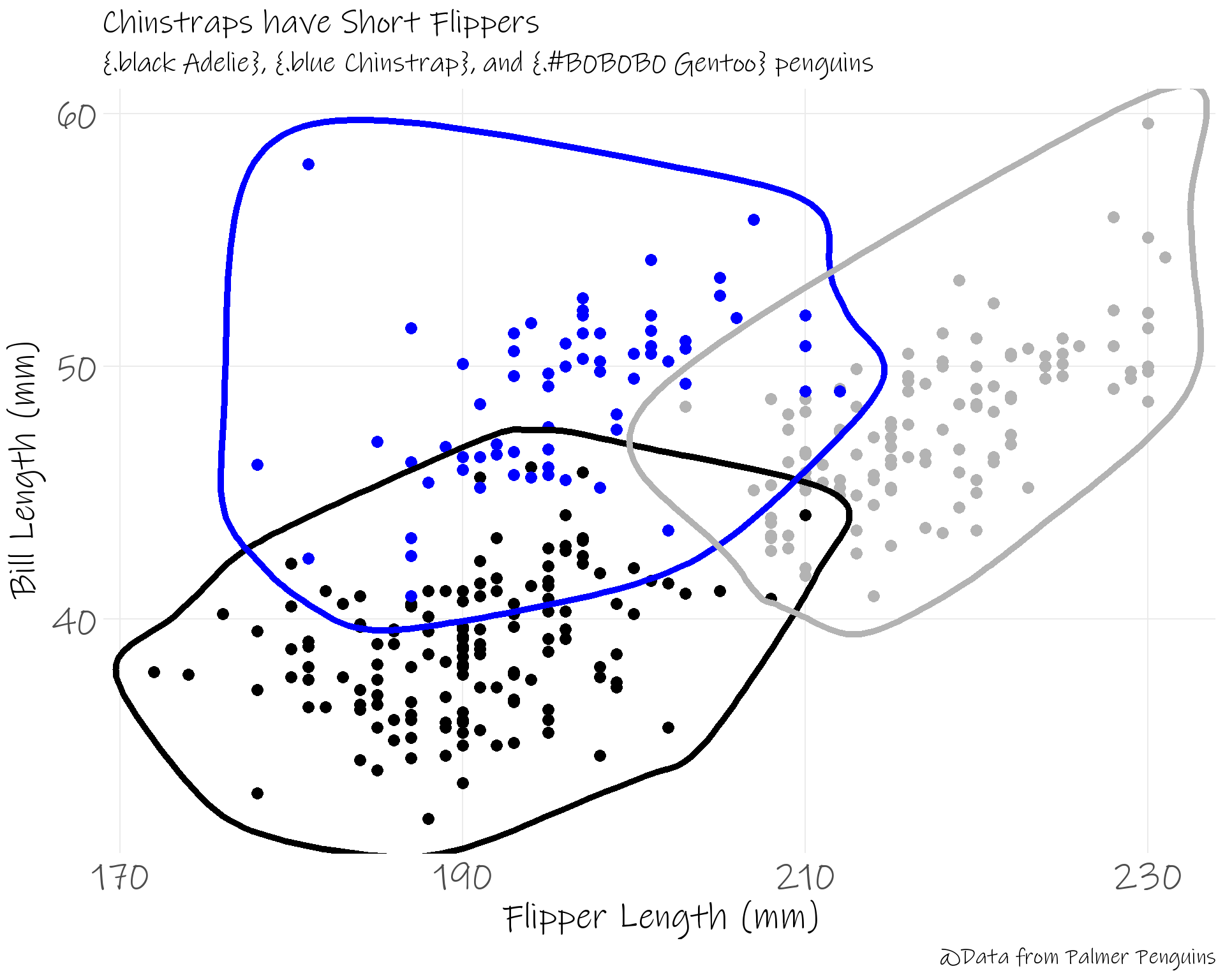
penguins %>% drop_na() %>%
ggplot() +
aes(x = flipper_length_mm) +
scale_x_continuous(breaks = seq(170, 230, by = 20)) +
aes(y = bill_length_mm) +
geom_point(size = 3, show.legend = F) +
aes(colour = species) +
scale_color_manual(values = c("black", "blue", "grey70")) +
ggalt::geom_encircle(size = 5, show.legend = FALSE) +
labs(title = "Chinstraps have Short Flippers",
subtitle = "{.black Adelie}, {.blue Chinstrap}, and {.#B0B0B0 Gentoo} penguins",
x = "Flipper Length (mm)",
y = "Bill Length (mm)",
caption = "@Data from Palmer Penguins") +
theme(text = element_text(family = "Ink Free", size = 32)) +
theme(plot.subtitle = element_marquee(width = 1))
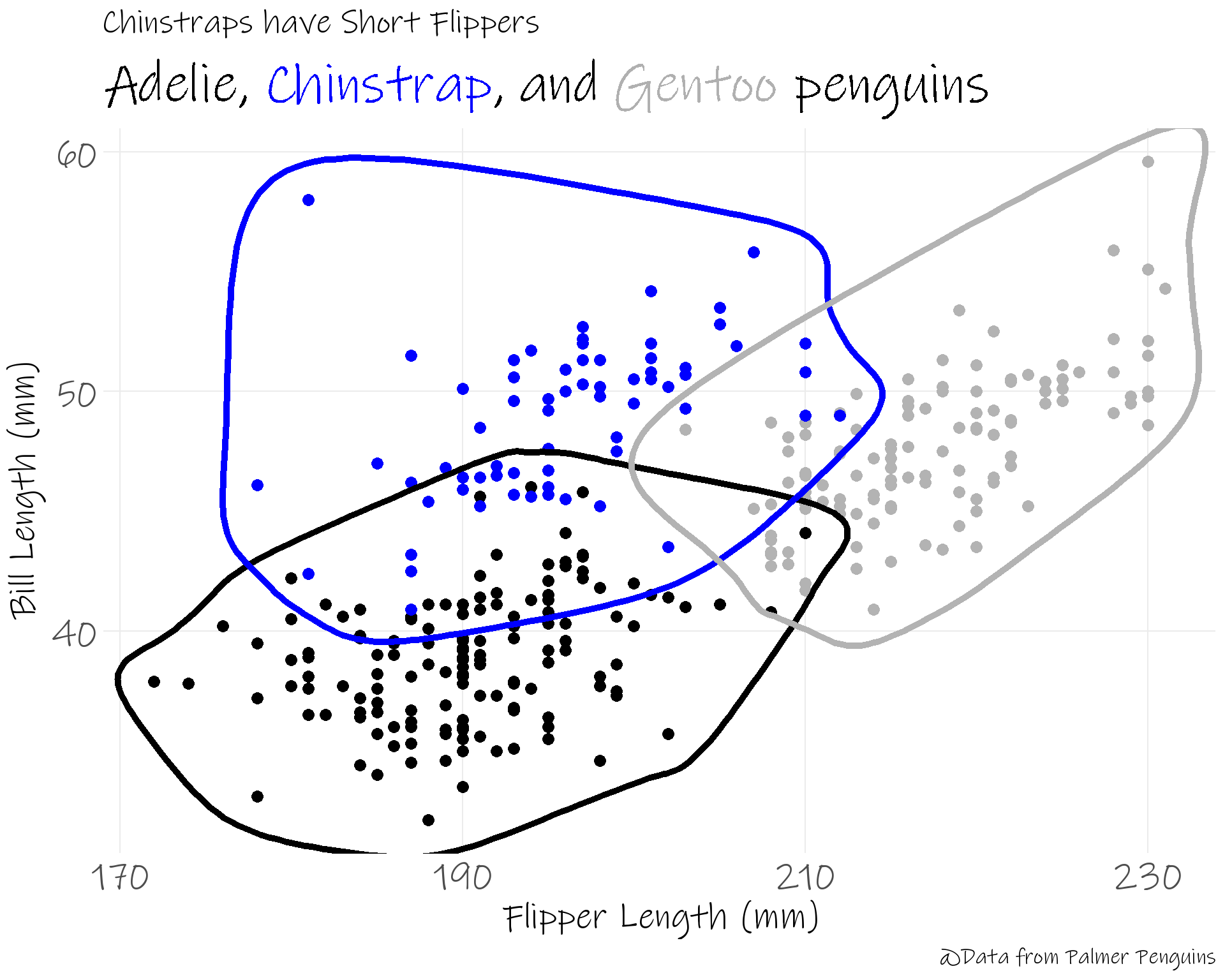
penguins %>% drop_na() %>%
ggplot() +
aes(x = flipper_length_mm) +
scale_x_continuous(breaks = seq(170, 230, by = 20)) +
aes(y = bill_length_mm) +
geom_point(size = 3, show.legend = F) +
aes(colour = species) +
scale_color_manual(values = c("black", "blue", "grey70")) +
ggalt::geom_encircle(size = 5, show.legend = FALSE) +
labs(title = "Chinstraps have Short Flippers",
subtitle = "{.black Adelie}, {.blue Chinstrap}, and {.#B0B0B0 Gentoo} penguins",
x = "Flipper Length (mm)",
y = "Bill Length (mm)",
caption = "@Data from Palmer Penguins") +
theme(text = element_text(family = "Ink Free", size = 32)) +
theme(plot.subtitle = element_marquee(width = 1)) +
facet_grid(~sex)
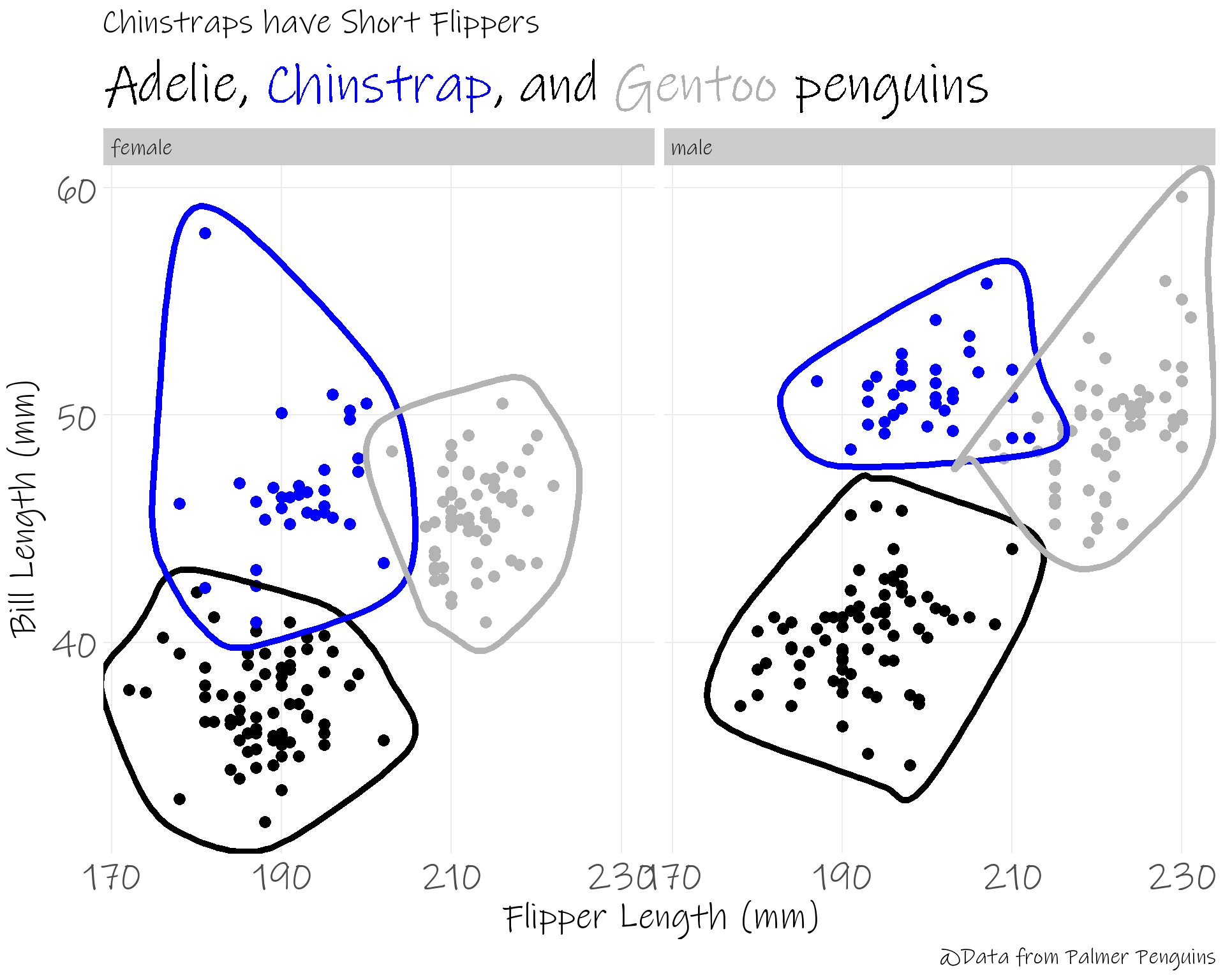
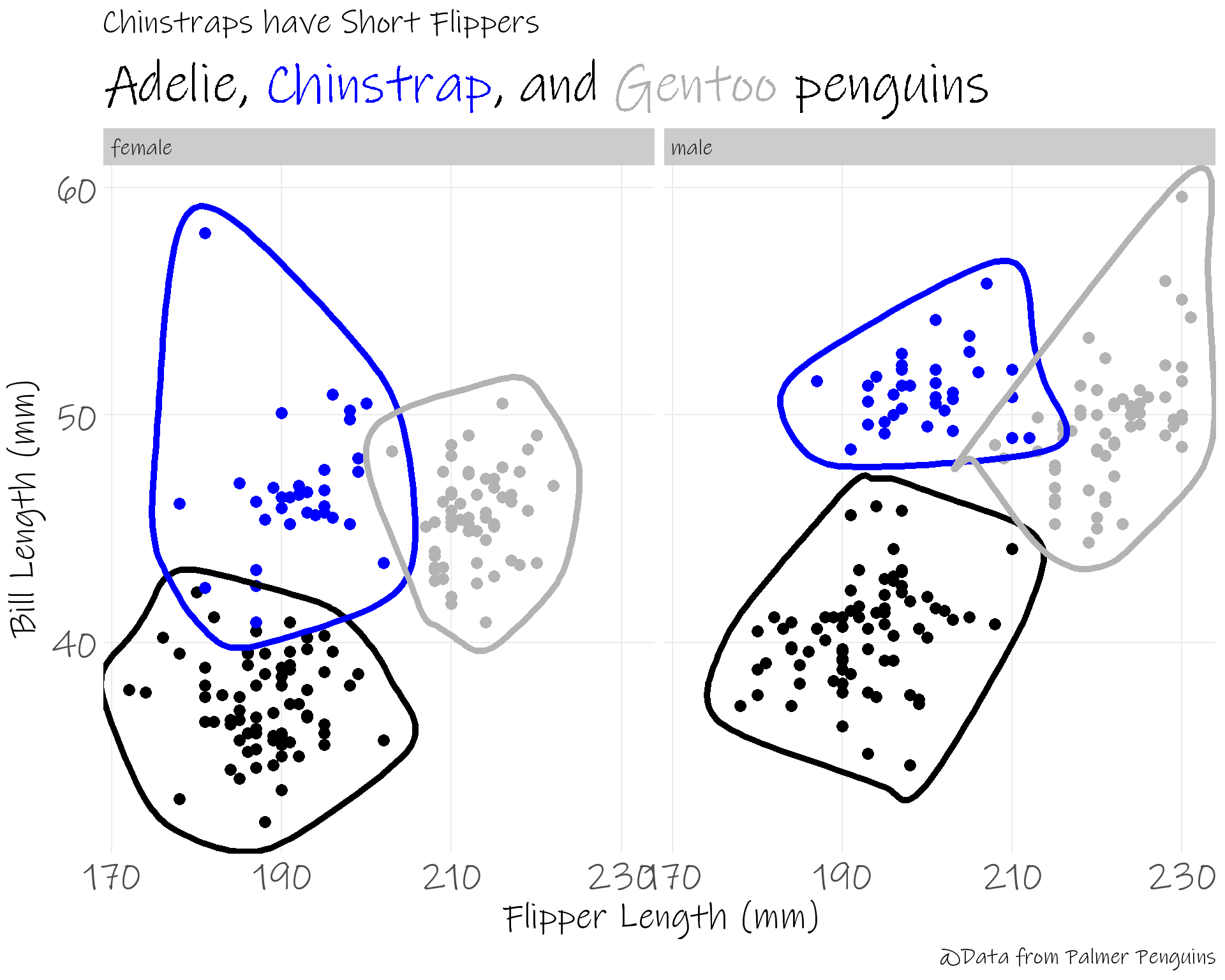
penguins %>% drop_na() %>%
ggplot() +
aes(x = flipper_length_mm) +
scale_x_continuous(breaks = seq(170, 230, by = 20)) +
aes(y = bill_length_mm) +
geom_point(size = 3, show.legend = F) +
aes(colour = species) +
scale_color_manual(values = c("black", "blue", "grey70")) +
ggalt::geom_encircle(size = 5, show.legend = FALSE) +
labs(title = "Chinstraps have Short Flippers",
subtitle = "{.black Adelie}, {.blue Chinstrap}, and {.#B0B0B0 Gentoo} penguins",
x = "Flipper Length (mm)",
y = "Bill Length (mm)",
caption = "@Data from Palmer Penguins") +
theme(text = element_text(family = "Ink Free", size = 32)) +
theme(plot.subtitle = element_marquee(width = 1)) +
facet_grid(~sex)
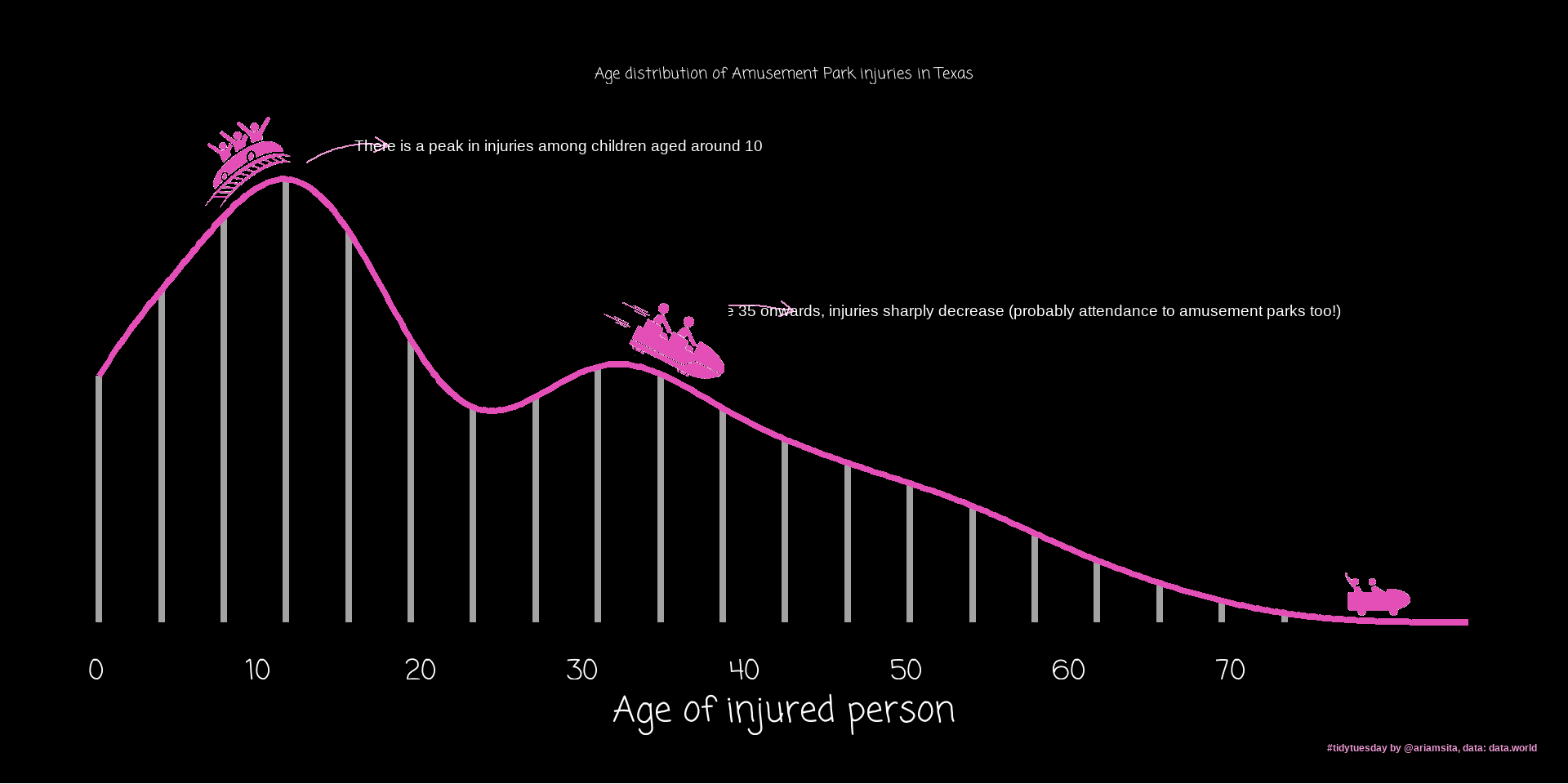
Lots of these come from Top 50 Visualizations in R
Show the data
Use ink sparingly
Title should tell the story
Don’t try to show too much
Start with grey
Visualising Proportions
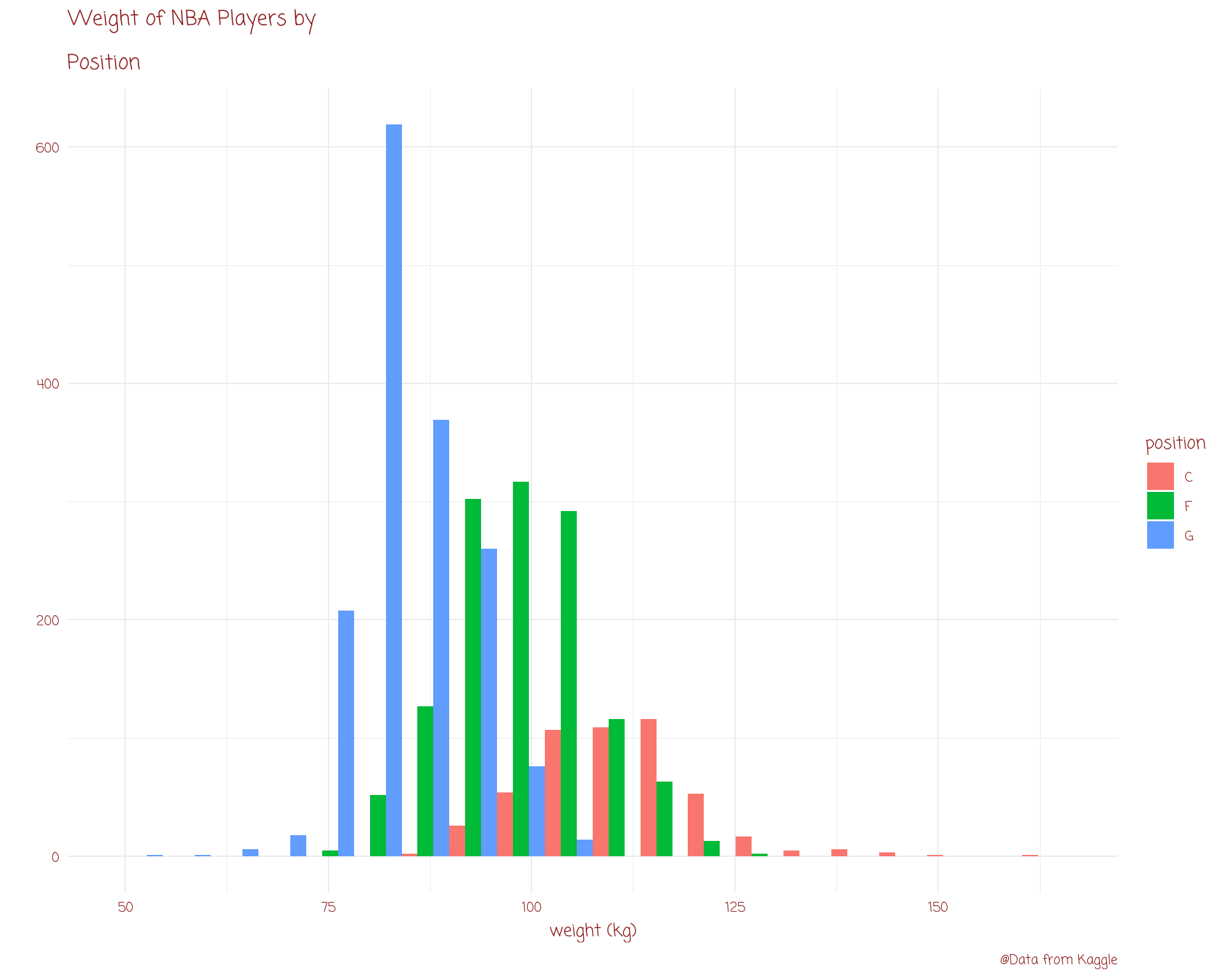
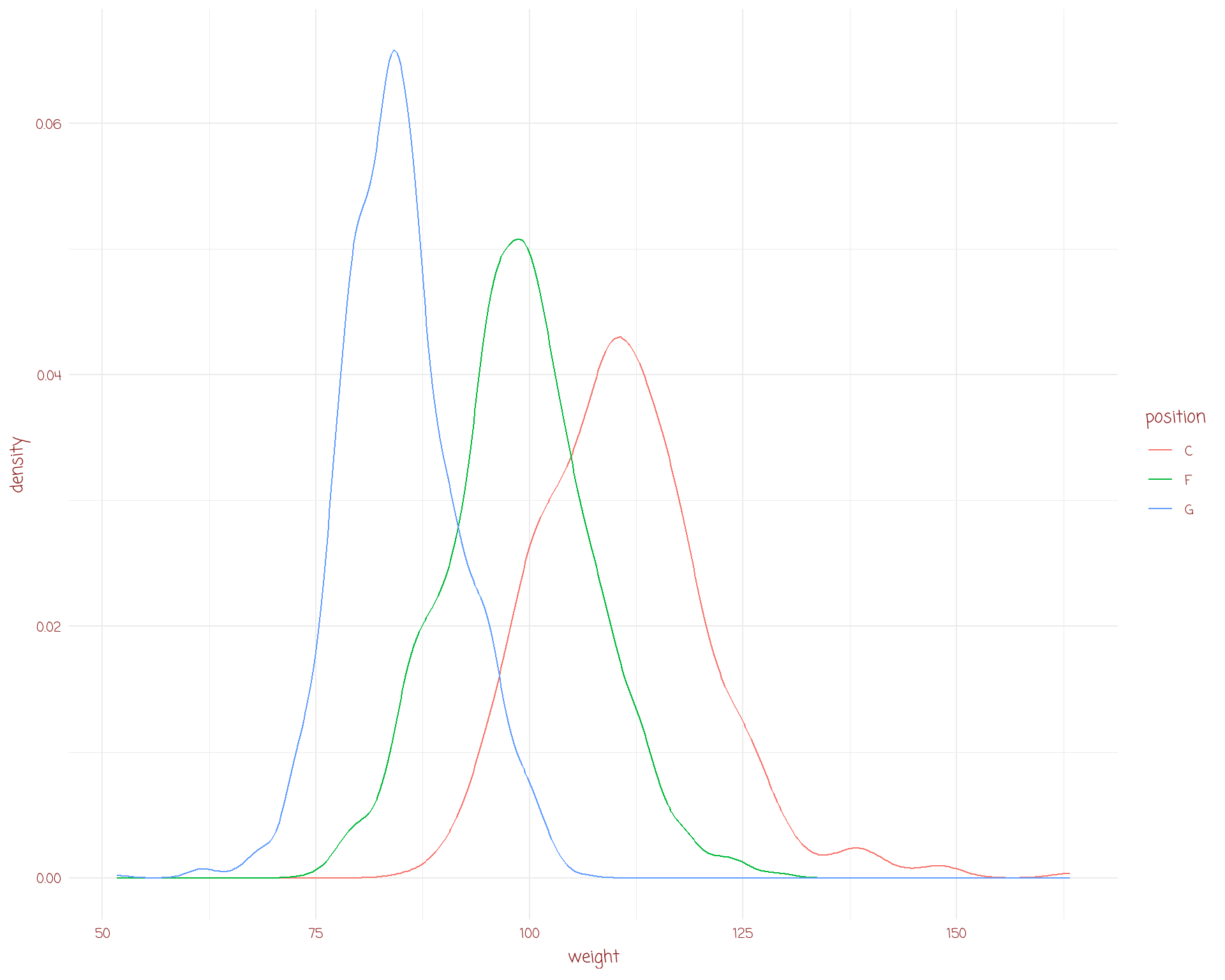
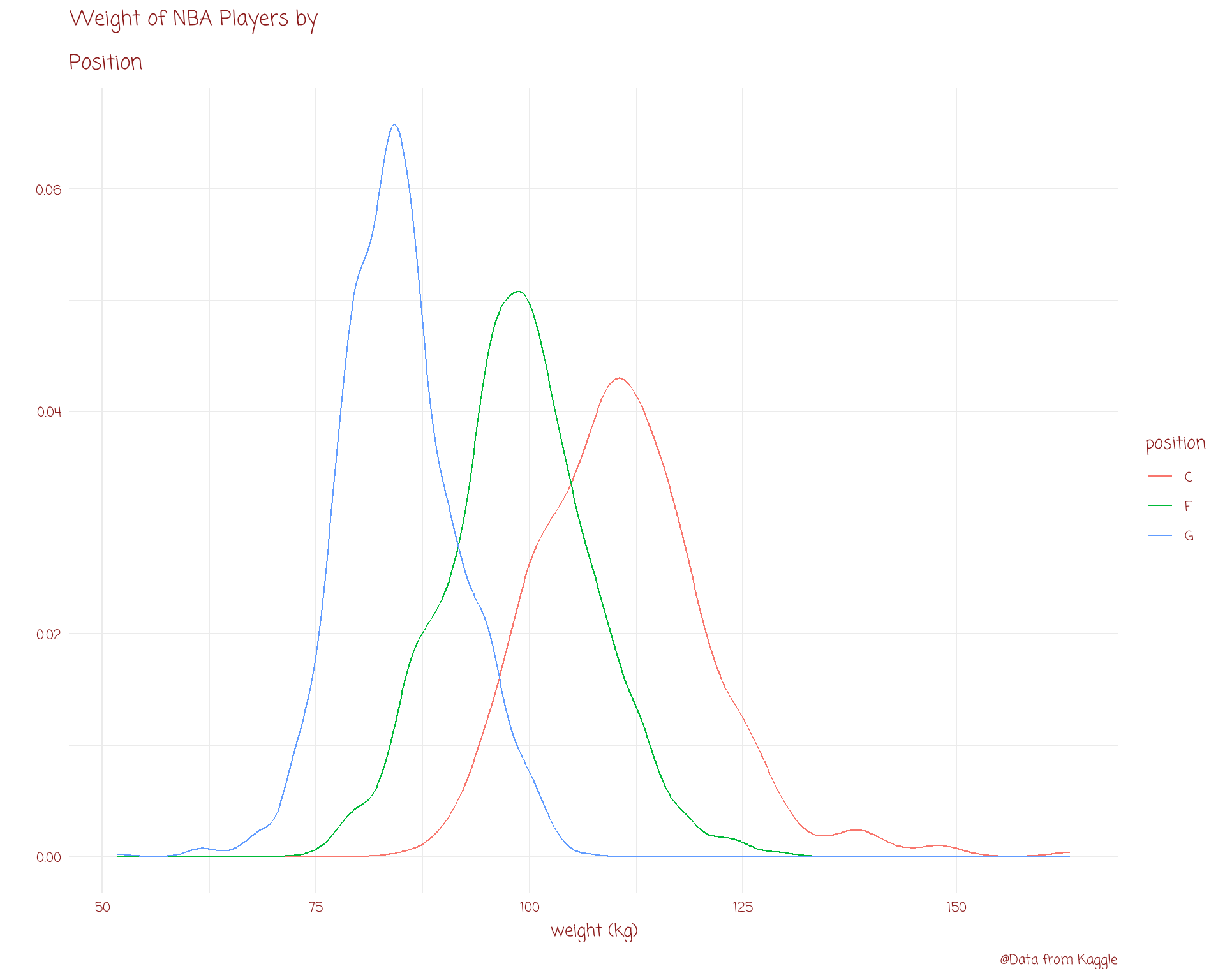
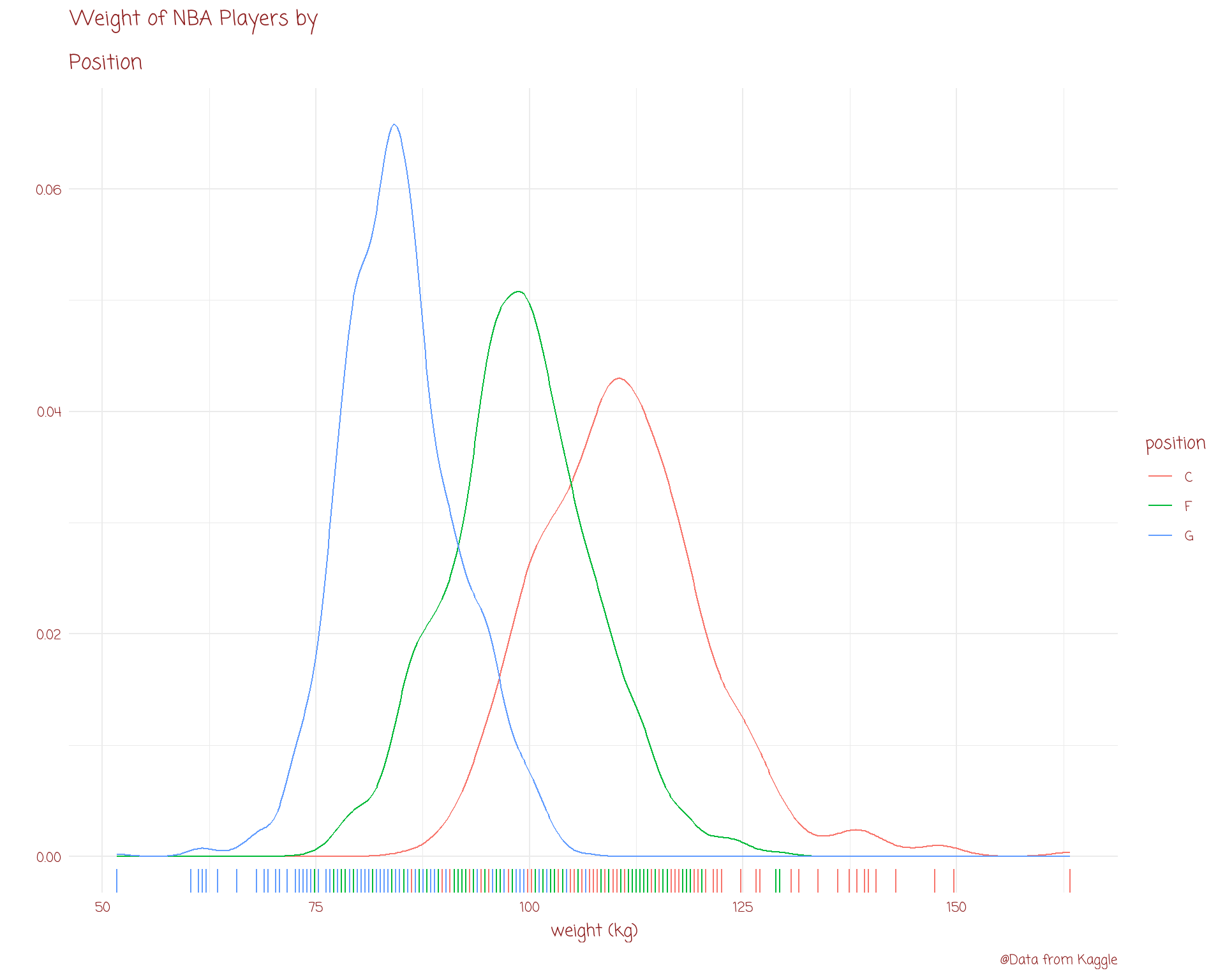
Visualising Distributions
Visualising Relationships
Visualising Time Series
Visualising Groups
Visualising Networks
Visualising Spatial Data
Items in red we’ll cover this today. In blue will have to wait for a future workshop.
barplot
dot plot
lollipop plot
# A tibble: 53,940 Ă— 10
carat cut color clarity depth table price x y z
<dbl> <ord> <ord> <ord> <dbl> <dbl> <int> <dbl> <dbl> <dbl>
1 0.23 Ideal E SI2 61.5 55 326 3.95 3.98 2.43
2 0.21 Premium E SI1 59.8 61 326 3.89 3.84 2.31
3 0.23 Good E VS1 56.9 65 327 4.05 4.07 2.31
4 0.29 Premium I VS2 62.4 58 334 4.2 4.23 2.63
5 0.31 Good J SI2 63.3 58 335 4.34 4.35 2.75
6 0.24 Very Good J VVS2 62.8 57 336 3.94 3.96 2.48
7 0.24 Very Good I VVS1 62.3 57 336 3.95 3.98 2.47
8 0.26 Very Good H SI1 61.9 55 337 4.07 4.11 2.53
9 0.22 Fair E VS2 65.1 61 337 3.87 3.78 2.49
10 0.23 Very Good H VS1 59.4 61 338 4 4.05 2.39
# ℹ 53,930 more rows
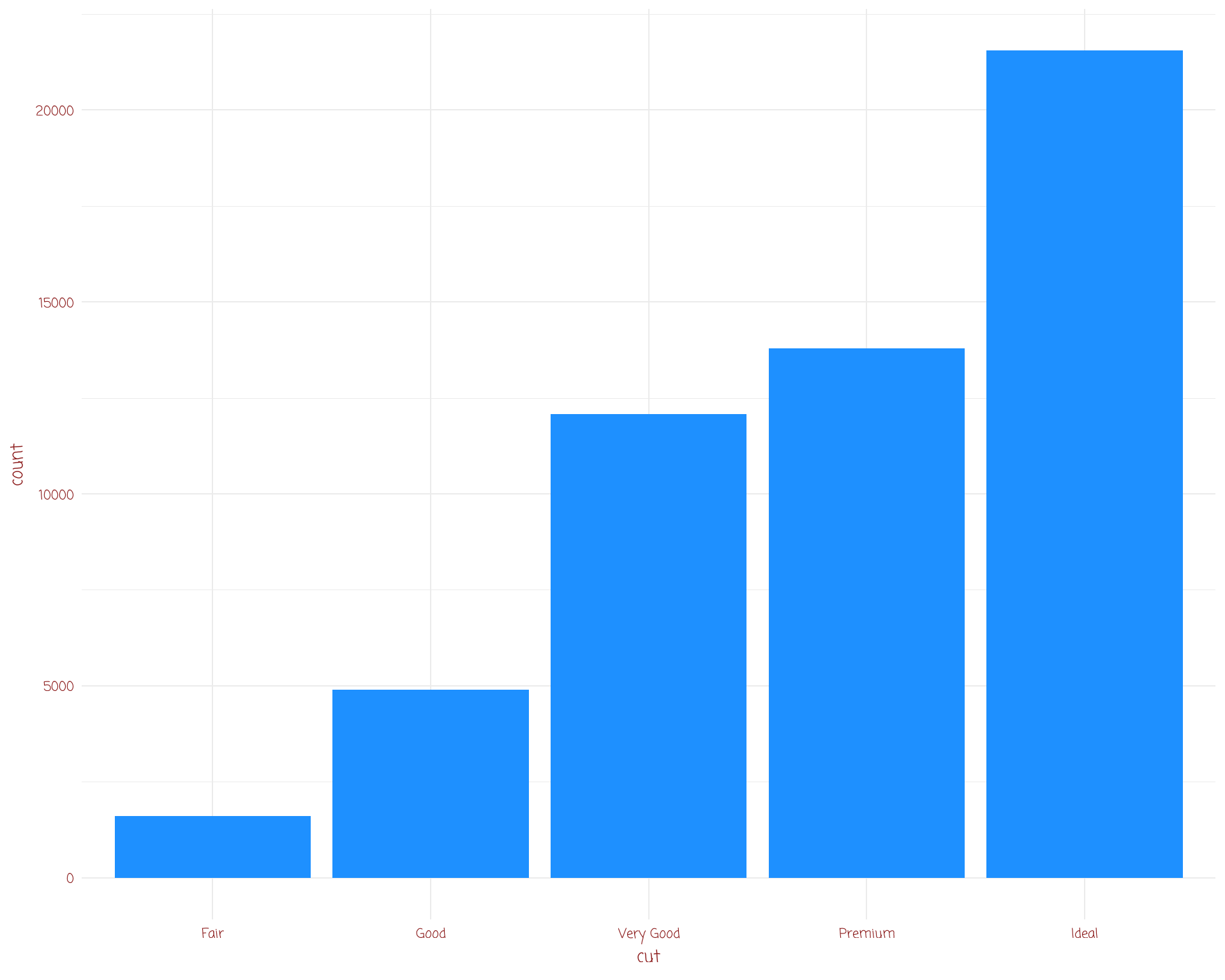
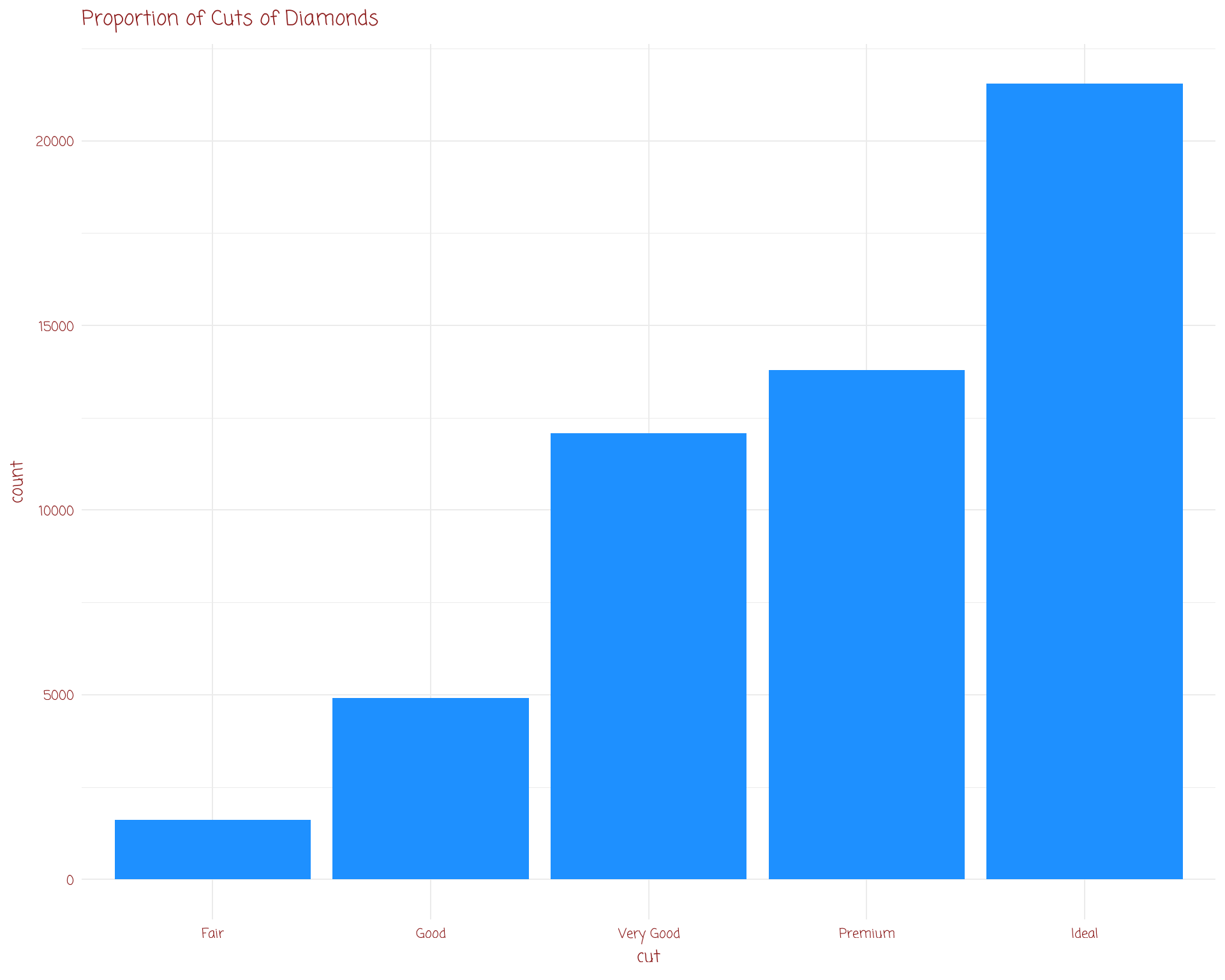
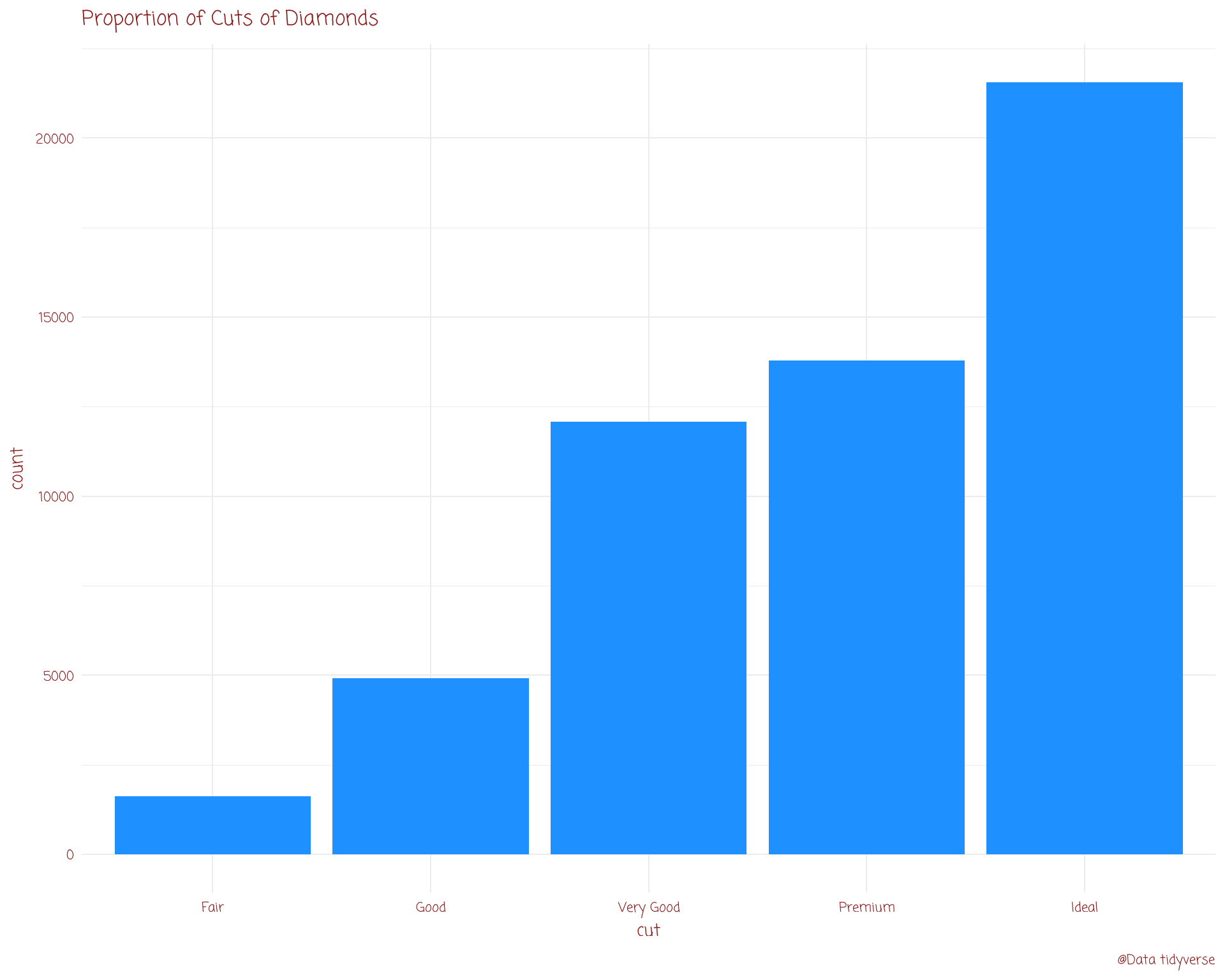
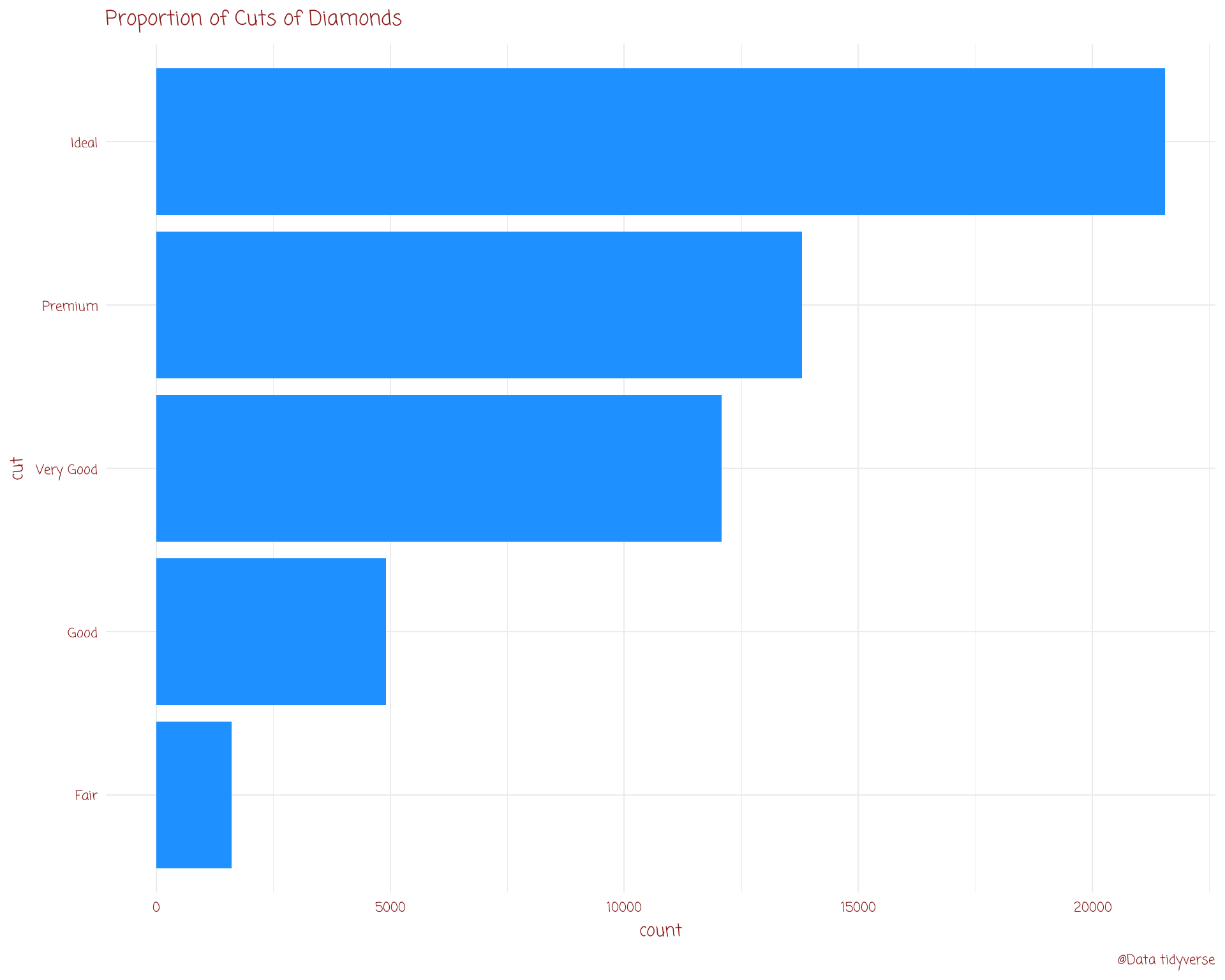
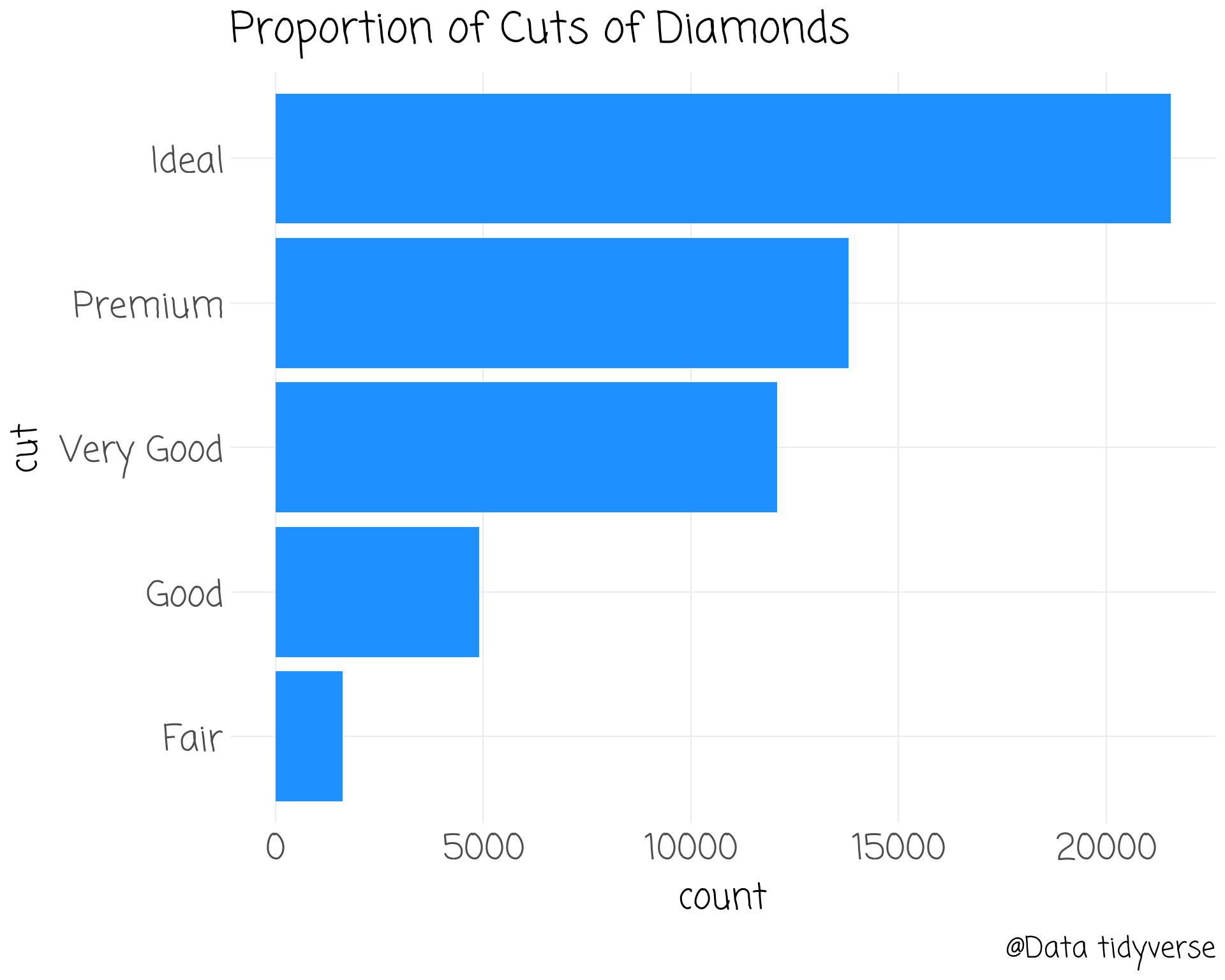
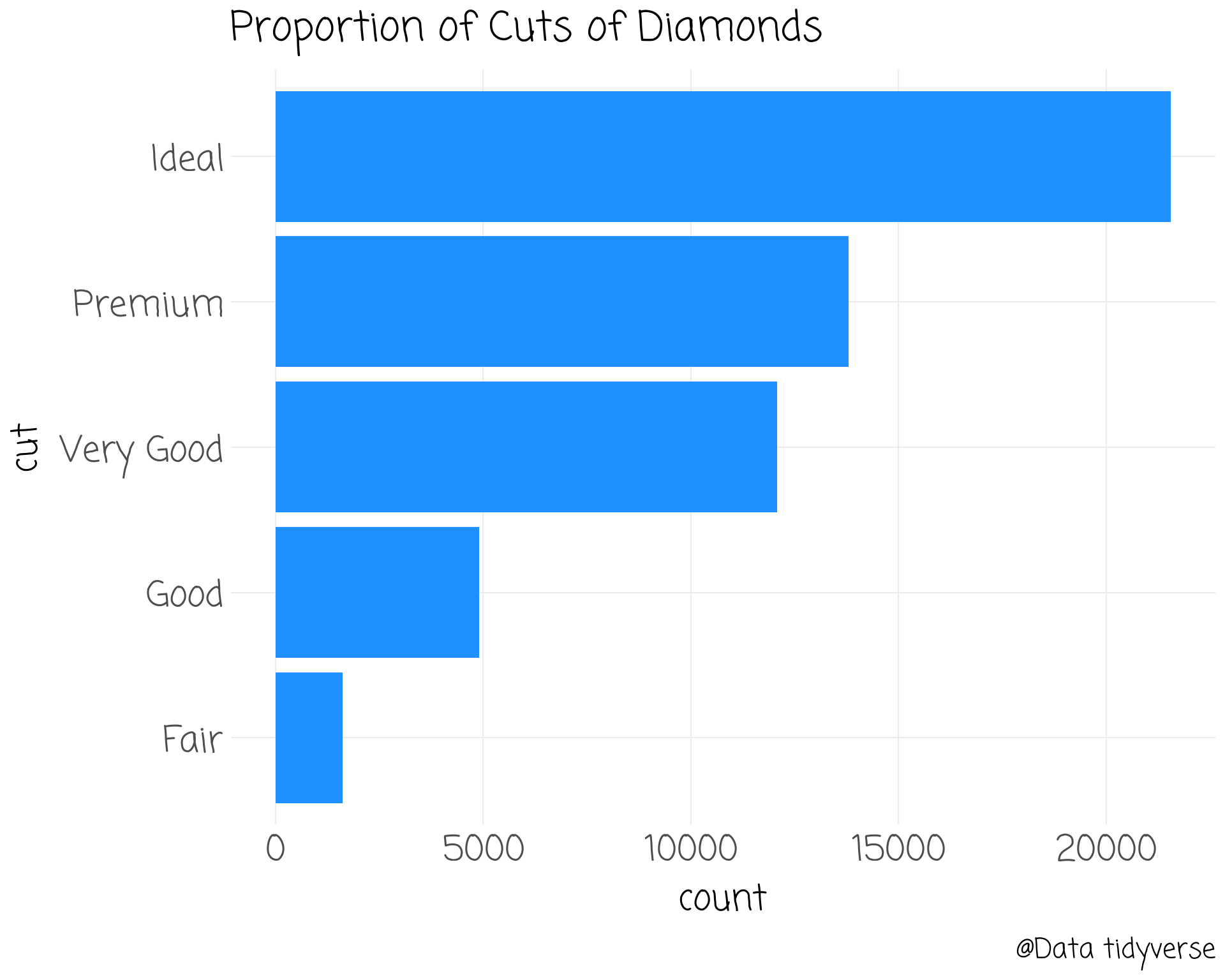
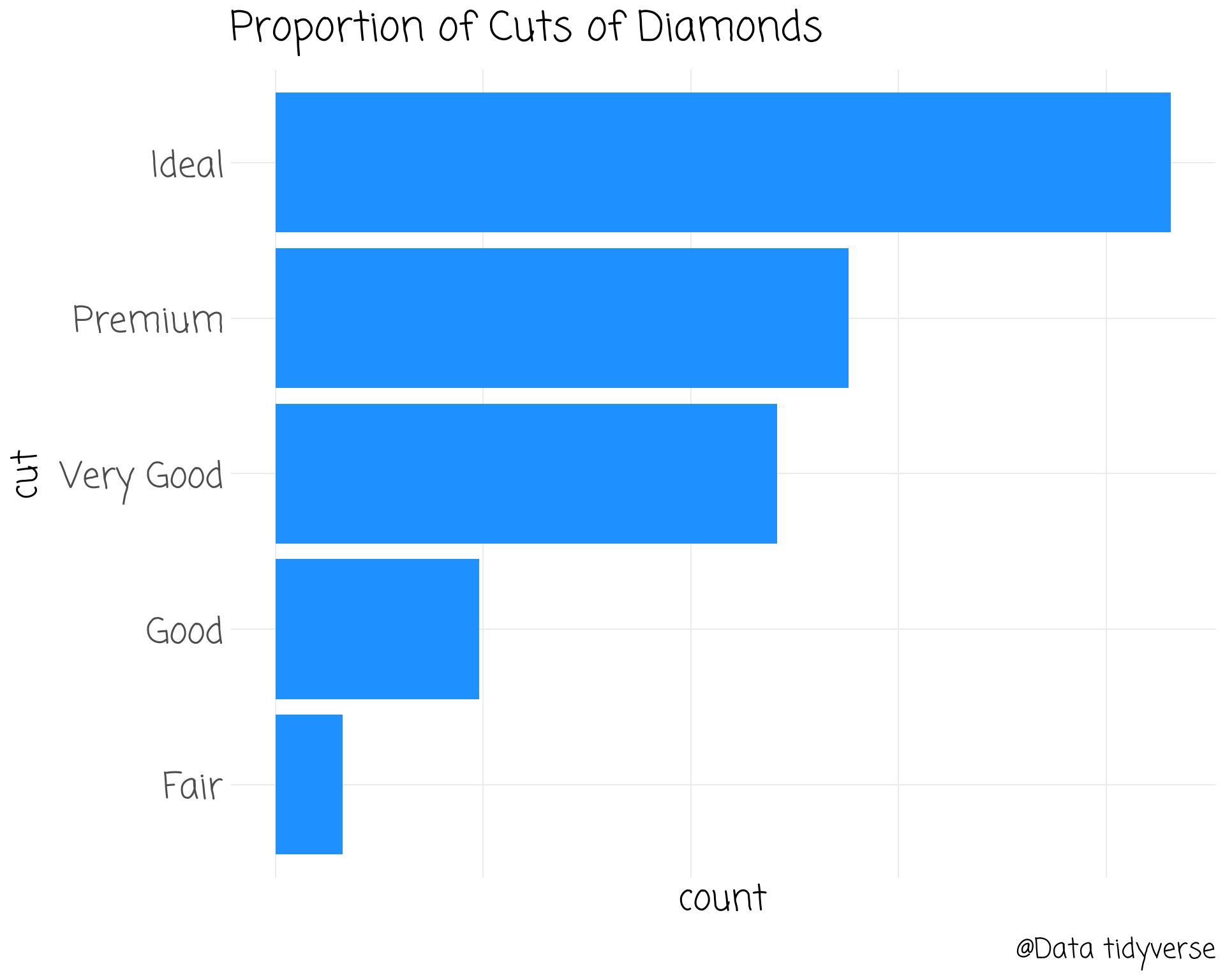
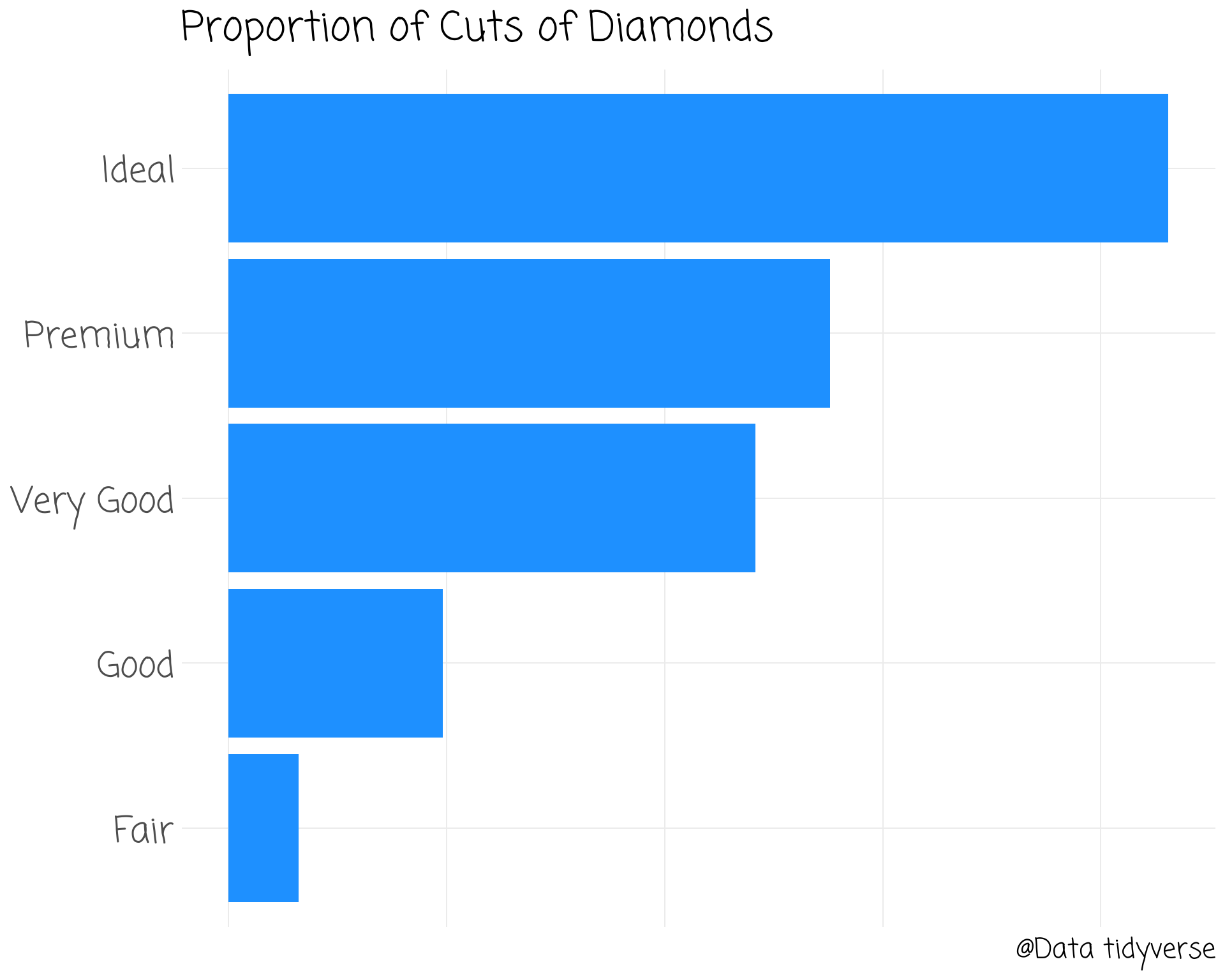
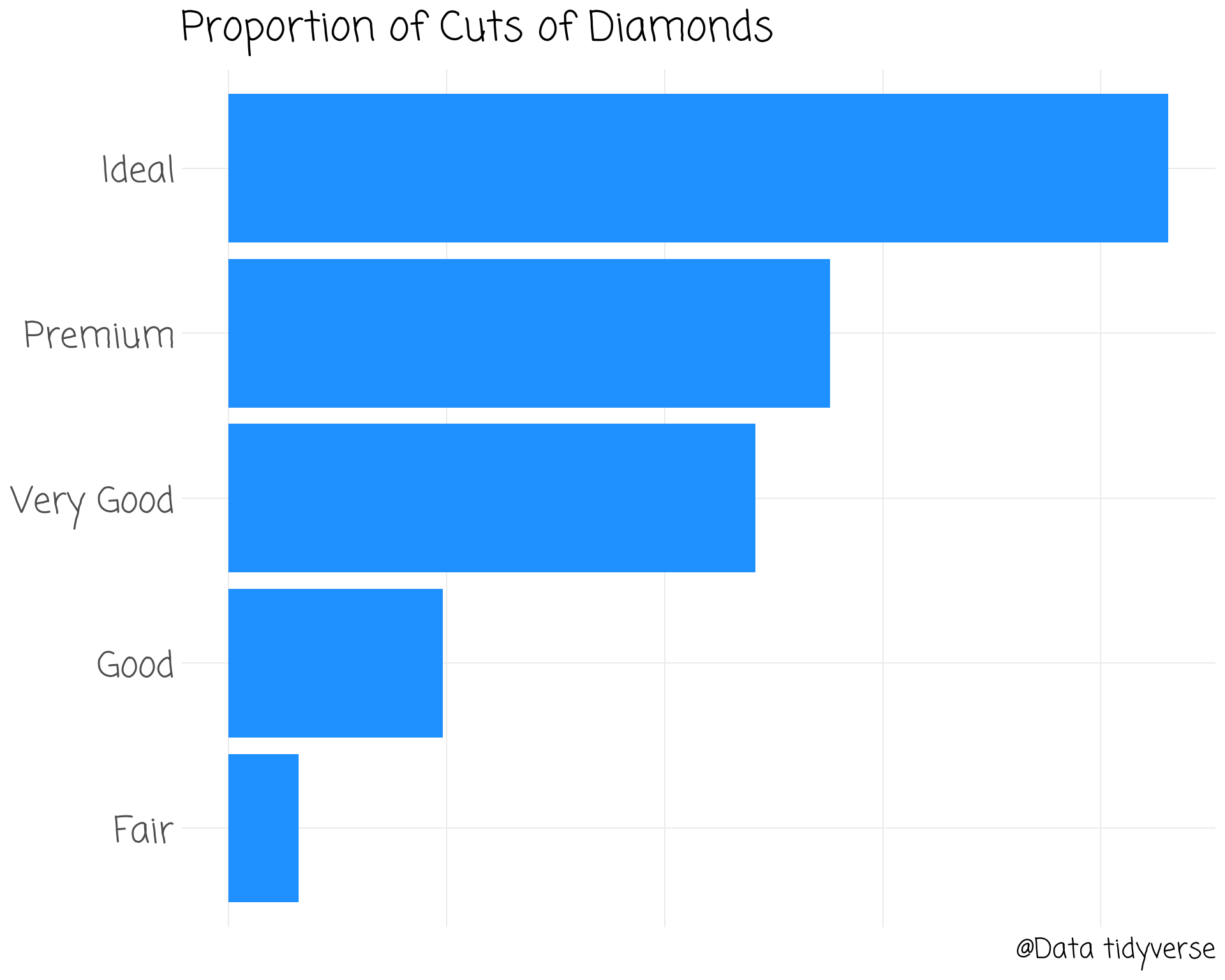
diamonds %>%
ggplot(aes(cut)) +
geom_bar(fill = "dodgerblue1") +
ggtitle("Proportion of Cuts of Diamonds") +
labs(caption = "@Data tidyverse") +
coord_flip() +
theme_clean() +
theme(text = element_text(size = 40)) +
theme(axis.text.x = element_blank()) +
theme(axis.title = element_blank()) +
theme(title = element_text(face = "bold"))
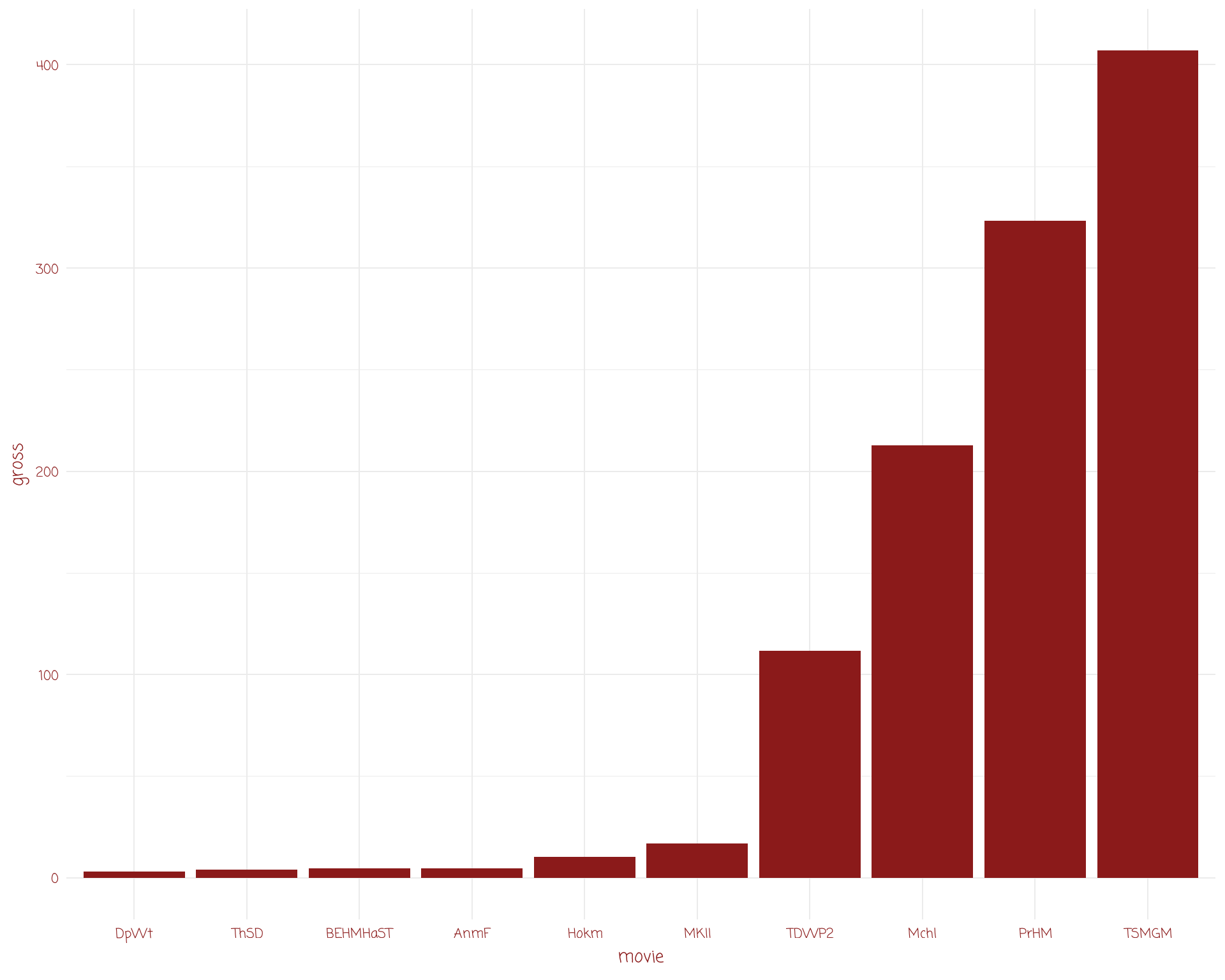
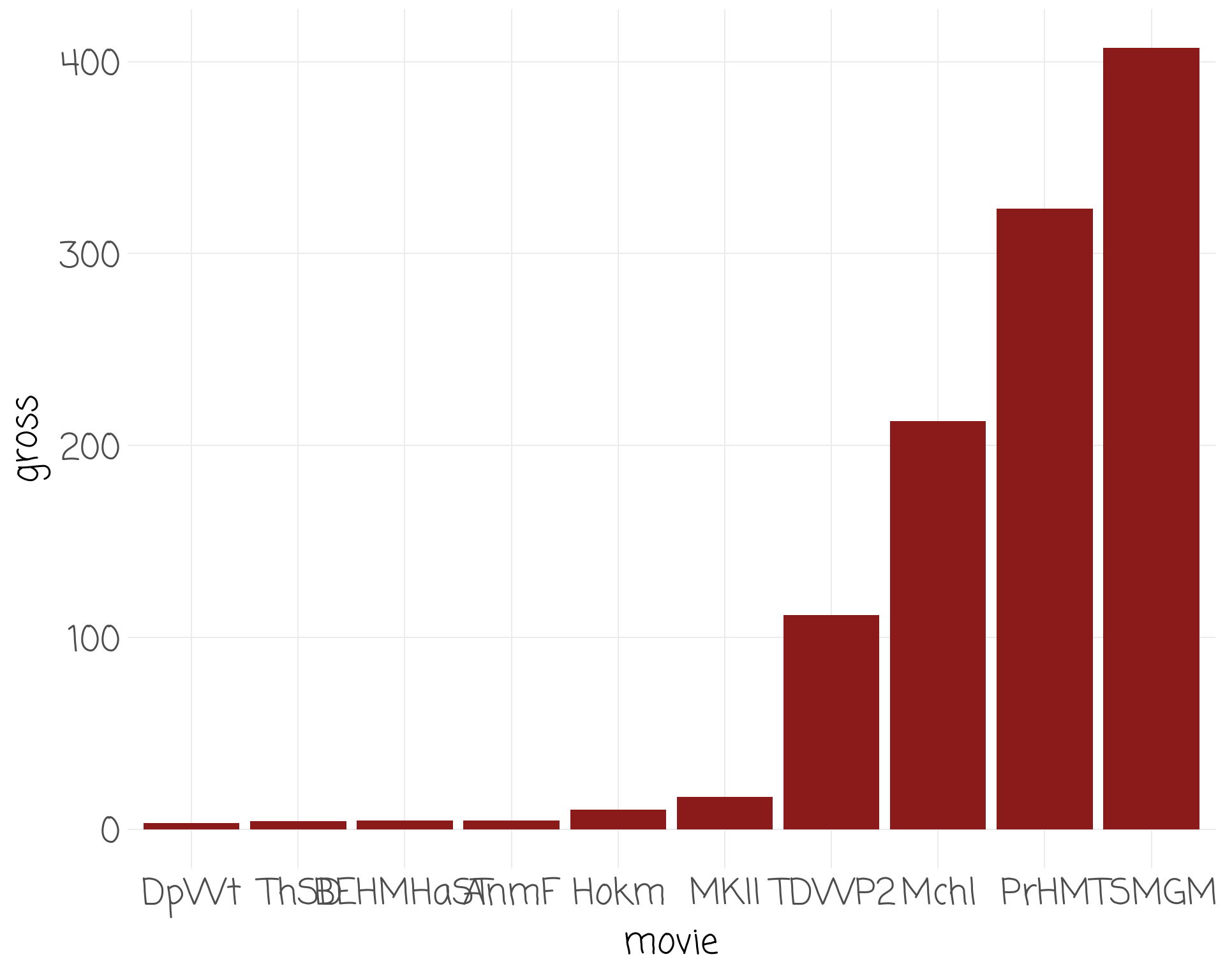
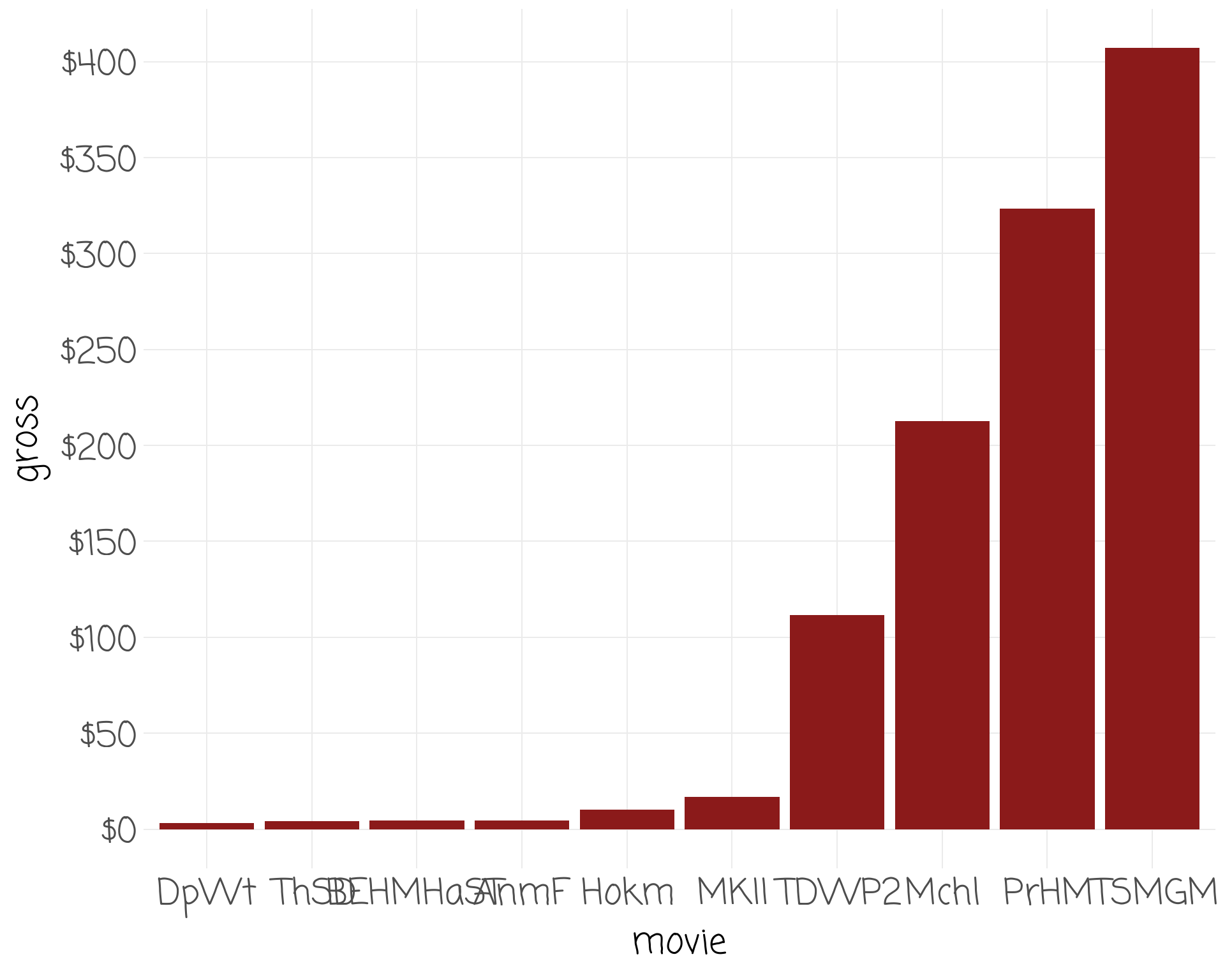
# A tibble: 10 Ă— 4
movie weekly gross movie_name
<fct> <dbl> <dbl> <chr>
1 MKII 16801022 16.8 Mortal Kombat II
2 TDWP2 9888491 112. The Devil Wears Prada 2
3 Mchl 8795396 213. Michael
4 BEHMHaST 4520209 4.52 Billie Eilish: Hit Me Hard and Soft—The Tour
5 ThSD 4010418 4.01 The Sheep Detectives
6 PrHM 1561640 323. Project Hail Mary
7 TSMGM 1553750 407. The Super Mario Galaxy Movie
8 Hokm 1056476 10.2 Hokum
9 DpWt 226343 3.12 Deep Water
10 AnmF 183704 4.52 Animal Farm
# A tibble: 10 Ă— 4
movie weekly gross movie_name
<fct> <dbl> <dbl> <chr>
1 MKII 16801022 16.8 Mortal Kombat II
2 TDWP2 9888491 112. The Devil Wears Prada 2
3 Mchl 8795396 213. Michael
4 BEHMHaST 4520209 4.52 Billie Eilish: Hit Me Hard and Soft—The Tour
5 ThSD 4010418 4.01 The Sheep Detectives
6 PrHM 1561640 323. Project Hail Mary
7 TSMGM 1553750 407. The Super Mario Galaxy Movie
8 Hokm 1056476 10.2 Hokum
9 DpWt 226343 3.12 Deep Water
10 AnmF 183704 4.52 Animal Farm
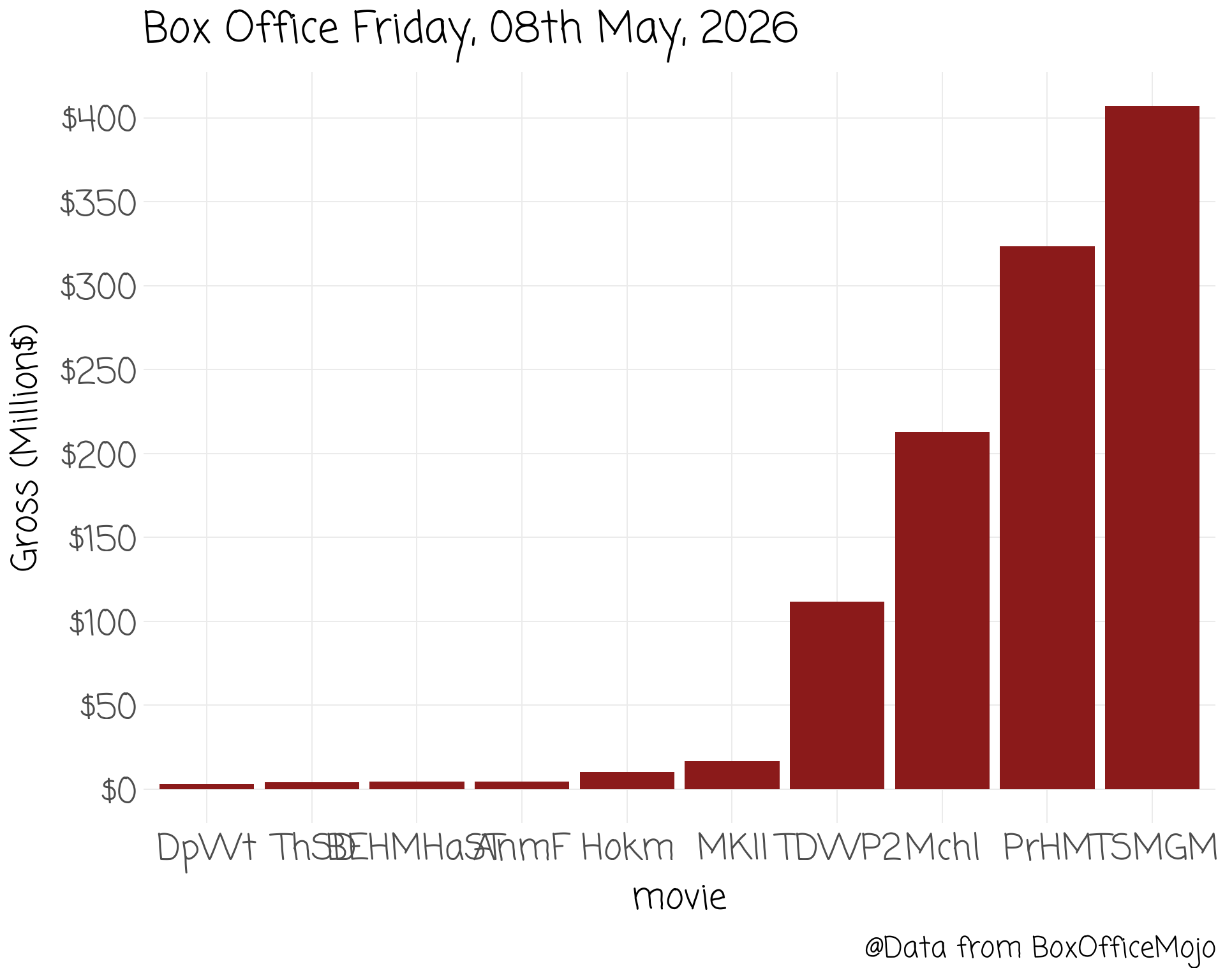
movies %>% mutate(movie = fct_reorder(movie, gross)) %>%
slice_head(n=10) %>%
ggplot(aes(movie, gross)) +
geom_col(fill = "firebrick4") +
theme_clean() +
scale_y_continuous(breaks = scales::breaks_extended(8),
labels = scales::label_dollar(scale = 1)) +
labs(title = glue::glue("Box Office {boxoffice_date_string}"),
caption = "@Data from BoxOfficeMojo",
y = "Gross (Million$)")
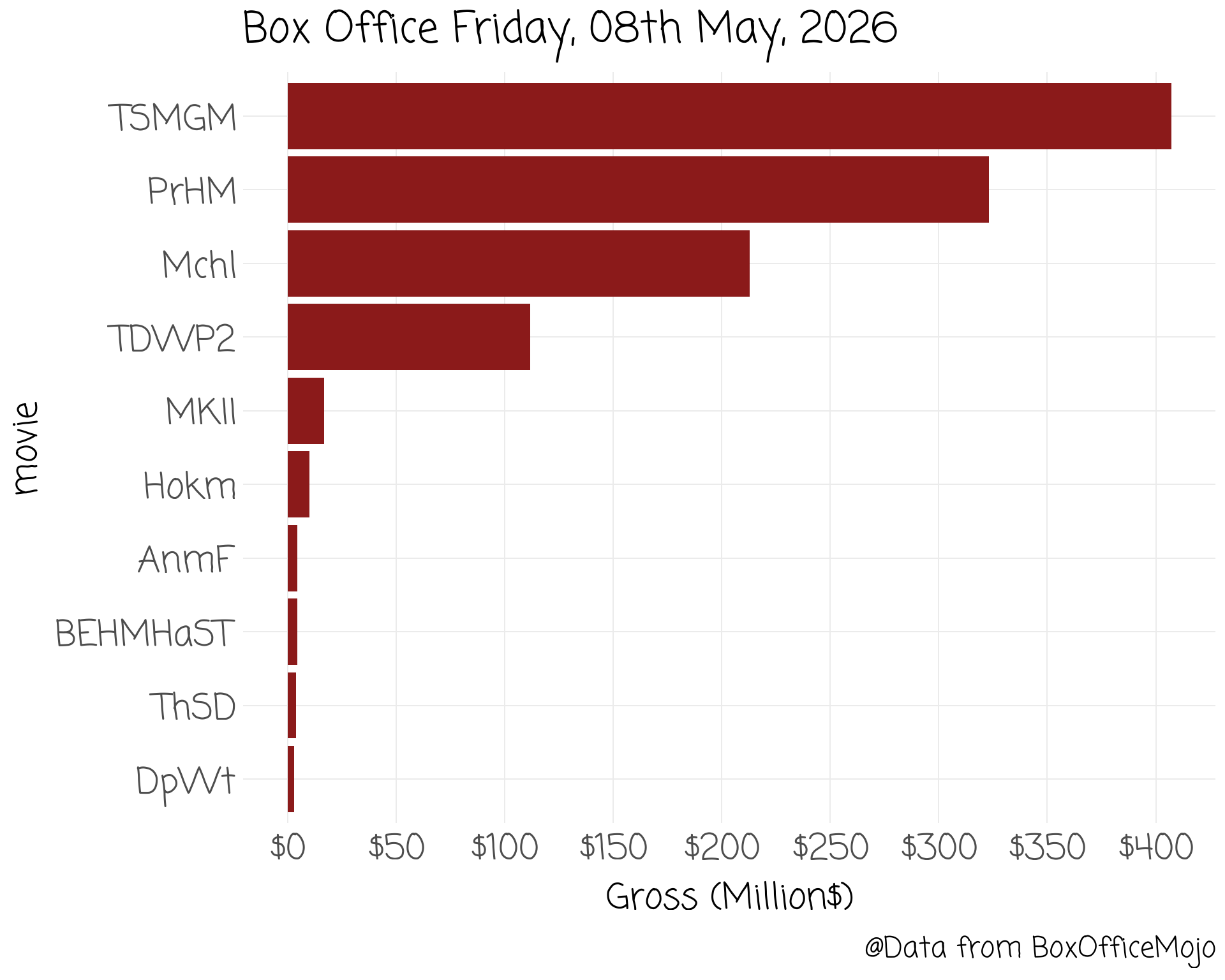
movies %>% mutate(movie = fct_reorder(movie, gross)) %>%
slice_head(n=10) %>%
ggplot(aes(movie, gross)) +
geom_col(fill = "firebrick4") +
theme_clean() +
scale_y_continuous(breaks = scales::breaks_extended(8),
labels = scales::label_dollar(scale = 1)) +
labs(title = glue::glue("Box Office {boxoffice_date_string}"),
caption = "@Data from BoxOfficeMojo",
y = "Gross (Million$)") +
coord_flip()
movies %>% mutate(movie = fct_reorder(movie, gross)) %>%
slice_head(n=10) %>%
ggplot(aes(movie, gross)) +
geom_col(fill = "firebrick4") +
theme_clean() +
scale_y_continuous(breaks = scales::breaks_extended(8),
labels = scales::label_dollar(scale = 1)) +
labs(title = glue::glue("Box Office {boxoffice_date_string}"),
caption = "@Data from BoxOfficeMojo",
y = "Gross (Million$)") +
coord_flip() +
theme(axis.title.y = element_blank())
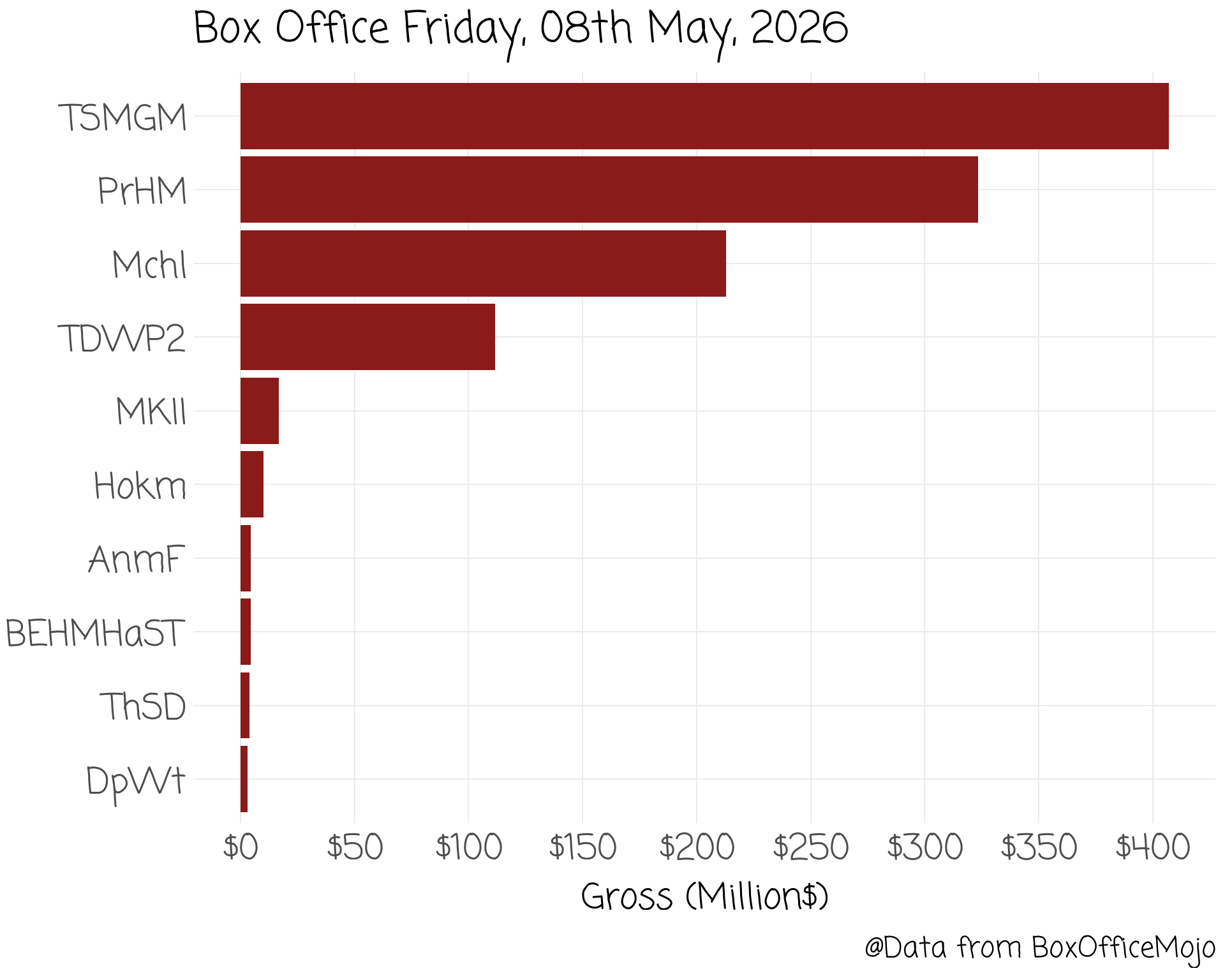
| Movie Title | Abbreviated Title |
|---|---|
| Mortal Kombat II | MKII |
| The Devil Wears Prada 2 | TDWP2 |
| Michael | Mchl |
| Billie Eilish: Hit Me Hard and Soft—The Tour | BEHMHaST |
| The Sheep Detectives | ThSD |
| Project Hail Mary | PrHM |
| The Super Mario Galaxy Movie | TSMGM |
| Hokum | Hokm |
| Deep Water | DpWt |
| Animal Farm | AnmF |
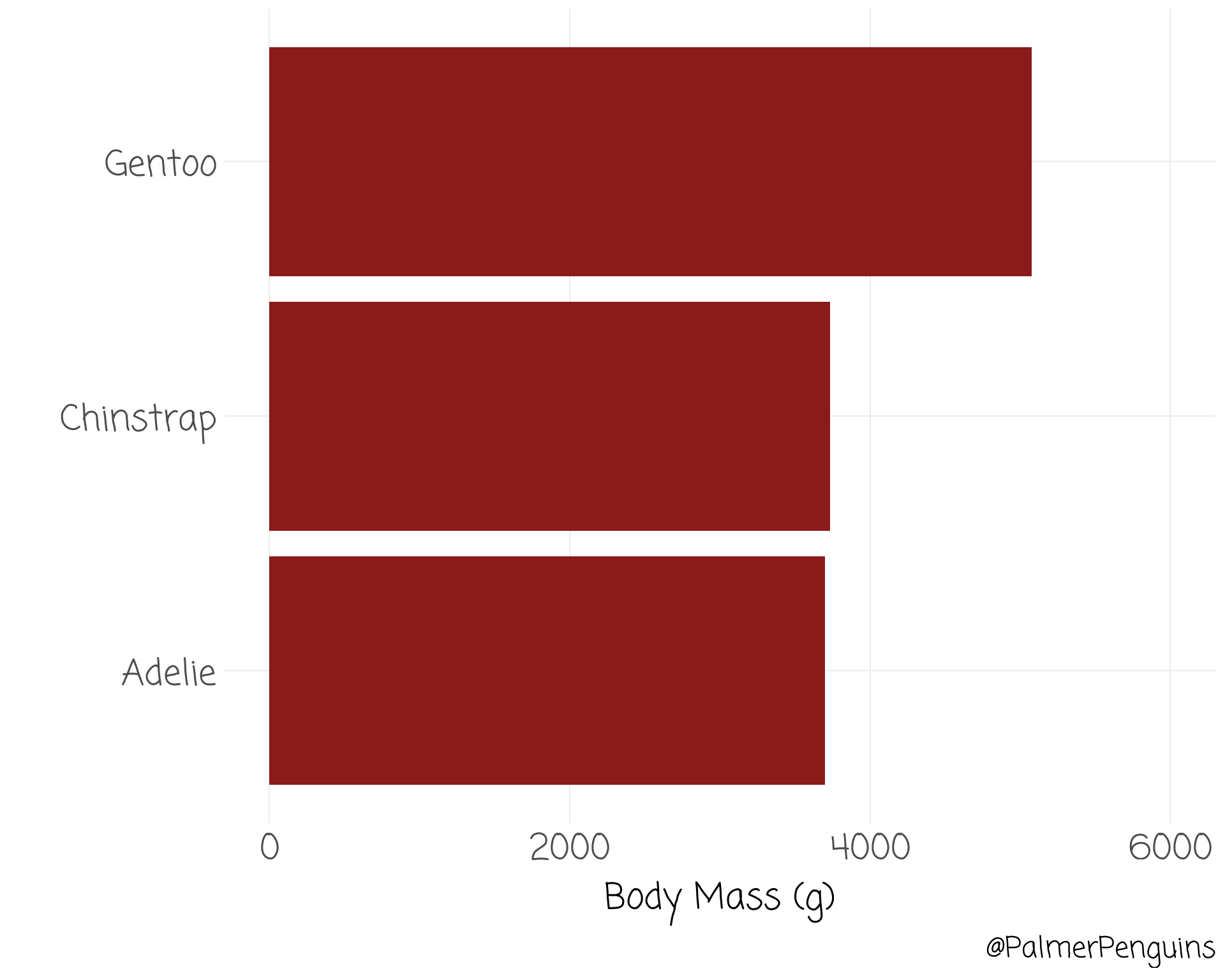
penguins %>%
group_by(species) %>%
summarise(body_mass = mean(body_mass_g, na.rm = T)) %>%
ggplot(aes(species, body_mass, xend = species, yend = body_mass)) +
theme_clean() +
coord_flip() +
labs(caption = "@PalmerPenguins",
y = "Body Mass (g)",
x = "") +
ylim(c(0, 6000)) +
geom_col(fill = "firebrick4") +
labs(x = "")
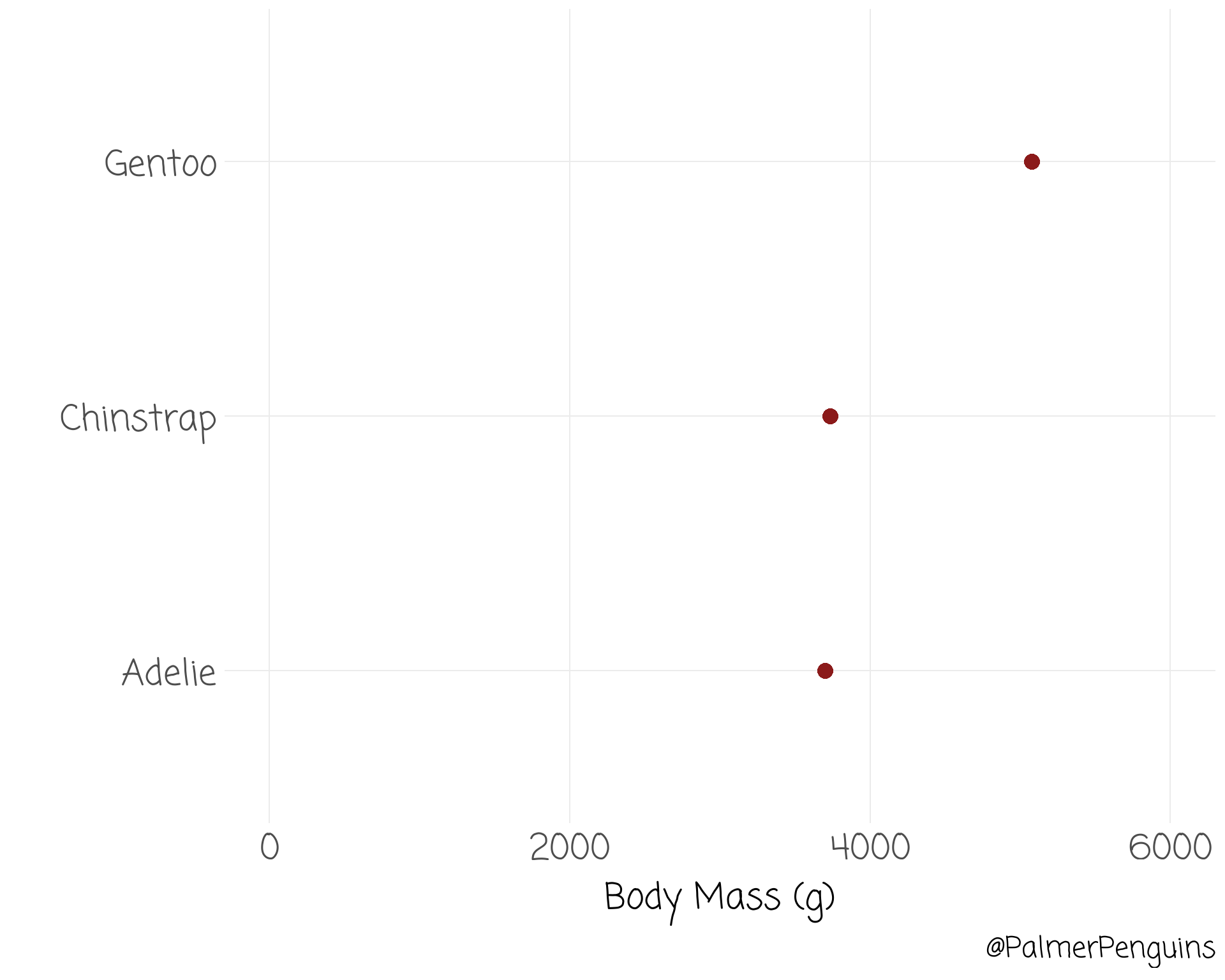
penguins %>%
group_by(species) %>%
summarise(body_mass = mean(body_mass_g, na.rm = T)) %>%
ggplot(aes(species, body_mass, xend = species, yend = body_mass)) +
theme_clean() +
coord_flip() +
labs(caption = "@PalmerPenguins",
y = "Body Mass (g)",
x = "") +
ylim(c(0, 6000)) +
geom_point(colour = "firebrick4", size = 4) +
labs(x = "")
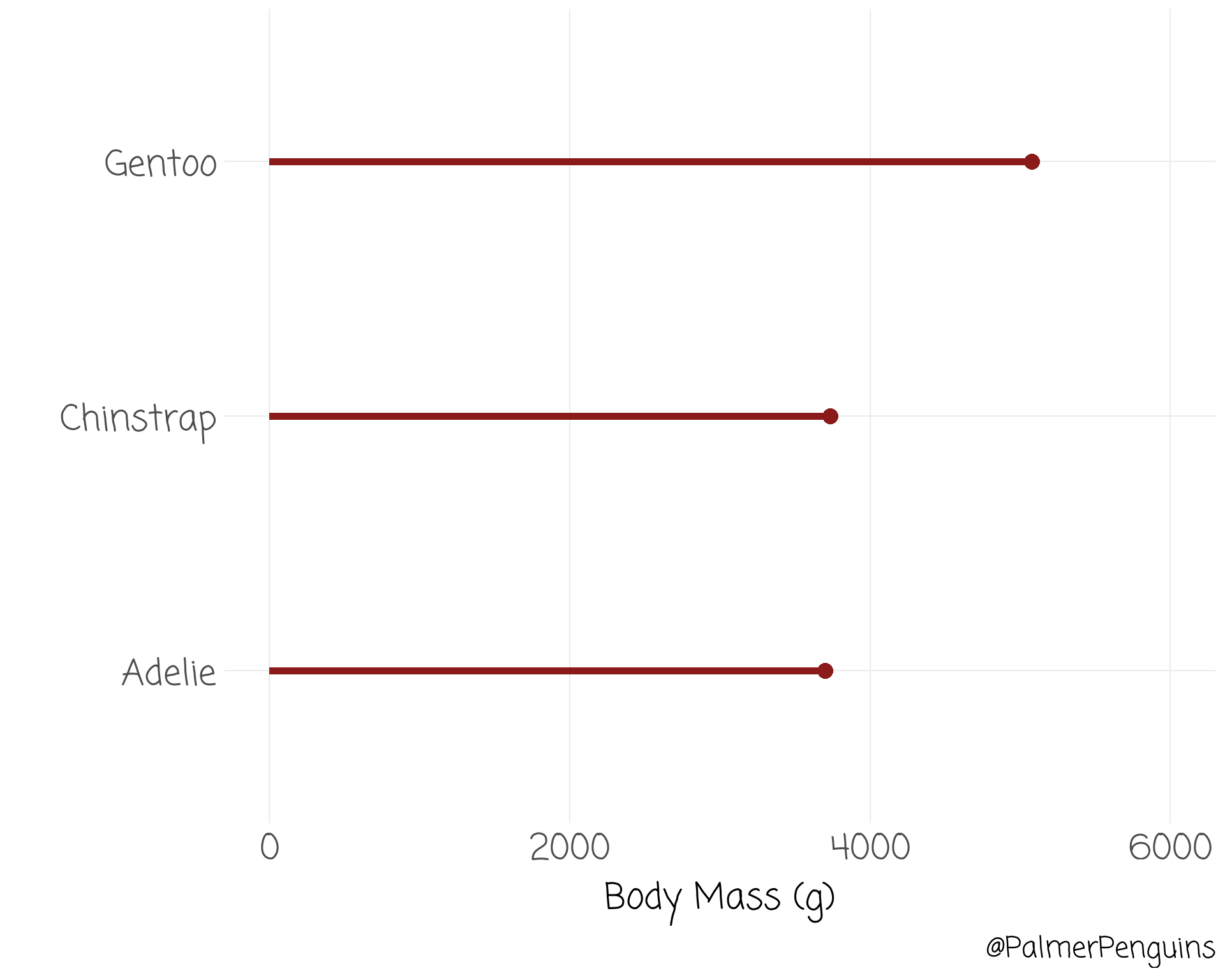
penguins %>%
group_by(species) %>%
summarise(body_mass = mean(body_mass_g, na.rm = T)) %>%
ggplot(aes(species, body_mass, xend = species, yend = body_mass)) +
theme_clean() +
coord_flip() +
labs(caption = "@PalmerPenguins",
y = "Body Mass (g)",
x = "") +
ylim(c(0, 6000)) +
geom_segment(linewidth = 2, colour = "firebrick4", y = 0) + geom_point(colour = "firebrick4", size = 4) +
labs(x = "")
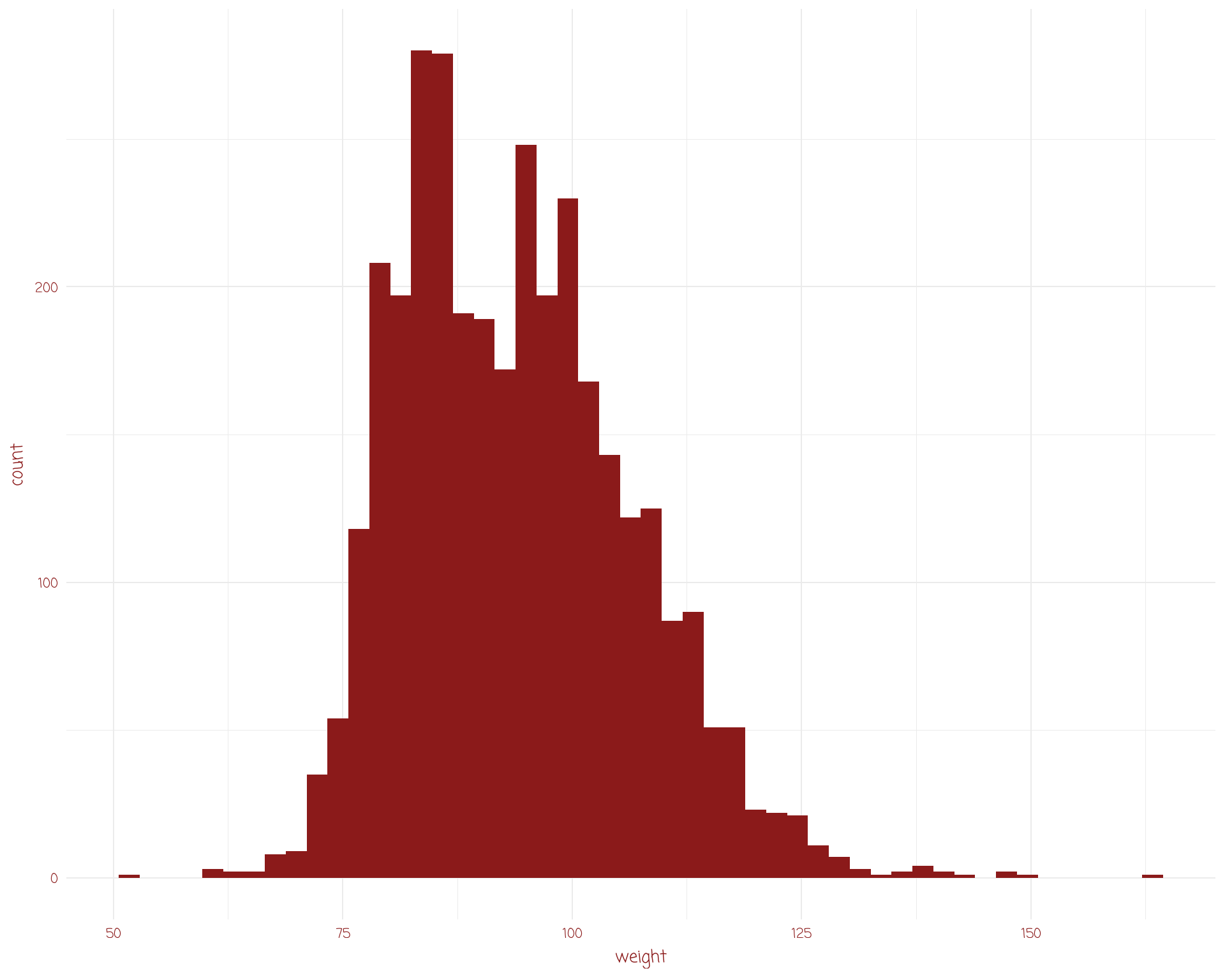
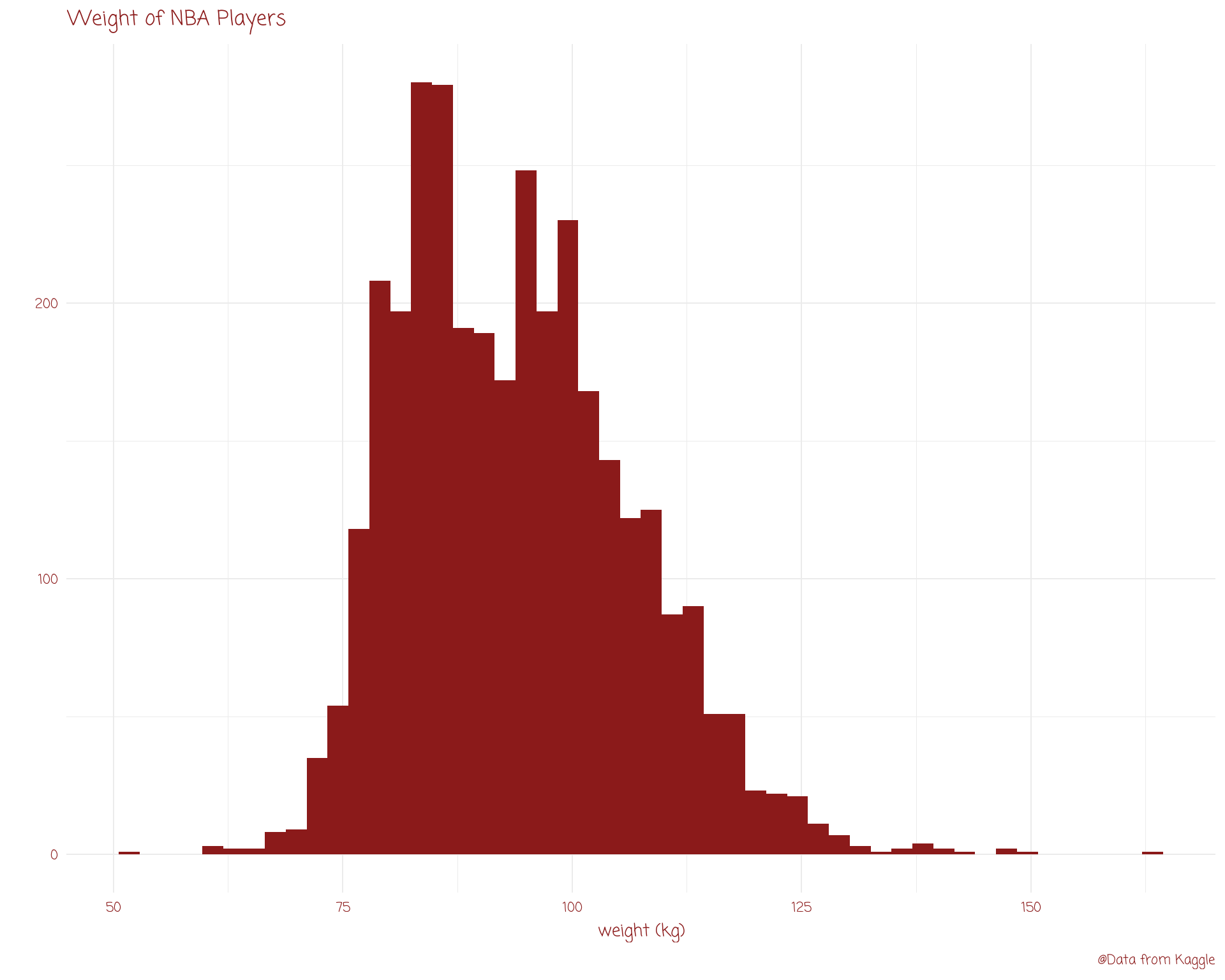
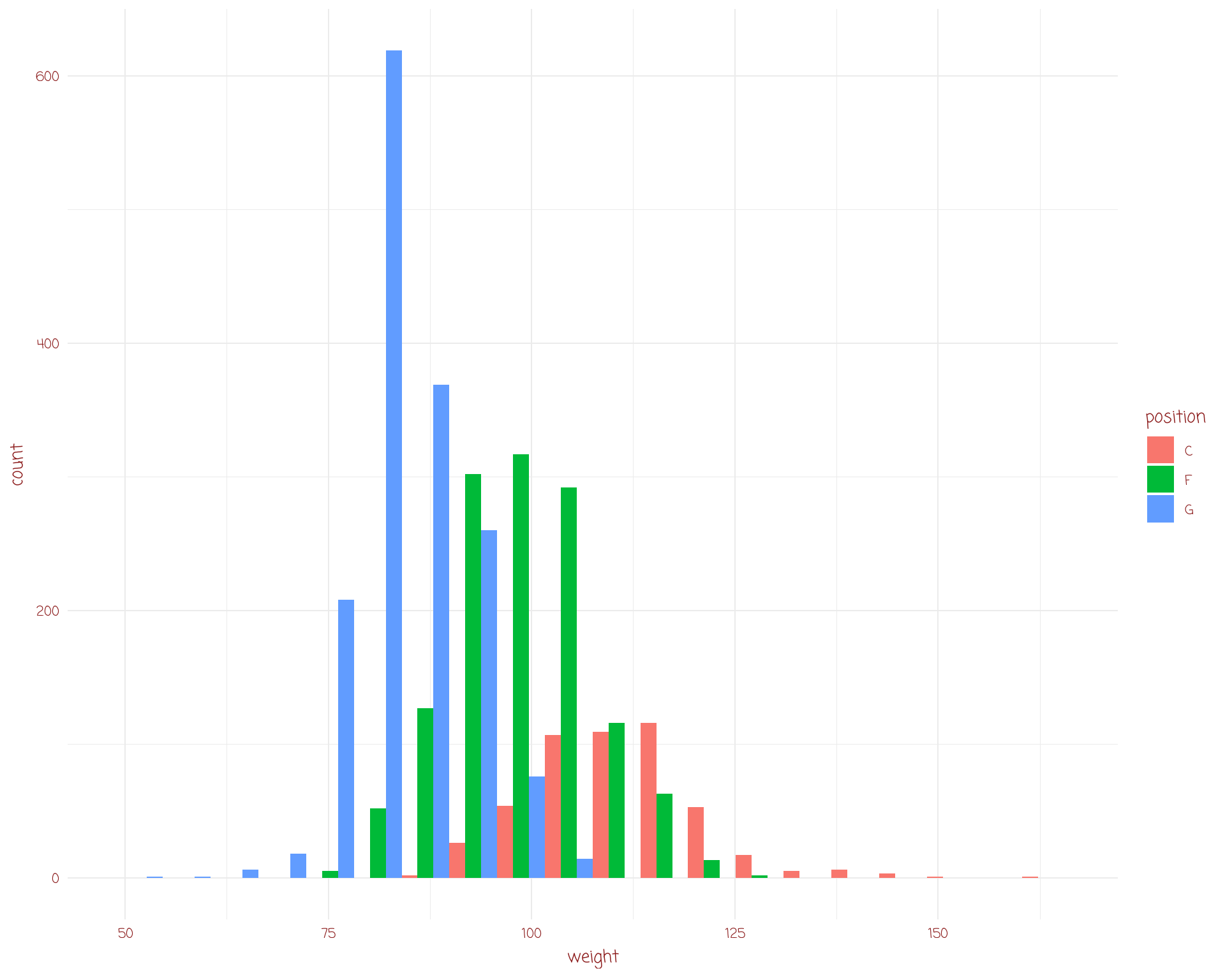
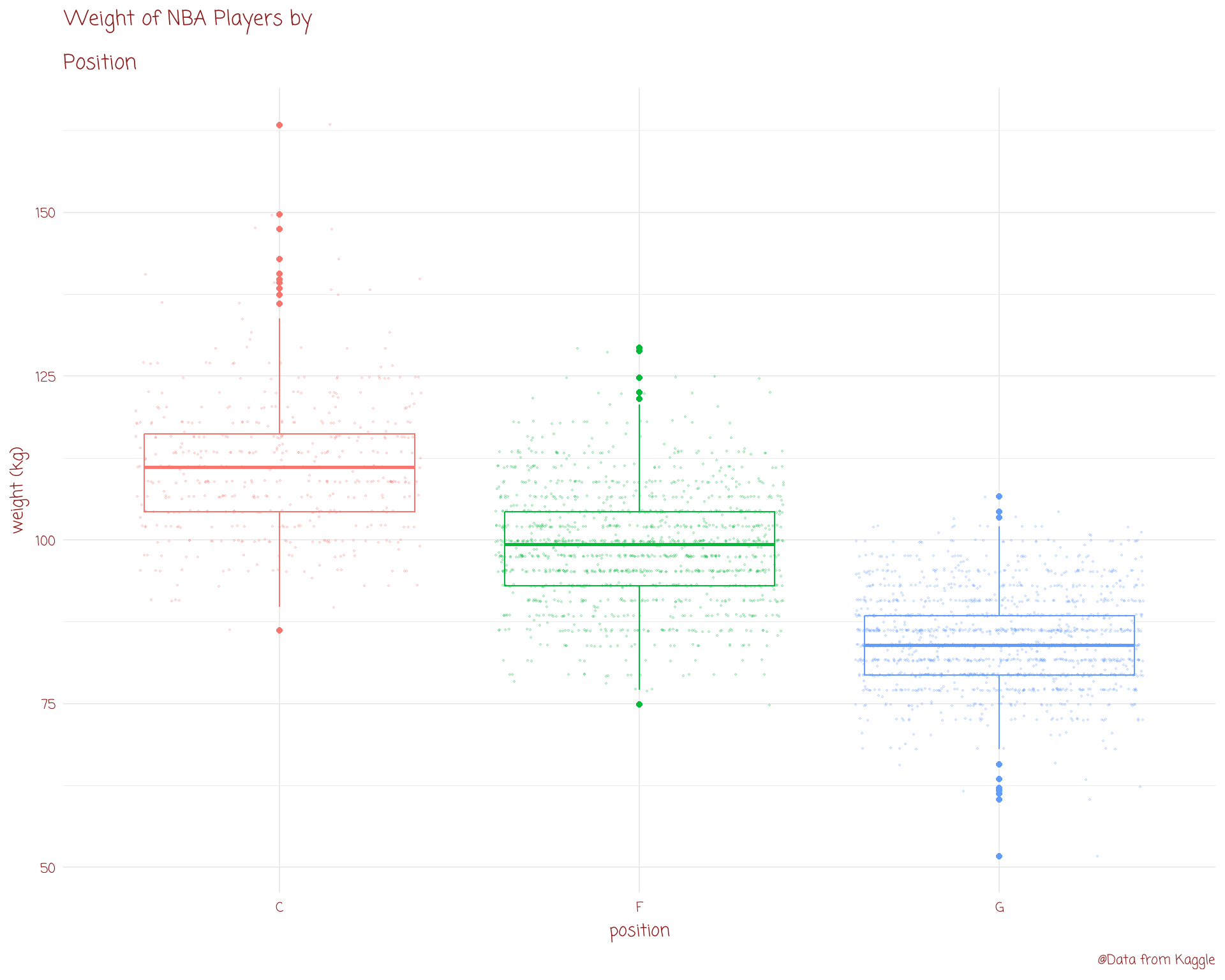
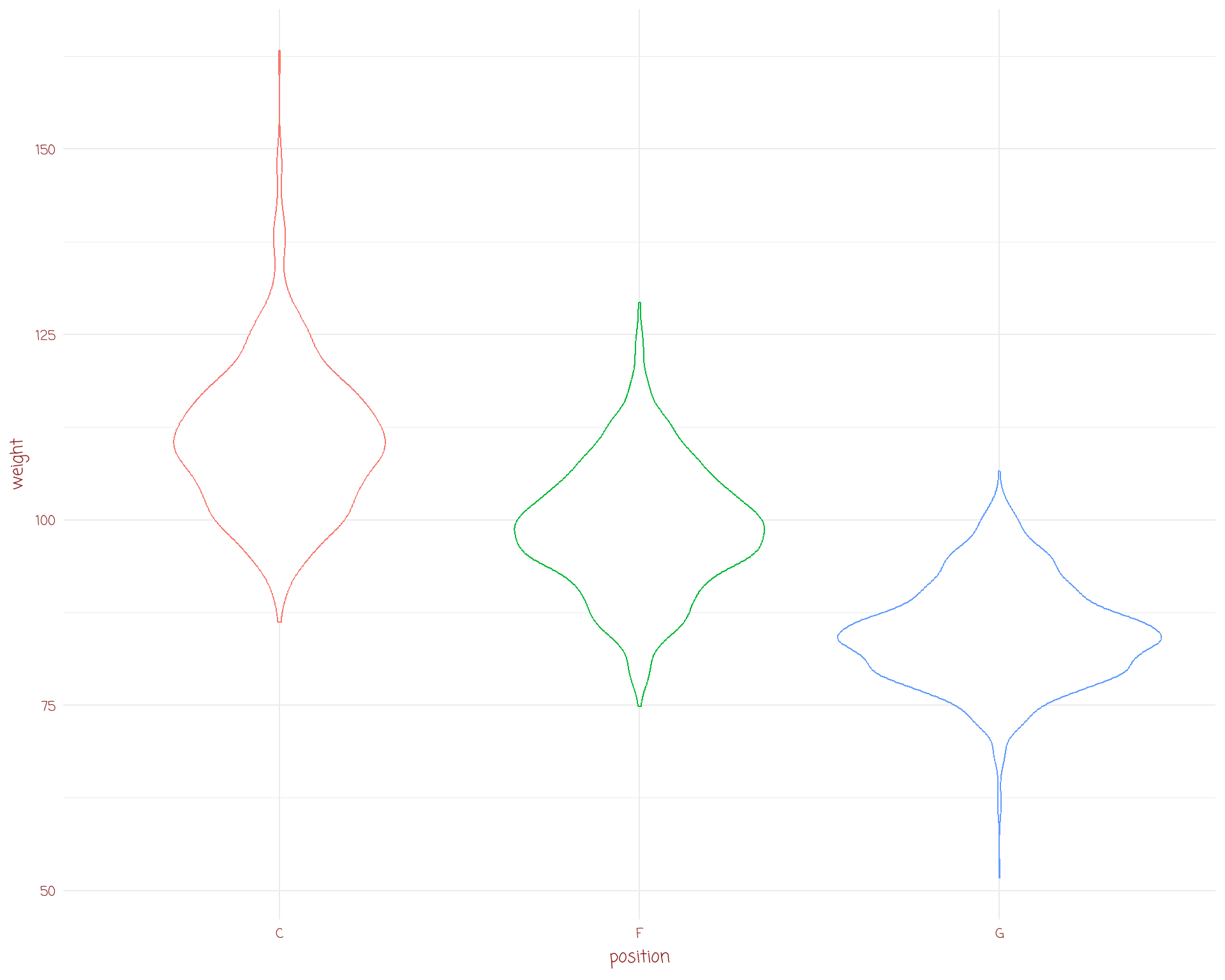
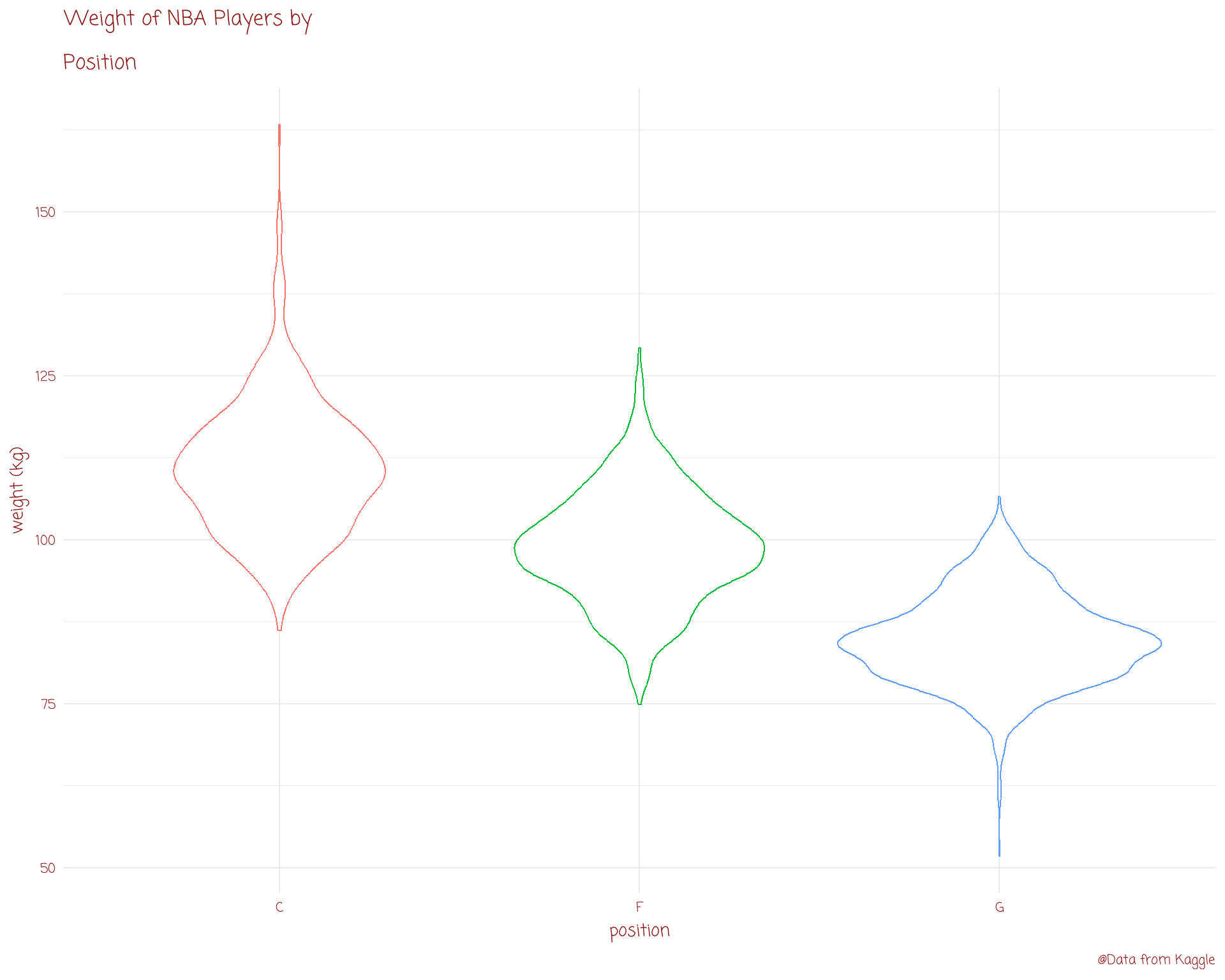
histograms
density plots
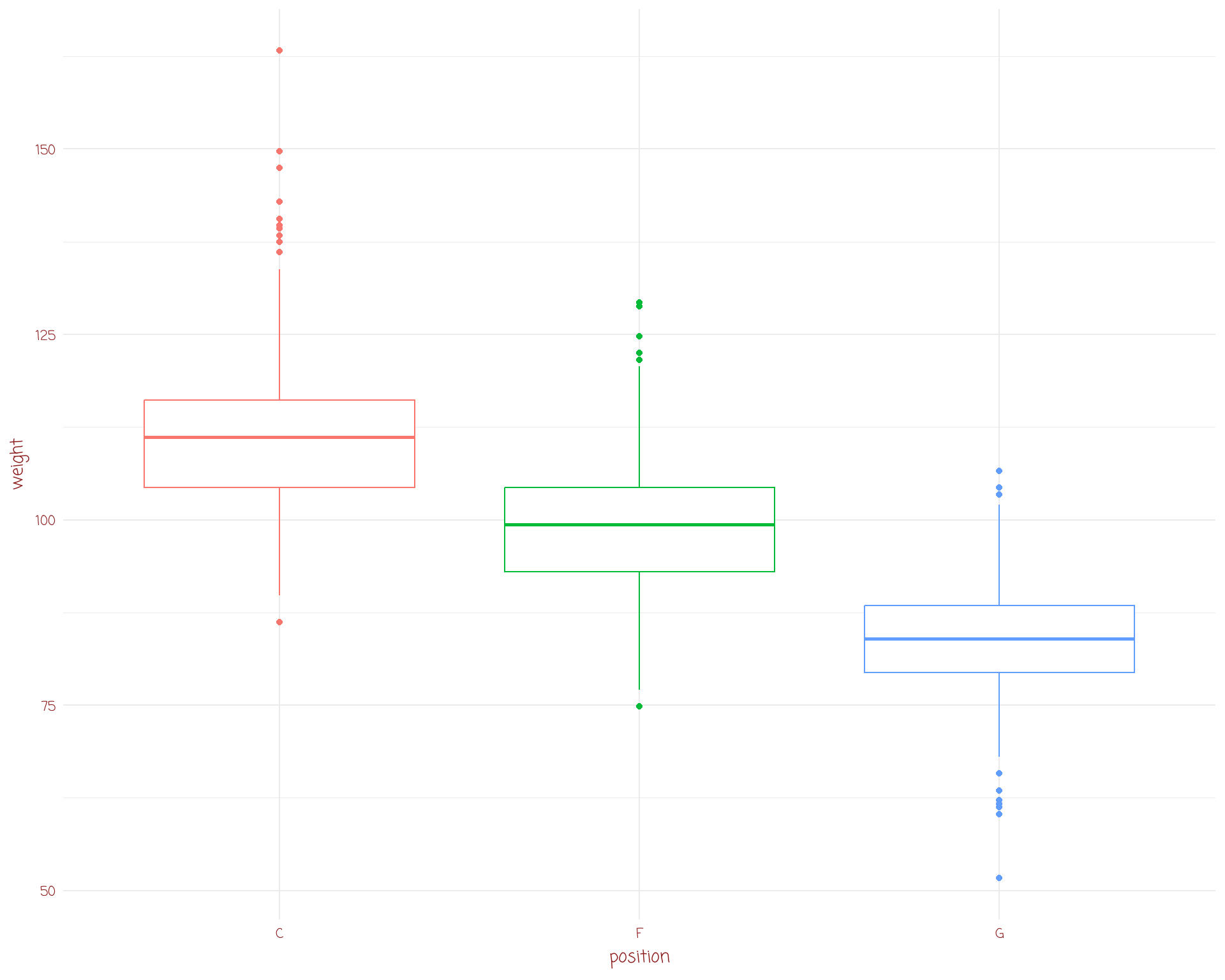
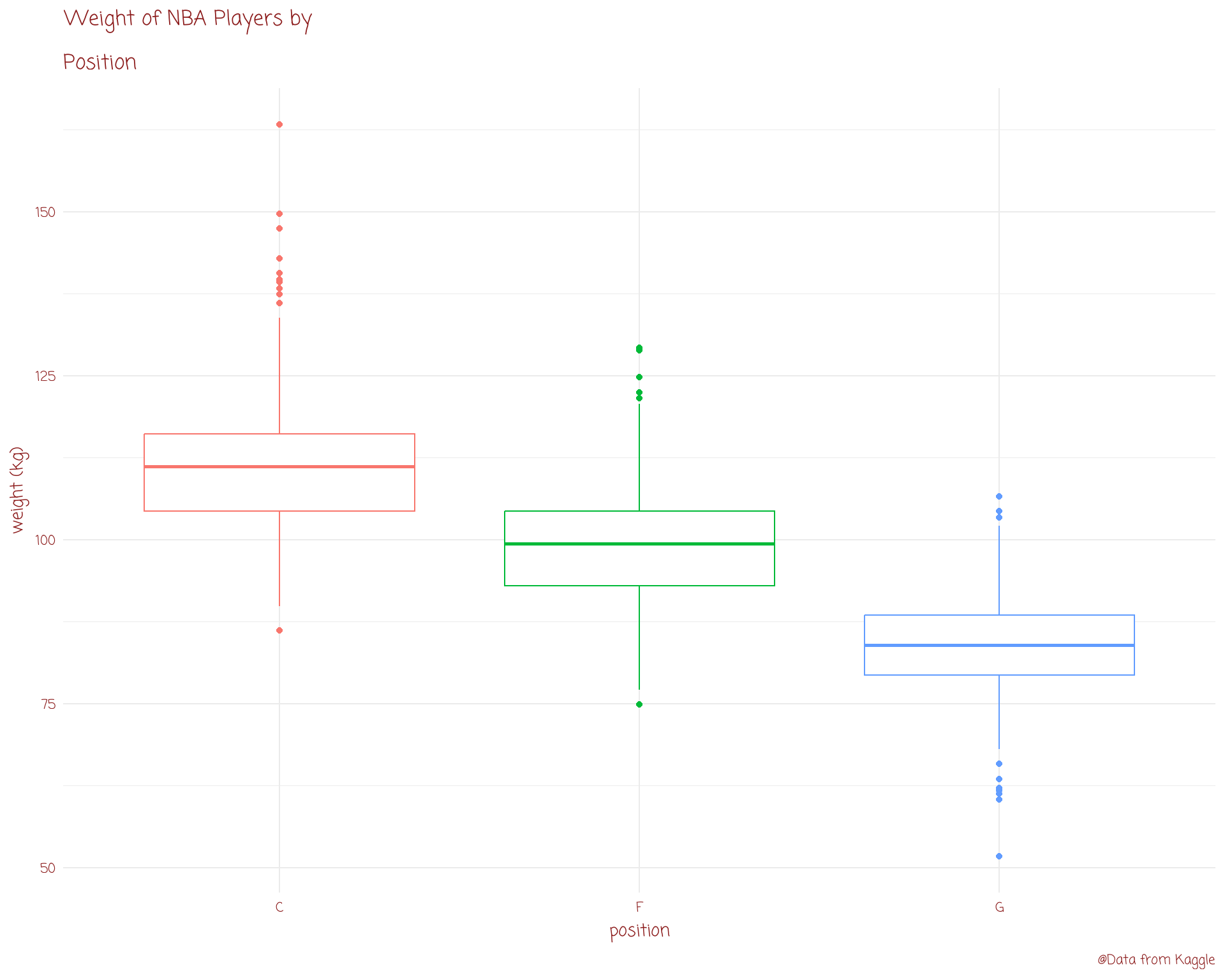
boxplot
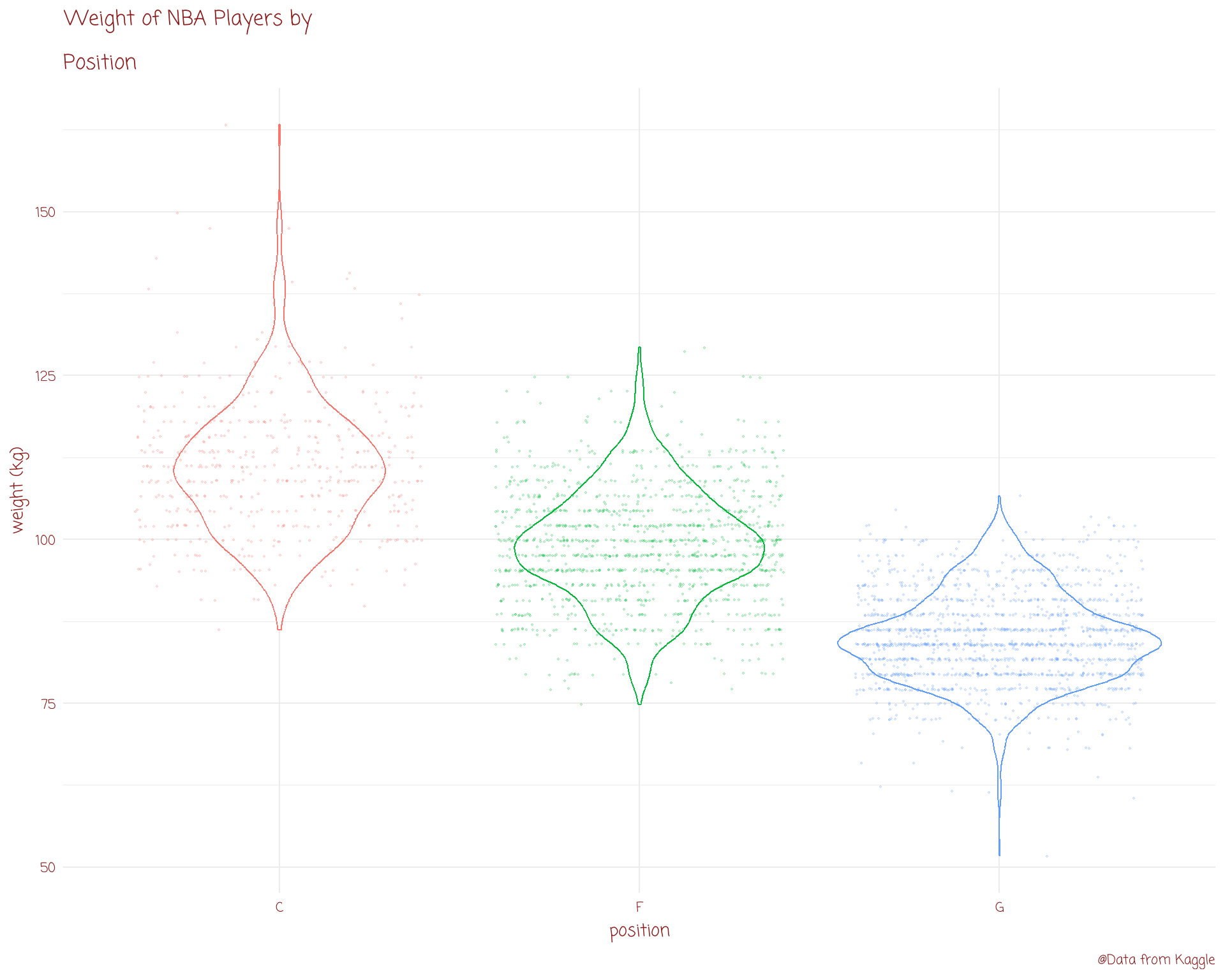
violin plot
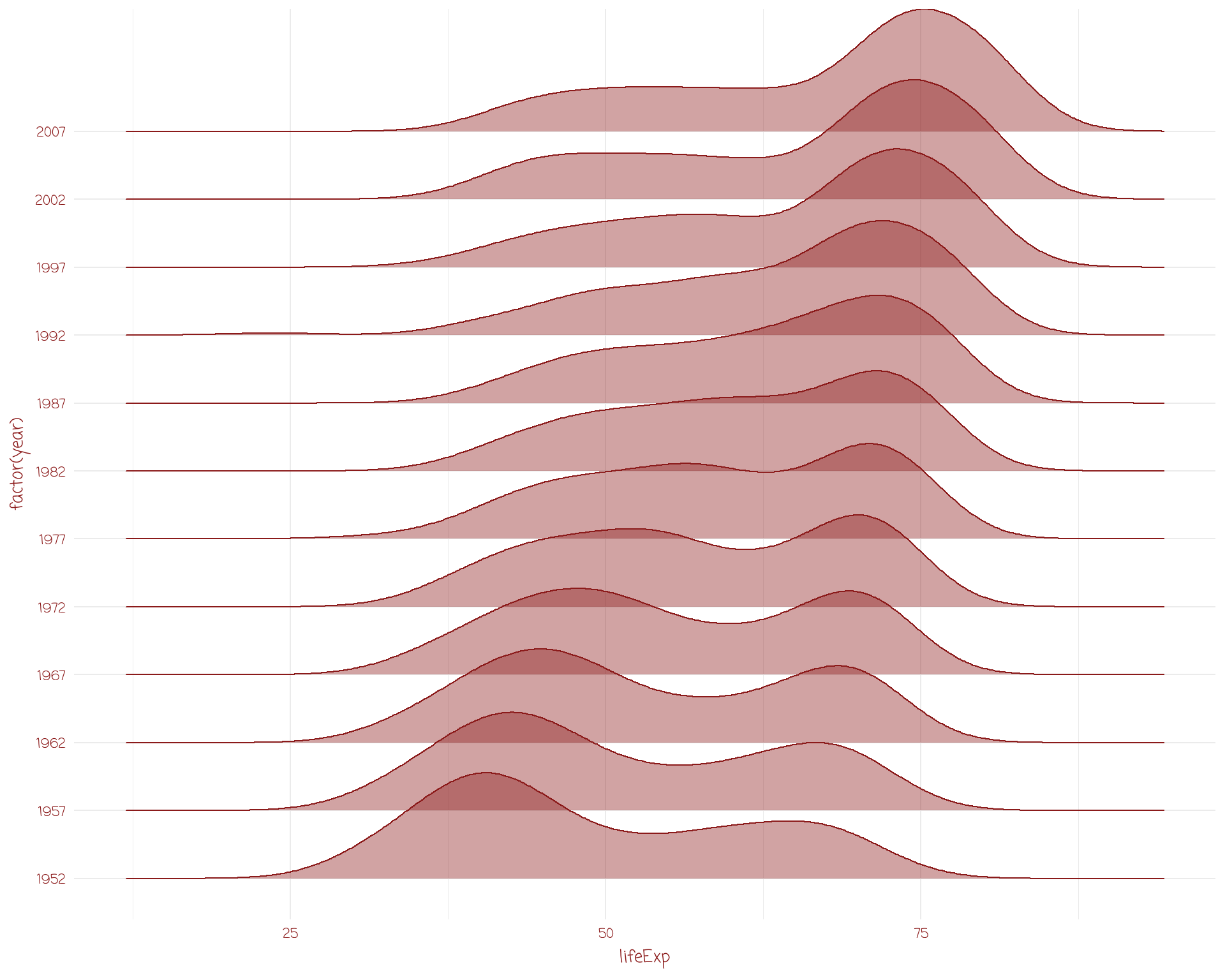
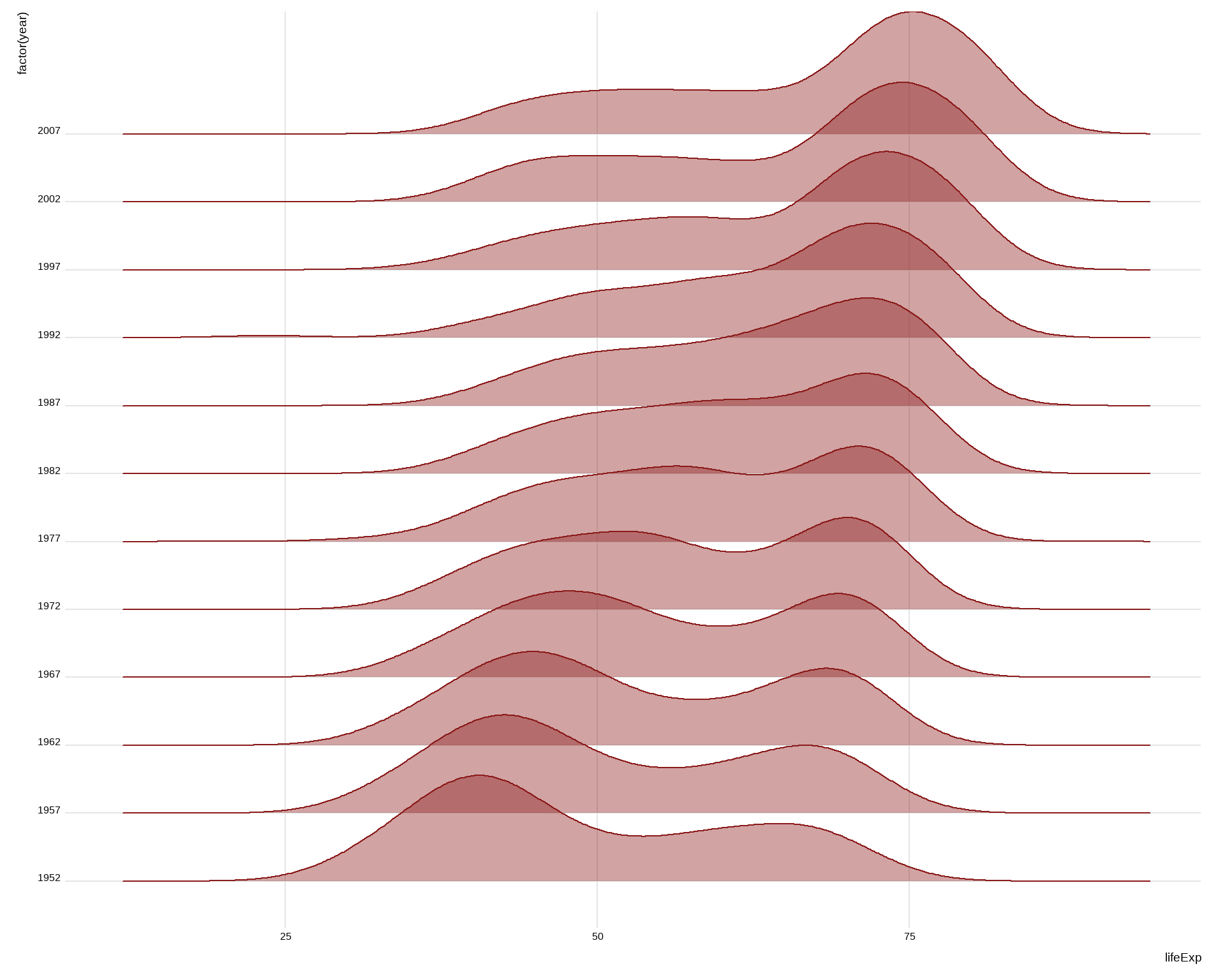
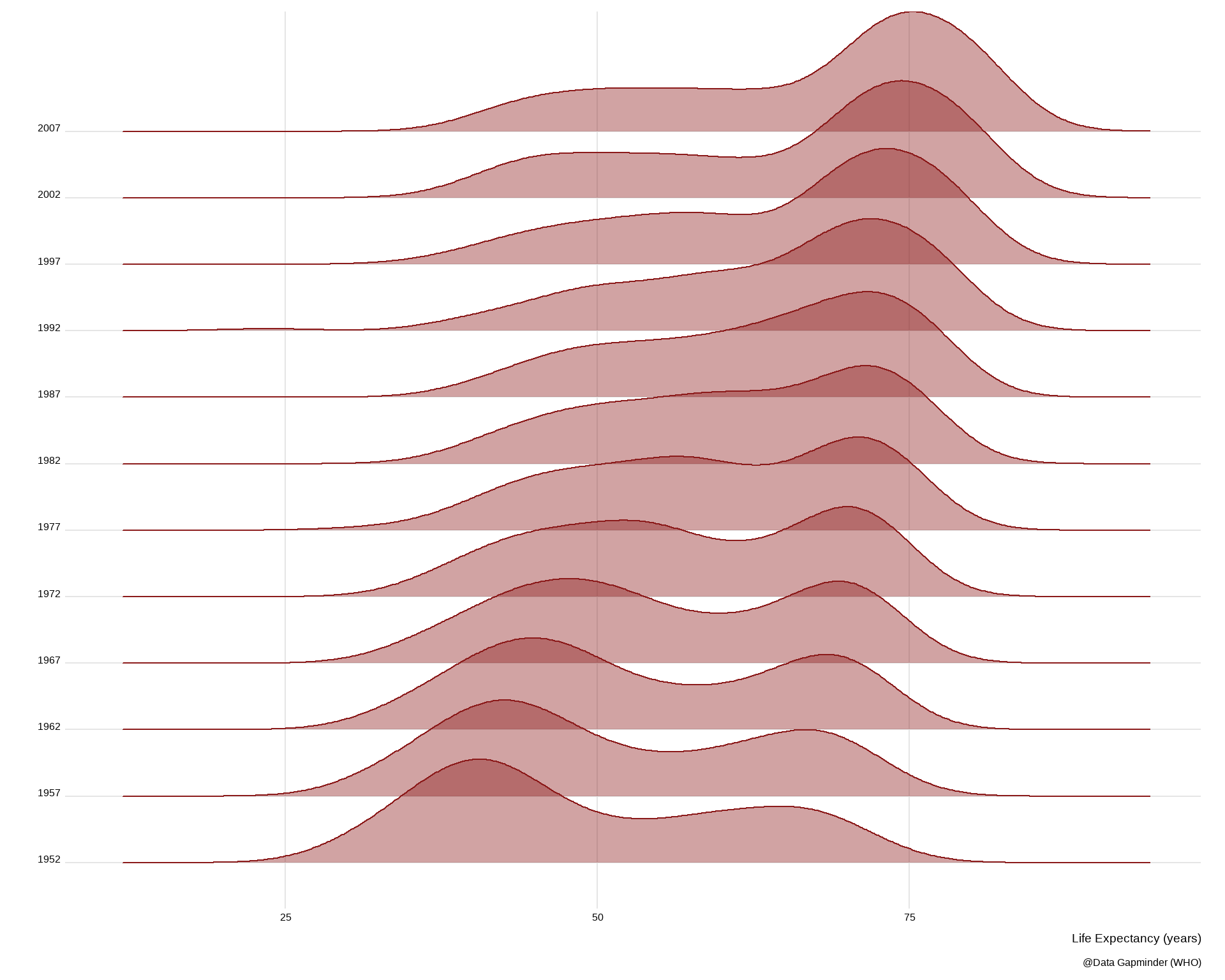
ridge plots
# A tibble: 3,366 Ă— 8
name year_start year_end position height weight birth_date college
<chr> <dbl> <dbl> <chr> <dbl> <dbl> <chr> <chr>
1 Kareem Abdul-J… 1970 1989 C 218. 102. April 16,… Univer…
2 Mahmoud Abdul-… 1991 2001 G 185. 73.5 March 9, … Louisi…
3 Tariq Abdul-Wa… 1998 2003 F 198. 101. November … San Jo…
4 Shareef Abdur-… 1997 2008 F 206. 102. December … Univer…
5 Tom Abernethy 1977 1981 F 201. 99.8 May 6, 19… Indian…
6 Forest Able 1957 1957 G 190. 81.6 July 27, … Wester…
7 John Abramovic 1947 1948 F 190. 88.5 February … Salem …
8 Alex Acker 2006 2009 G 196. 83.9 January 2… Pepper…
9 Don Ackerman 1954 1954 G 183. 83.0 September… Long I…
10 Bud Acton 1968 1968 F 198. 95.3 January 1… Hillsd…
# ℹ 3,356 more rows
# A tibble: 3,366 Ă— 8
name year_start year_end position height weight birth_date college
<chr> <dbl> <dbl> <chr> <dbl> <dbl> <chr> <chr>
1 Kareem Abdul-J… 1970 1989 C 218. 102. April 16,… Univer…
2 Mahmoud Abdul-… 1991 2001 G 185. 73.5 March 9, … Louisi…
3 Tariq Abdul-Wa… 1998 2003 F 198. 101. November … San Jo…
4 Shareef Abdur-… 1997 2008 F 206. 102. December … Univer…
5 Tom Abernethy 1977 1981 F 201. 99.8 May 6, 19… Indian…
6 Forest Able 1957 1957 G 190. 81.6 July 27, … Wester…
7 John Abramovic 1947 1948 F 190. 88.5 February … Salem …
8 Alex Acker 2006 2009 G 196. 83.9 January 2… Pepper…
9 Don Ackerman 1954 1954 G 183. 83.0 September… Long I…
10 Bud Acton 1968 1968 F 198. 95.3 January 1… Hillsd…
# ℹ 3,356 more rows
# A tibble: 3,366 Ă— 8
name year_start year_end position height weight birth_date college
<chr> <dbl> <dbl> <chr> <dbl> <dbl> <chr> <chr>
1 Kareem Abdul-J… 1970 1989 C 218. 102. April 16,… Univer…
2 Mahmoud Abdul-… 1991 2001 G 185. 73.5 March 9, … Louisi…
3 Tariq Abdul-Wa… 1998 2003 F 198. 101. November … San Jo…
4 Shareef Abdur-… 1997 2008 F 206. 102. December … Univer…
5 Tom Abernethy 1977 1981 F 201. 99.8 May 6, 19… Indian…
6 Forest Able 1957 1957 G 190. 81.6 July 27, … Wester…
7 John Abramovic 1947 1948 F 190. 88.5 February … Salem …
8 Alex Acker 2006 2009 G 196. 83.9 January 2… Pepper…
9 Don Ackerman 1954 1954 G 183. 83.0 September… Long I…
10 Bud Acton 1968 1968 F 198. 95.3 January 1… Hillsd…
# ℹ 3,356 more rows
# A tibble: 3,366 Ă— 8
name year_start year_end position height weight birth_date college
<chr> <dbl> <dbl> <chr> <dbl> <dbl> <chr> <chr>
1 Kareem Abdul-J… 1970 1989 C 218. 102. April 16,… Univer…
2 Mahmoud Abdul-… 1991 2001 G 185. 73.5 March 9, … Louisi…
3 Tariq Abdul-Wa… 1998 2003 F 198. 101. November … San Jo…
4 Shareef Abdur-… 1997 2008 F 206. 102. December … Univer…
5 Tom Abernethy 1977 1981 F 201. 99.8 May 6, 19… Indian…
6 Forest Able 1957 1957 G 190. 81.6 July 27, … Wester…
7 John Abramovic 1947 1948 F 190. 88.5 February … Salem …
8 Alex Acker 2006 2009 G 196. 83.9 January 2… Pepper…
9 Don Ackerman 1954 1954 G 183. 83.0 September… Long I…
10 Bud Acton 1968 1968 F 198. 95.3 January 1… Hillsd…
# ℹ 3,356 more rows
# A tibble: 3,366 Ă— 8
name year_start year_end position height weight birth_date college
<chr> <dbl> <dbl> <chr> <dbl> <dbl> <chr> <chr>
1 Kareem Abdul-J… 1970 1989 C 218. 102. April 16,… Univer…
2 Mahmoud Abdul-… 1991 2001 G 185. 73.5 March 9, … Louisi…
3 Tariq Abdul-Wa… 1998 2003 F 198. 101. November … San Jo…
4 Shareef Abdur-… 1997 2008 F 206. 102. December … Univer…
5 Tom Abernethy 1977 1981 F 201. 99.8 May 6, 19… Indian…
6 Forest Able 1957 1957 G 190. 81.6 July 27, … Wester…
7 John Abramovic 1947 1948 F 190. 88.5 February … Salem …
8 Alex Acker 2006 2009 G 196. 83.9 January 2… Pepper…
9 Don Ackerman 1954 1954 G 183. 83.0 September… Long I…
10 Bud Acton 1968 1968 F 198. 95.3 January 1… Hillsd…
# ℹ 3,356 more rows
# A tibble: 1,704 Ă— 6
country continent year lifeExp pop gdpPercap
<fct> <fct> <int> <dbl> <int> <dbl>
1 Afghanistan Asia 1952 28.8 8425333 779.
2 Afghanistan Asia 1957 30.3 9240934 821.
3 Afghanistan Asia 1962 32.0 10267083 853.
4 Afghanistan Asia 1967 34.0 11537966 836.
5 Afghanistan Asia 1972 36.1 13079460 740.
6 Afghanistan Asia 1977 38.4 14880372 786.
7 Afghanistan Asia 1982 39.9 12881816 978.
8 Afghanistan Asia 1987 40.8 13867957 852.
9 Afghanistan Asia 1992 41.7 16317921 649.
10 Afghanistan Asia 1997 41.8 22227415 635.
# ℹ 1,694 more rows
hugely important
great way to explore your data / introduce it to others
make sure you show you data when possible
scatter plots
line plots
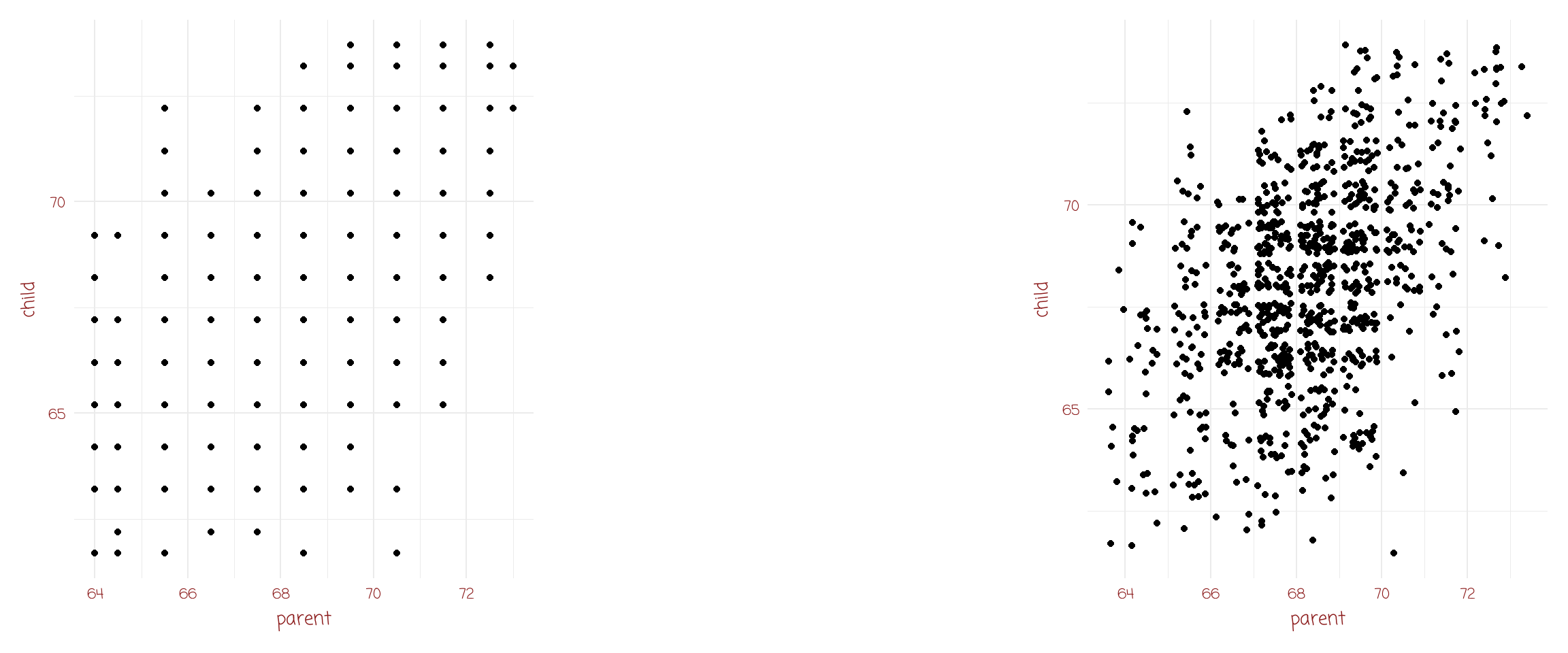
correlation
star magnitude temp type
1 Sun 4.8 5840 G
2 SiriusA 1.4 9620 A
3 Canopus -3.1 7400 F
4 Arcturus -0.4 4590 K
5 AlphaCentauriA 4.3 5840 G
6 Vega 0.5 9900 A
7 Capella -0.6 5150 G
8 Rigel -7.2 12140 B
9 ProcyonA 2.6 6580 F
10 Betelgeuse -5.7 3200 M
11 Achemar -2.4 20500 B
12 Hadar -5.3 25500 B
13 Altair 2.2 8060 A
14 Aldebaran -0.8 4130 K
15 Spica -3.4 25500 B
16 Antares -5.2 3340 M
17 Fomalhaut 2.0 9060 A
18 Pollux 1.0 4900 K
19 Deneb -7.2 9340 A
20 BetaCrucis -4.7 28000 B
21 Regulus -0.8 13260 B
22 Acrux -4.0 28000 B
23 Adhara -5.2 23000 B
24 Shaula -3.4 25500 B
25 Bellatrix -4.3 23000 B
26 Castor 1.2 9620 A
27 Gacrux -0.5 3750 M
28 BetaCentauri -5.1 25500 B
29 AlphaCentauriB 5.8 4730 K
30 AlNa'ir -1.1 15550 B
31 Miaplacidus -0.6 9300 A
32 Elnath -1.6 12400 B
33 Alnilam -6.2 26950 B
34 Mirfak -4.6 7700 F
35 Alnitak -5.9 33600 O
36 Dubhe 0.2 4900 K
37 Alioth 0.4 9900 A
38 Peacock -2.3 20500 B
39 KausAustralis -0.3 11000 B
40 ThetaScorpii -5.6 7400 F
41 Atria -0.1 4590 K
42 Alkaid -1.7 20500 B
43 AlphaCrucisB -3.3 20500 B
44 Avior -2.1 4900 K
45 DeltaCanisMajoris -8.0 6100 F
46 Alhena 0.0 9900 A
47 Menkalinan 0.6 9340 A
48 Polaris -4.6 6100 F
49 Mirzam -4.8 25500 B
50 DeltaVulpeculae 0.6 9900 A
51 *ProximaCentauri 15.5 2670 M
52 *AlphaCentauriB 5.8 4900 K
53 Barnard'sStar 13.2 2800 M
54 Wolf359 16.7 2670 M
55 HD93735 10.5 3200 M
56 *L726-8 15.5 2670 M
57 *UVCeti 16.0 2670 M
58 *SiriusA 1.4 9620 A
59 *SiriusB 11.2 14800 DA
60 Ross154 13.1 2800 M
61 Ross248 14.8 2670 M
62 EpsilonEridani 6.1 4590 K
63 Ross128 13.5 2800 M
64 L789-6 14.5 2670 M
65 *GXAndromedae 10.4 3340 M
66 *GQAndromedae 13.4 2670 M
67 EpsilonIndi 7.0 4130 K
68 *61CygniA 7.6 4130 K
69 *61CygniB 8.4 3870 K
70 *Struve2398A 11.2 3070 M
71 *Struve2398B 11.9 2940 M
72 TauCeti 5.7 5150 G
73 *ProcyonA 2.6 6600 F
74 *ProcyonB 13.0 9700 DF
75 Lacaille9352 9.6 3340 M
76 G51-I5 17.0 2500 M
77 YZCeti 14.1 2670 M
78 BD+051668 11.9 2800 M
79 Lacaille8760 8.7 3340 K
80 KapteynsStar 10.9 3480 M
81 *Kruger60A 11.9 2940 M
82 *Kruger60B 13.3 2670 M
83 BD-124523 12.1 2940 M
84 Ross614A 13.1 2800 M
85 Wolf424A 15.0 2670 M
86 vanMaanen'sStar 14.2 13000 DB
87 TZArietis 14.0 2800 M
88 HD225213 10.3 3200 M
89 Altair 2.2 8060 A
90 ADLeonis 11.0 2940 M
91 *40EridaniA 6.0 4900 K
92 *40EridaniB 11.1 10000 DA
93 *40EridaniC 12.8 2940 M
94 *70OphiuchiA 5.8 4950 K
95 *70OphiuchiB 7.5 3870 K
96 EVLacertae 11.7 2800 M
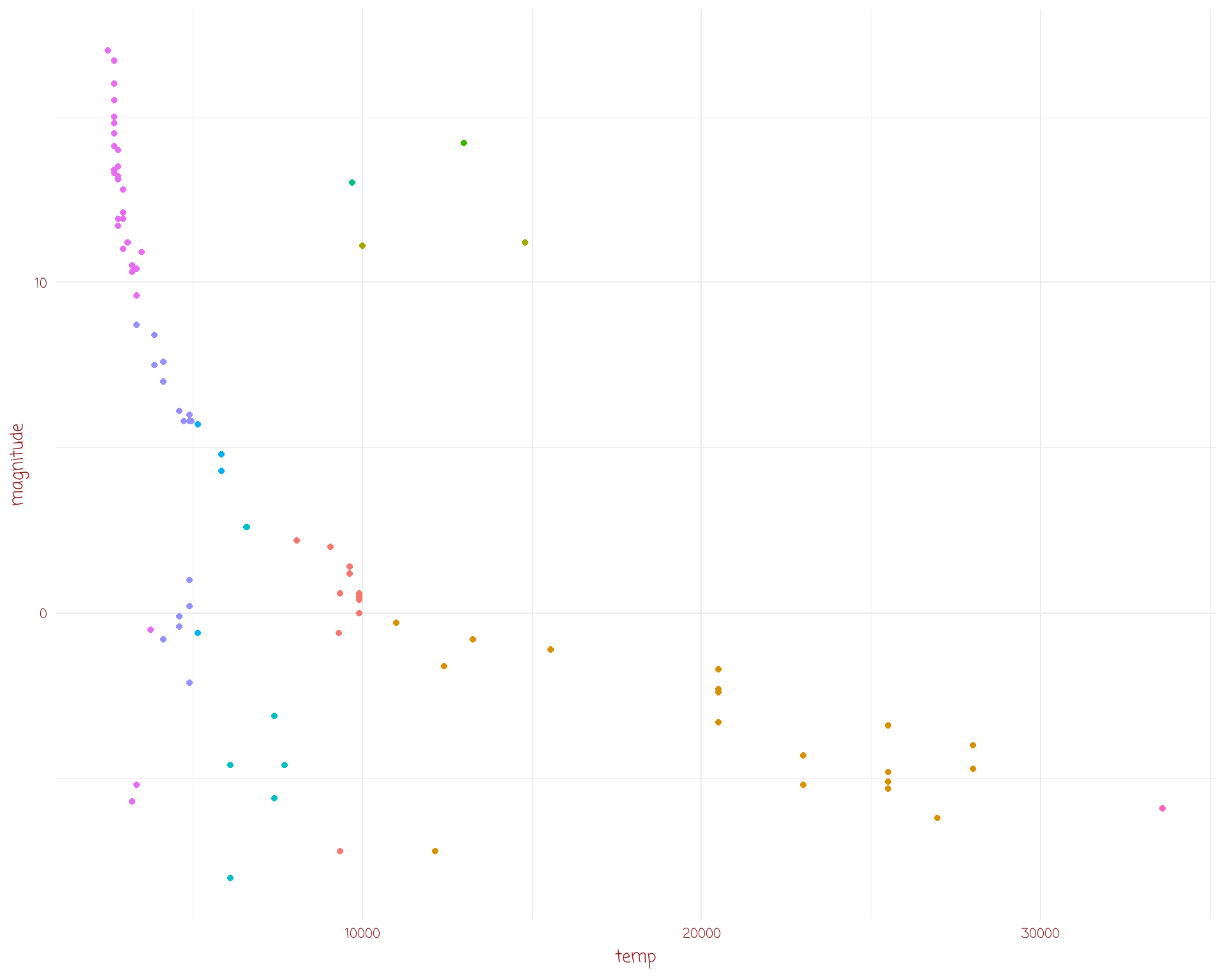
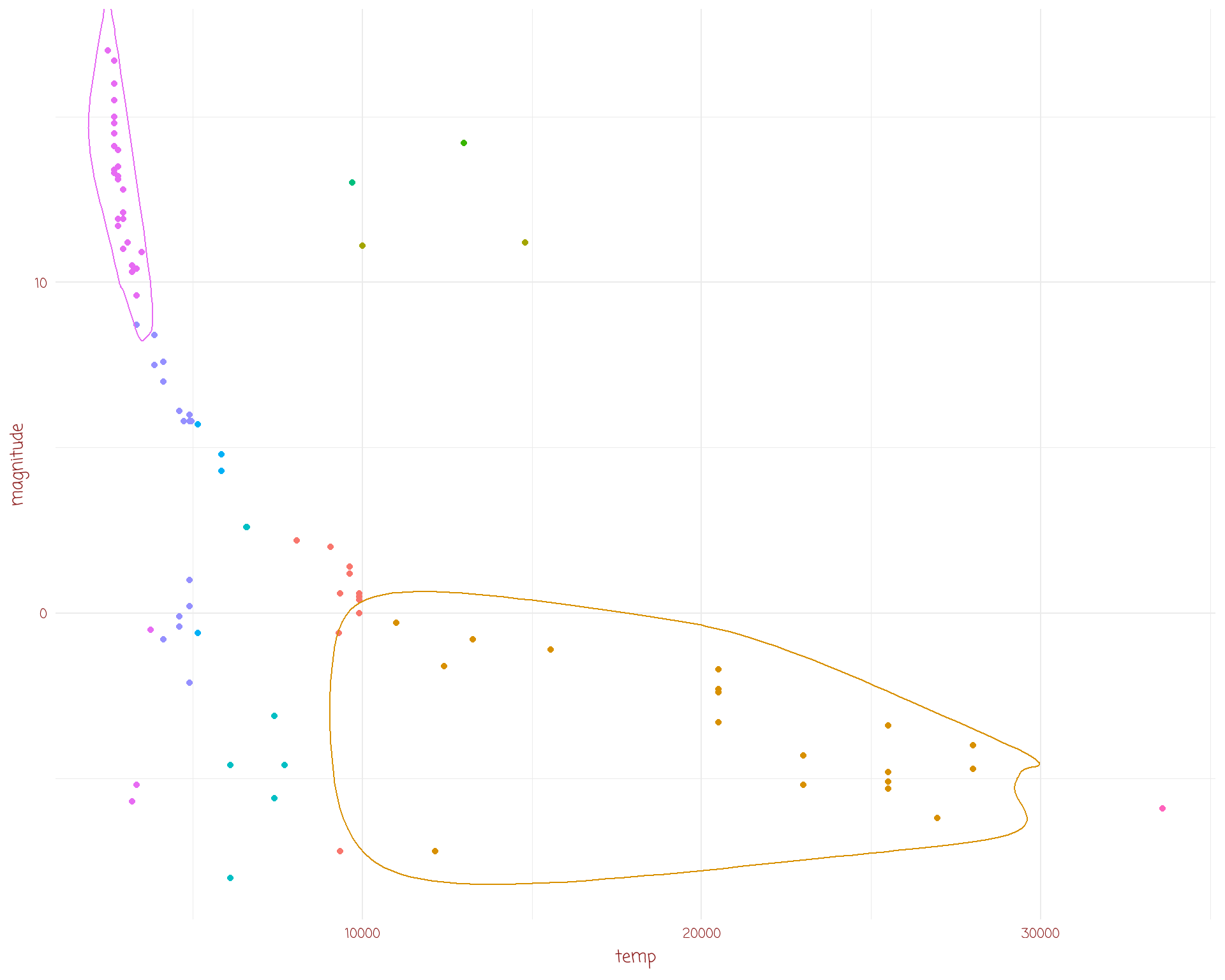
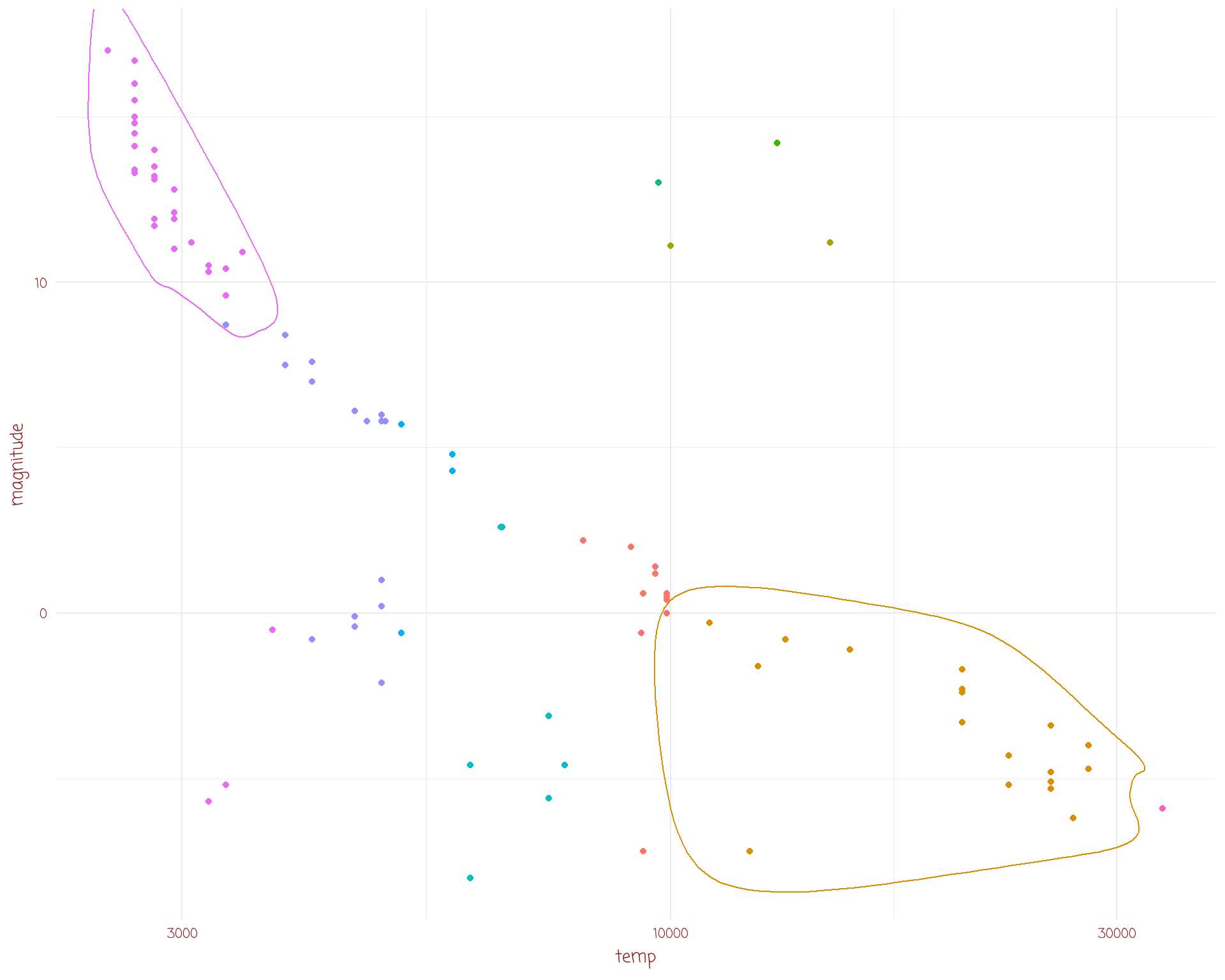
dslabs::stars %>%
ggplot(aes(temp,
magnitude,
col = type)) +
geom_point(show.legend = F) +
geom_encircle(data = dslabs::stars %>%
dplyr::filter(type == "B" | (type == "M" & magnitude > 9)),
show.legend = F) +
scale_x_log10() +
annotate("text",
x = c(15000, 5000),
y = c(-4, 14),
label = c("Type B Stars", "Faint Type M Stars"),
col = c("blue", "olivedrab3"),
family = "Ink Free",
size = 4,
fontface = 2)
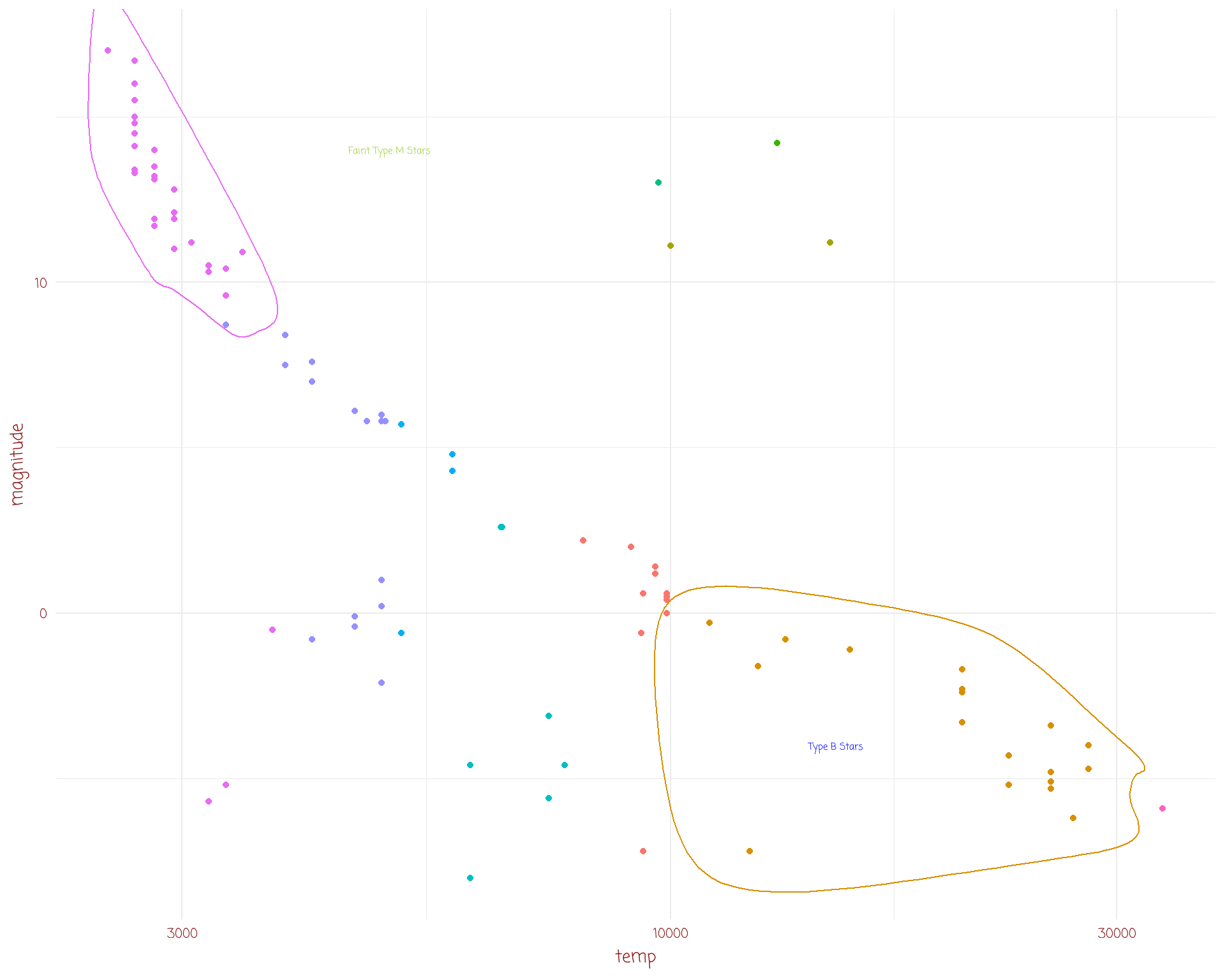
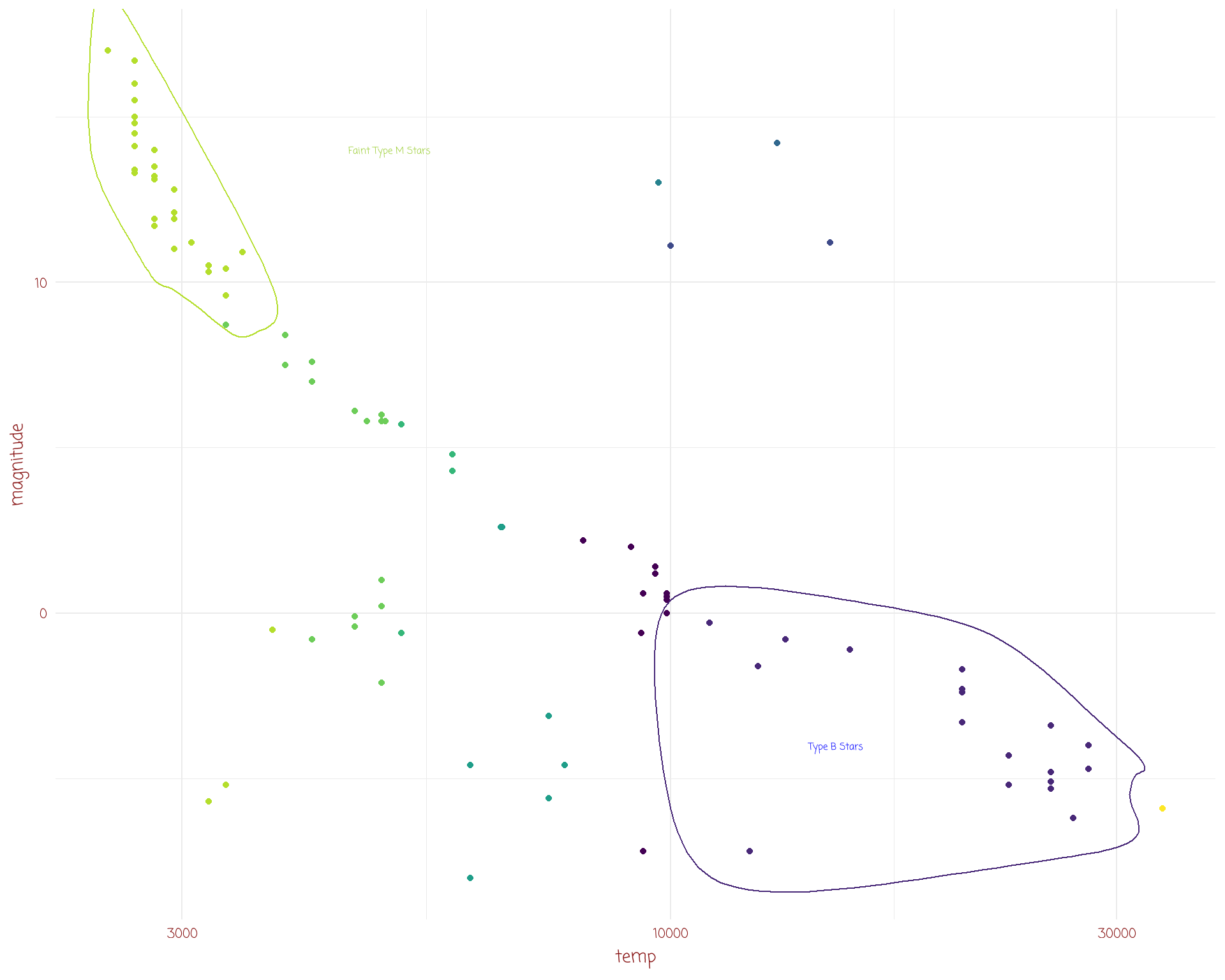
dslabs::stars %>%
ggplot(aes(temp,
magnitude,
col = type)) +
geom_point(show.legend = F) +
geom_encircle(data = dslabs::stars %>%
dplyr::filter(type == "B" | (type == "M" & magnitude > 9)),
show.legend = F) +
scale_x_log10() +
annotate("text",
x = c(15000, 5000),
y = c(-4, 14),
label = c("Type B Stars", "Faint Type M Stars"),
col = c("blue", "olivedrab3"),
family = "Ink Free",
size = 4,
fontface = 2) +
scale_color_viridis_d()
colours are very important
can carry information
also important to be visually pleasing
worthwhile to make your figures aesthetically attractive
qualitative

sequential

diverging

some really great packages
RColorBrewer()
viridis()
paletteer()
wesanderson
more….
tvthemes()
ggsci(), palettes for scientific publications (Lancet, AAAS, etc)
colorspace()
and a cheatsheet
by name: “red”, “cyan”, “violetred4”, “thistle”…..
by hex code: “#f49340”, “#40f9f9”, “#ee82ef”, “#d8bfd1”….
by rgb values: (249, 67, 64), (64, 249, 249), (57, 14, 30), (216, 191, 209)….
by hcl values: (53.24, 179.04, 12.17), (91.11, 72.10, 192.17), (32.36, 63.11, 349.86), (80.08, 20.79, 307.73)….
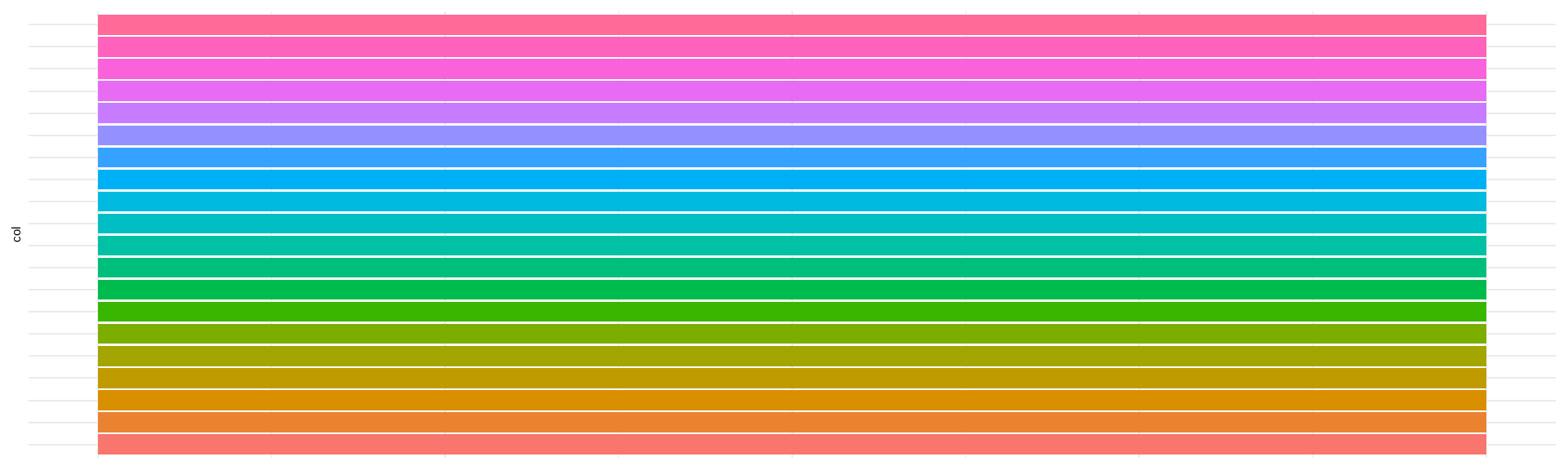
show_col() from the scales package is super useful
rgb() will give a hex code for a fraction of red, green, blue
colourPicker() from the colourpicker package
col2rgb(), also col2hex() from the gplots package, and col2hcl from the jmw86069/jamba package
Chrome has an Eye Dropper tool
Nice description of colurs from Stowers
use for fill and for col aesthetics
add the scale_fill… and scale_color… layers to control
explore these by typing ?scale_fill and then TAB to see the range of options
We’ll also discuss fonts (first).
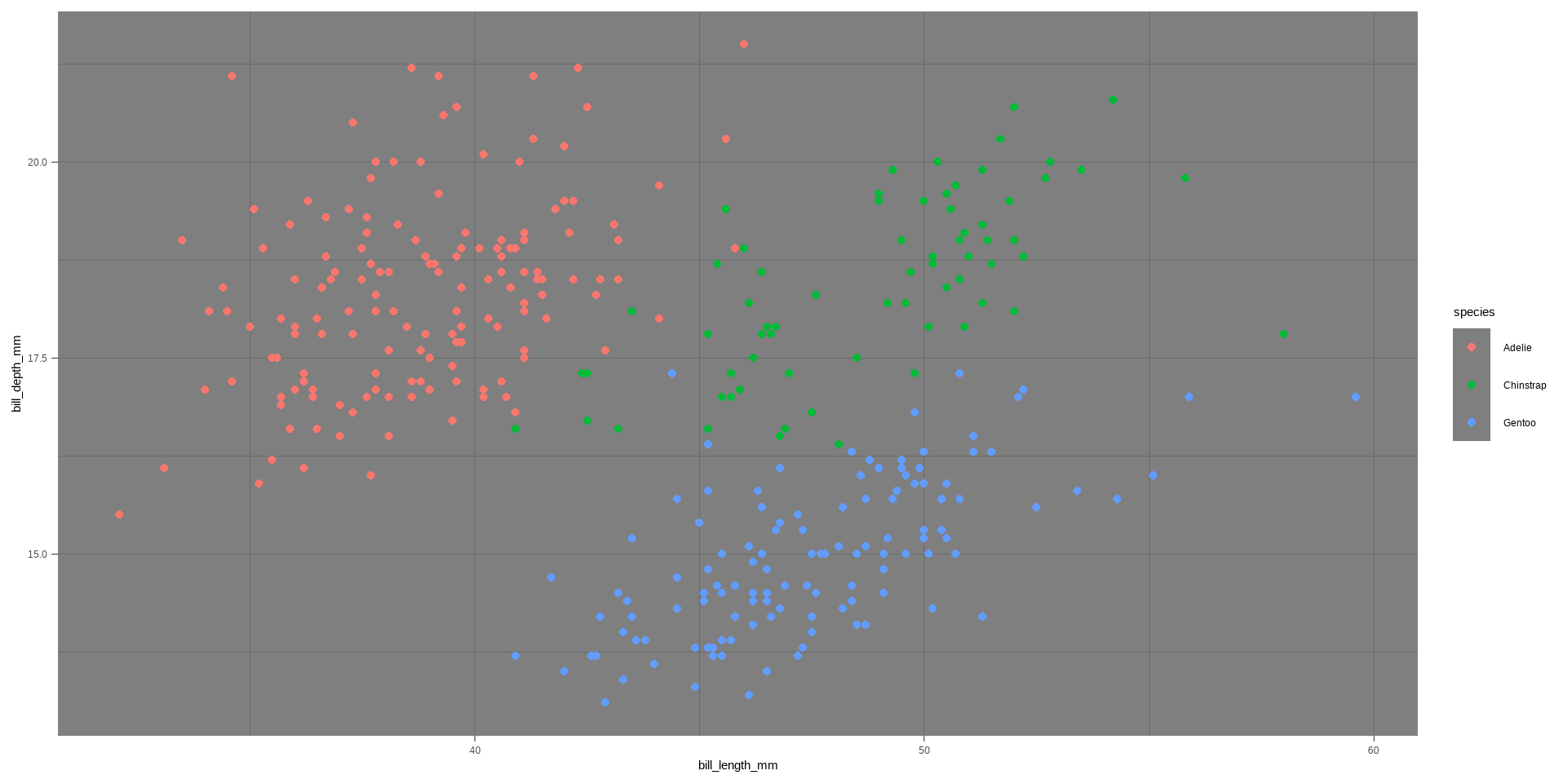
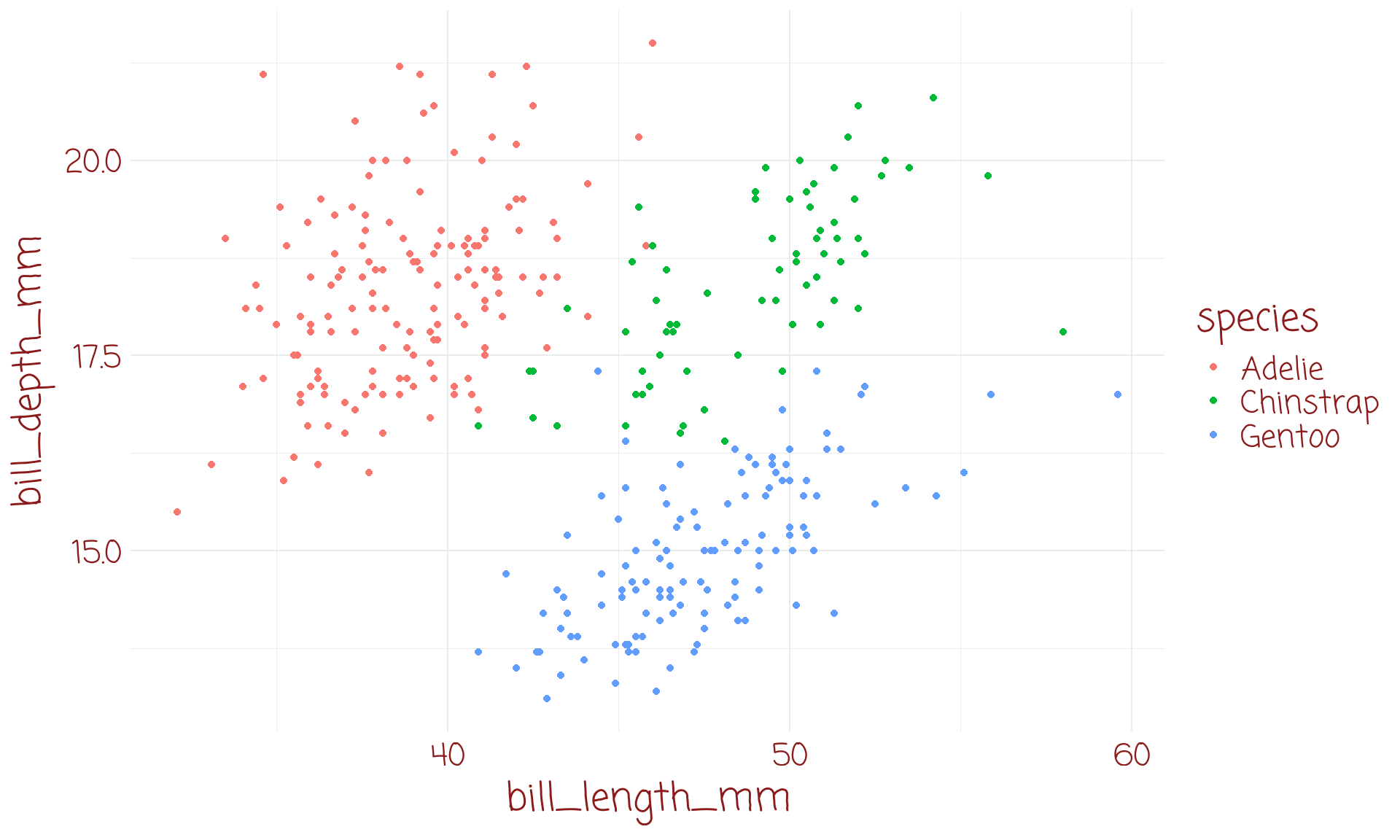
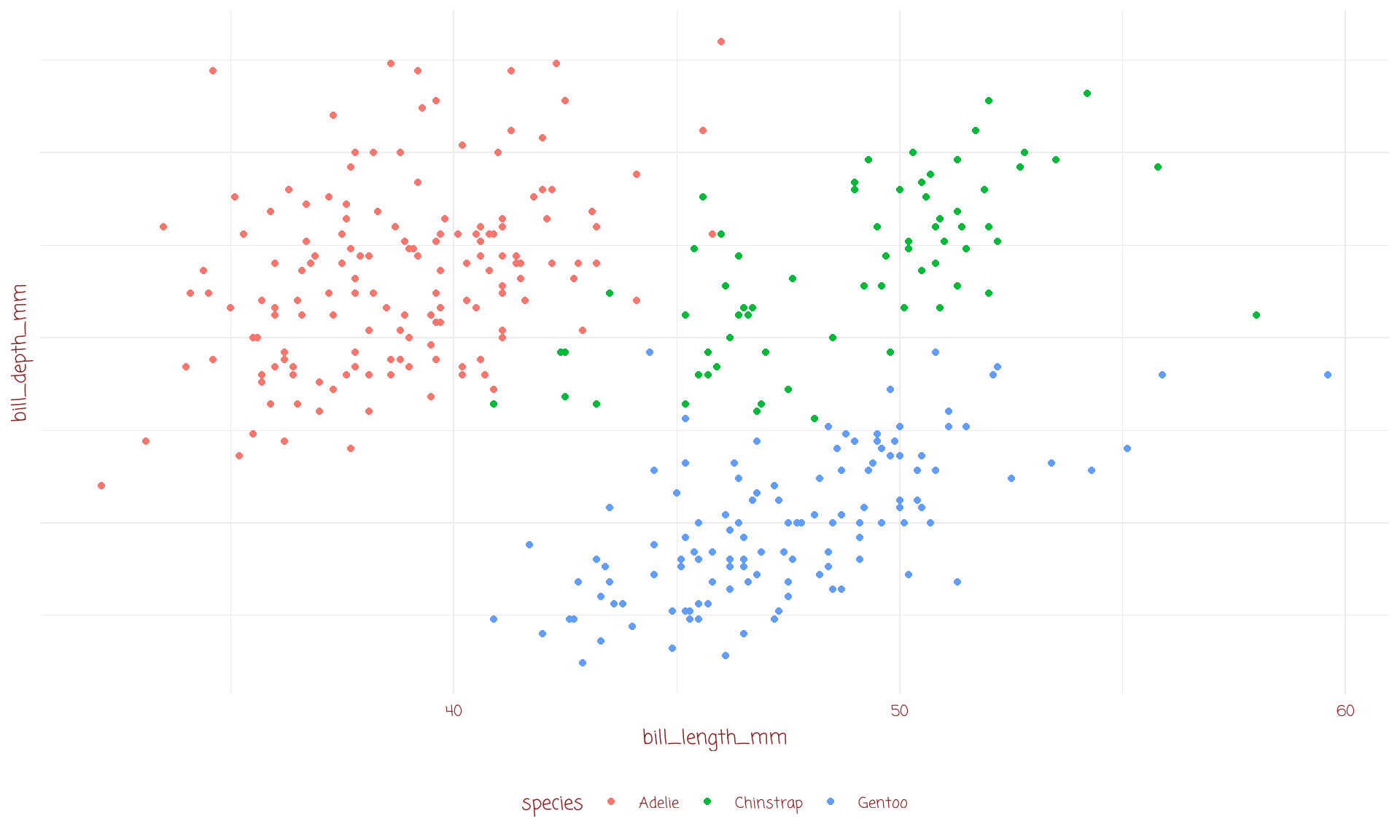
themes give fine control to the appearance of your plots
large number of preset themes
several packages with neat bundle of useful themes
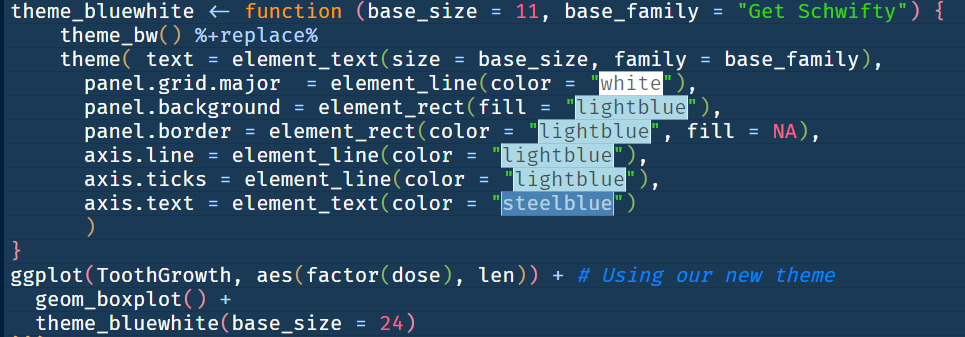
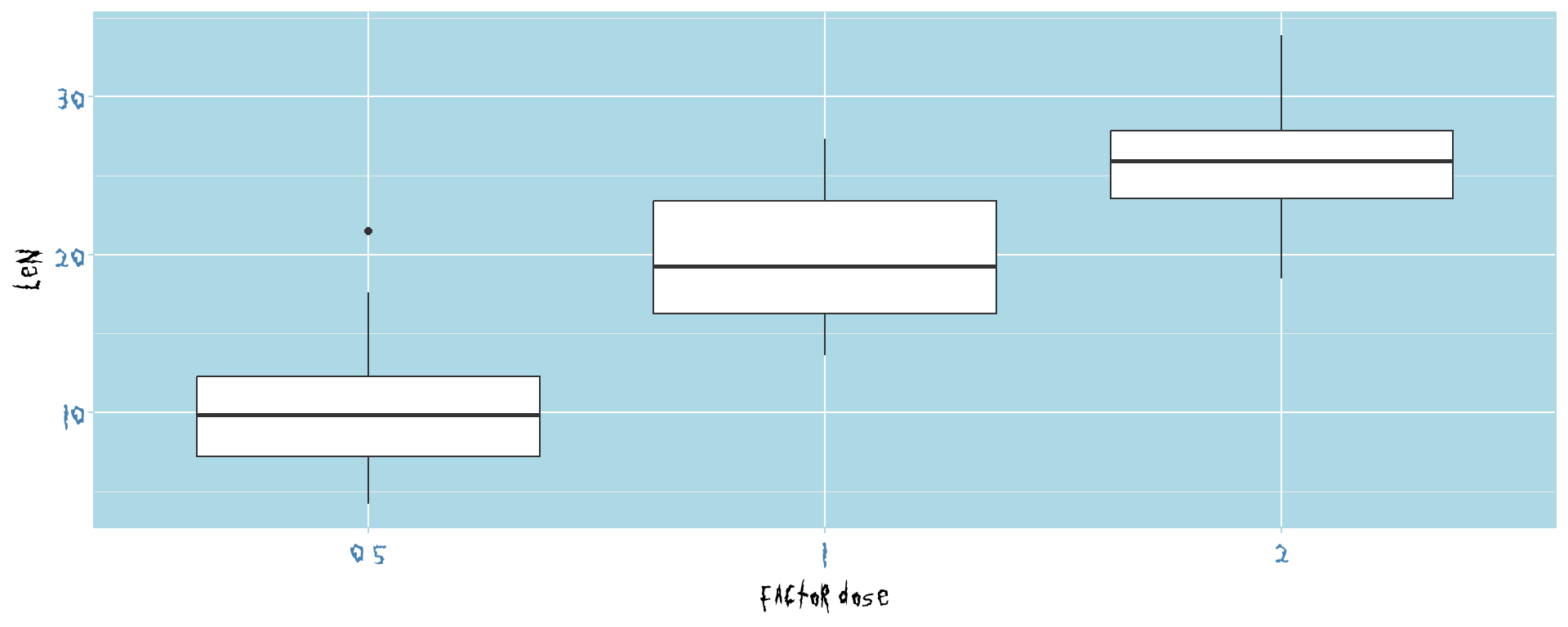
and, of course, we can develop our own theme to have consistent graphics
we’ll discuss this first, as often themes require fonts which might not be present
fonts are a whole world of their own
need to be in the system, load them into windows / mac / linux
then need to capture them in R
showtext package also useful
font_add(family = "Get Schwifty", regular = "fonts/get_schwifty.ttf")showtext_auto()can also use google fonts (showtext::font_add_google("my_special_font"))
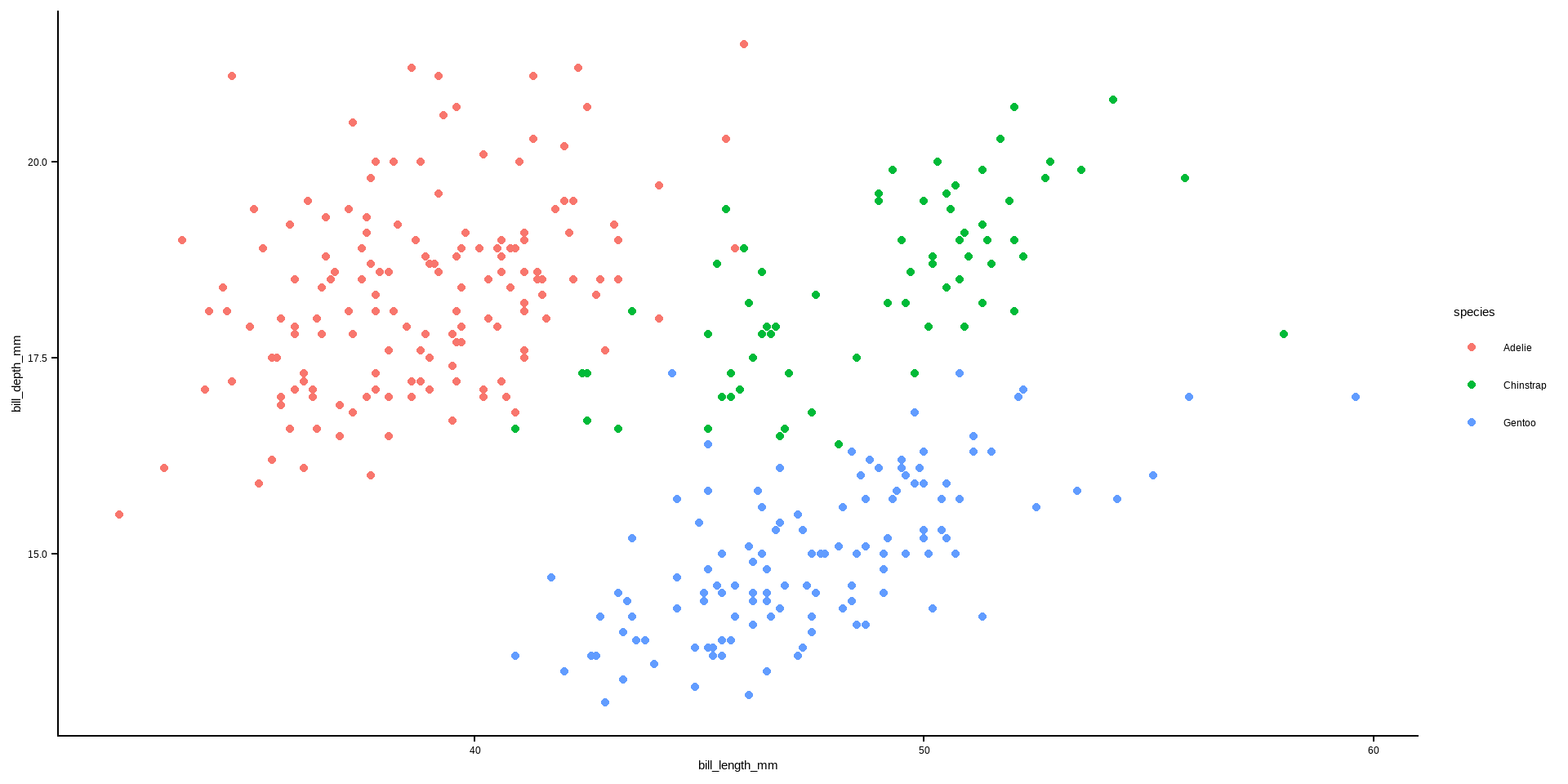
these set up ggplots with standard appearances
can always adjust these, but do so in a layer after invoking the theme
some defaults in ggplot2, see here
you should experiment with these to see how they look
other package provide supplementary themes
This website is pretty good on themes
again, make sure you experiment with these


you have a dataset with the counties of Ireland in one column and their populations in a second column. To produce a bar chart, should you use geom_col() or geom_bar()?
make a bar chart of the number of counties in each of the five US midwest states. Use the midwest dataset from ggplot2
make a bar chart of the number of each species of pengiun from the penguins dataset
make a bar chart of the 12 Carnivora total sleep times from the msleep dataset in ggplot2
make a lollipop plot of the 12 Primates total sleep times from the msleep dataset in ggplot2
access a function we wrote from github (source("https://github.com/eugene100hickey/ATU-2026/raw/refs/heads/main/my_boxoffice.R")). Use the following commands to downloads box office receipts from this day last week:
boxoffice_date <- Sys.Date()-7
movies <- my_boxoffice(boxoffice_date) %>%
mutate(gross = gross / 1e3,
movie_name = movie,
movie = abbreviate(movie)) %>%
head()
Plot a pie chart of gross receipt for these top six films (see the R Graph Gallery)
You are tasked with reproducing the following figure:
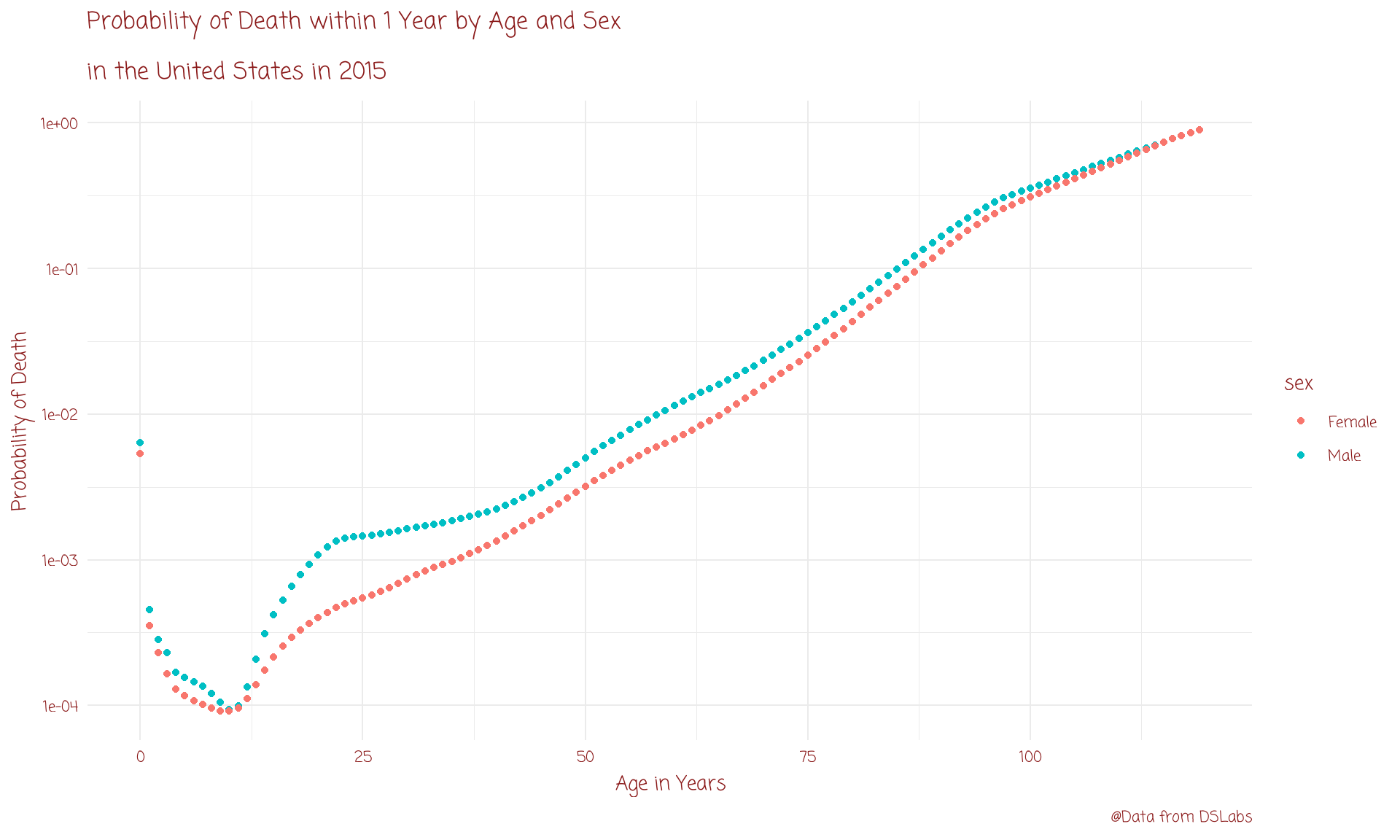
You’ll need the tidyverse library and the dslabs library (install from CRAN by install.packages(“dslabs”))
Get the dataset using data(“death_prob”)
You’ll need to call ggplot setting data = death_prob
There are three aesthetics; for age, prob, and sex
Add the graph title, the axes labels, and add a caption
The y axis should be plotted on a log scale
There are also extra marks for improving the figure with your own ideas
You can save your plot using ggsave(“my-first-assignment.png”) at the console or in your .R file, or by clicking Export in the plots pane of RStudio
Correct call to ggplot to set up the figure framework (2 marks)
Correct geom to insert the points (2 marks)
Inserting the title, axes labels, and caption (2 marks)
Making the y-axis on a log scale using scale_y_log10 (2 marks)
Your improvement (2 marks)
Upload your work (the image and your code) to moodle at Week Five Assignment - death_prob. The deadline is midnight on Sunday 24th May 2026.